Use the Configure Interface section of the Email MTA Configuration page to configure a static IP address for the SMTP interface.
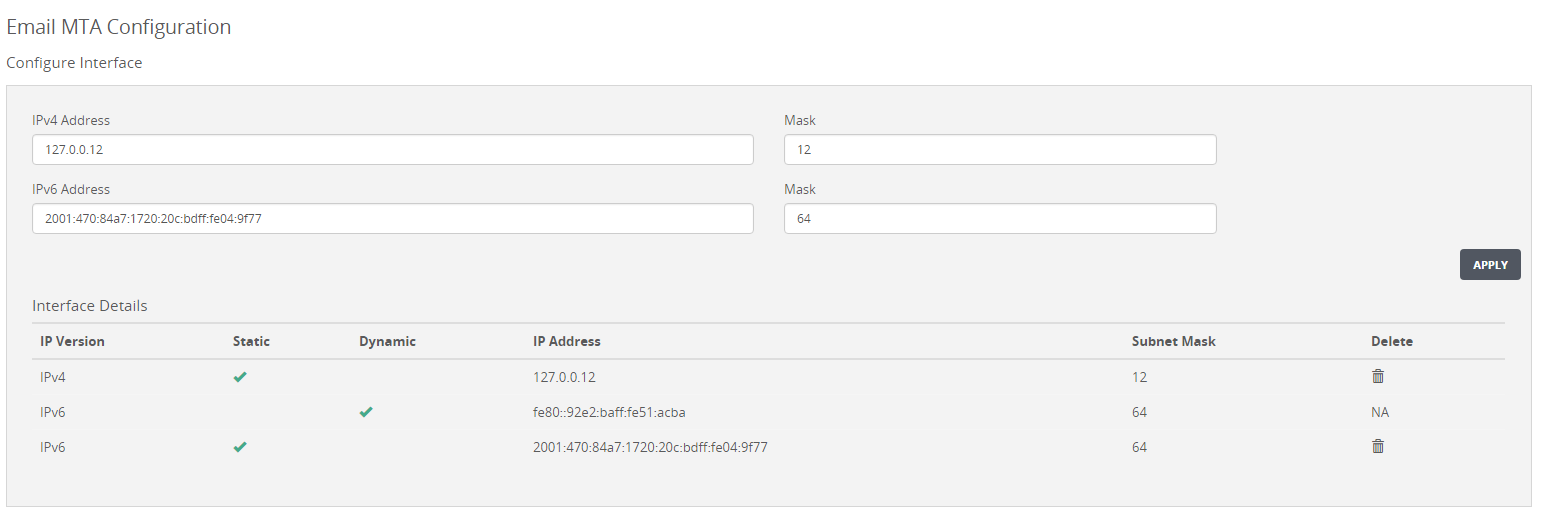
To configure an SMTP interface address:
Click the Settings tab.
Click Email MTA on the sidebar.
Do one of the following:
Enter the IPv4 address and mask length for the interface in the IPv4 Address and Mask boxes.
Enter the IPv6 address and mask length for the interface in the IPv6 Address and Mask boxes.
Click Apply.
To remove an SMTP interface address:
Locate the address you want to delete.
Click the Delete (trash can) icon.
Click YES.
The address is deleted from the SMTP configuration.