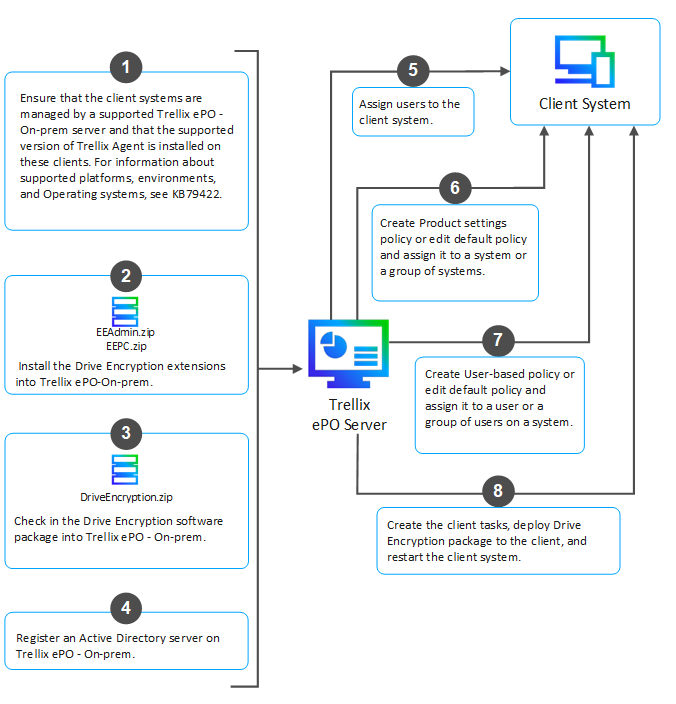
This section depicts the quick start diagram and specifies the prerequisite checklist to quickly assist you to understand the process of Trellix Drive Encryption installation.
You are now be able to see the Encryption icon and the Trellix Drive Encryption system status on the menu bar displayed on the client's desktop.
Note
The Trellix Drive Encryption system status changes from Inactive to Active only after adding the user and enforcing the policies correctly.