Trellix Database Security monitors the Database Management Systems (DBMS) and protects it from both internal and external threats.
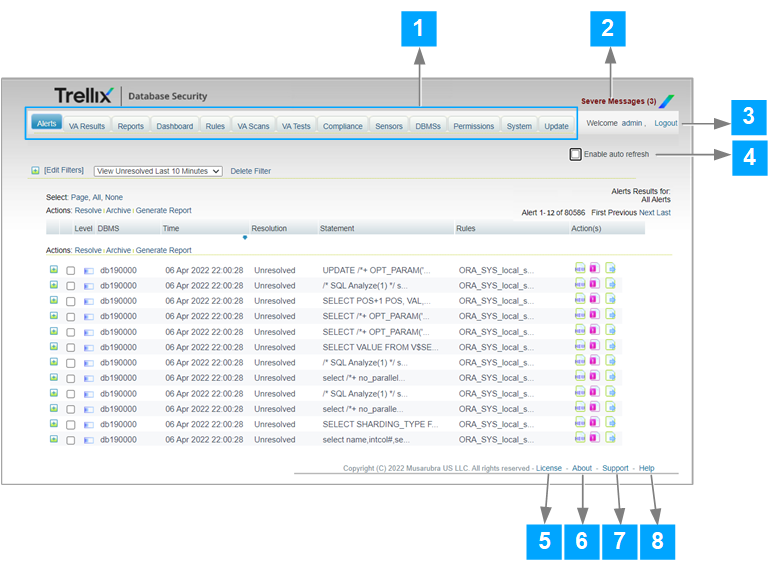
Legend | Option | Description |
|---|---|---|
1 | Components | The Database Security consist of different component pages such as Alerts, VA Results, Reports, Dashboard, Rules, VA Scans, VA Tests, Compliance, Sensors, DBMS, Permissions, System, and Update. |
2 | Server Messages | The system messages generated in response to various conditions and events in the system. |
3 | Logout | Helps you close the Database Security web console. |
4 | Enable auto refresh | Automatically refresh the components page. |
5 | License | The license information of Database Security. |
6 | About | The Database Security information such as version and build numbers. |
7 | Support | Directs you to Trellix support. |
8 | Help | Directs you to documentation portal. |