The Alerts page of the Email Security - Server appliance lists the results, grouped by sender, of the matched URLs that are sent through email that link to malicious files.
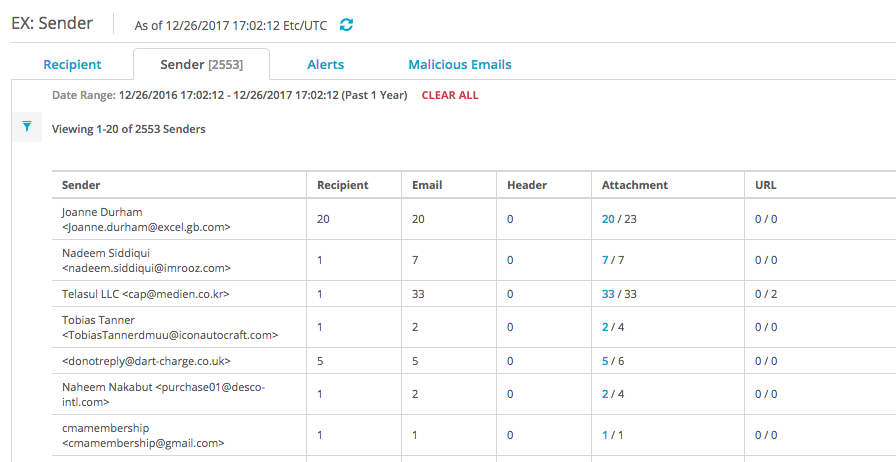
To view the malicious URL details grouped by sender:
In the Web UI, click the eAlerts tab.
Click Sender.
In the Alerts page, click the sender name in the Sender column. The Malicious Emails page displays a list of the malicious emails sent by the sender.