The new docs.trellix.com features a modernized UI and AI-powered conversational search. Content is currently available in English, with additional languages launching in early November 2026. We hope you enjoy the updated experience.

Configure Trellix Security for Microsoft Exchange Access Control

Prev Next

Allow or deny access to the TSME user interface for specific users or groups.

  1. From the Start menu, click McAfee → Access Control. The Permissions for Access dialog box appears.

    Permissions for Access
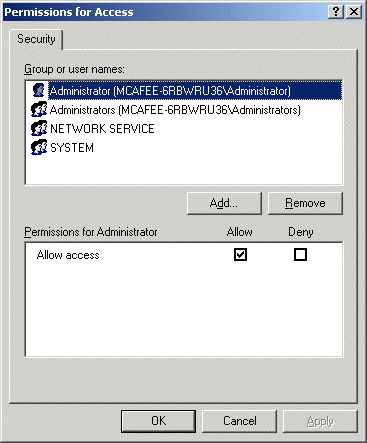
    Permissions for Access


  2. From Group or user names, select the user you want to allow or deny access to the TSME user interface.

  3. Click OK.