Before enabling the policy for a host set, admins can create exemptions to the class-based policy by further configuring the Device Guard Module.
To configure exceptions for the Device Guard module from Endpoint Security Web UI:
 |
Log in to the Endpoint Security Web UI as an administrator.
From the Modules menu, select Endpoint Module Administration to access the Modules page.
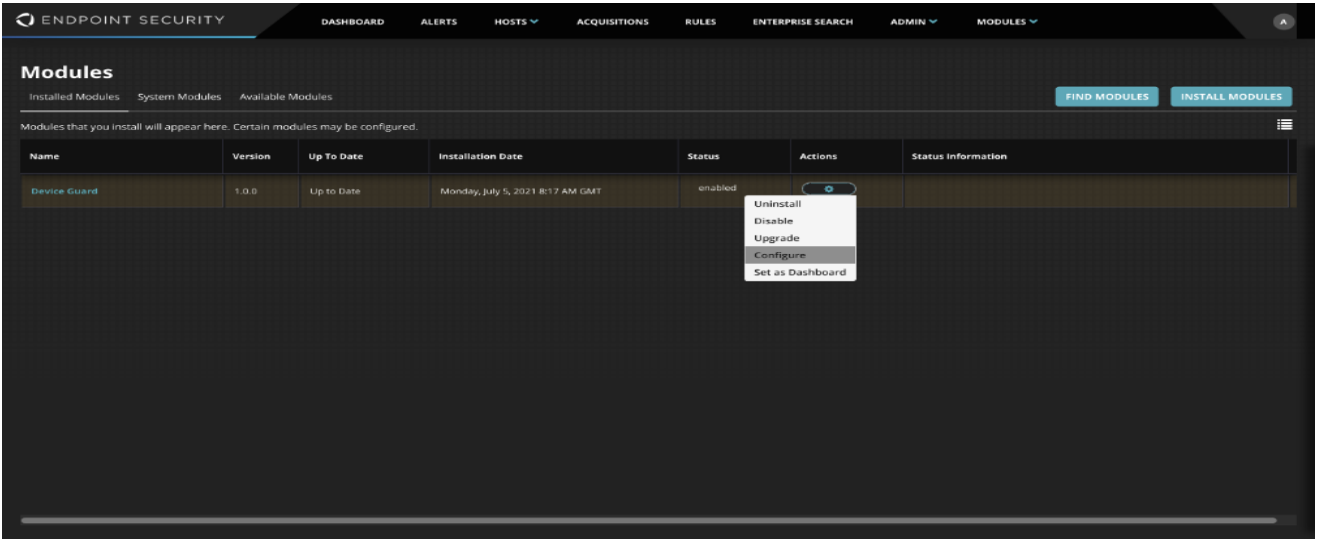
On the Modules page, locate the Device Guard module and click Actions and select Configure to begin configuring the module exception settings.
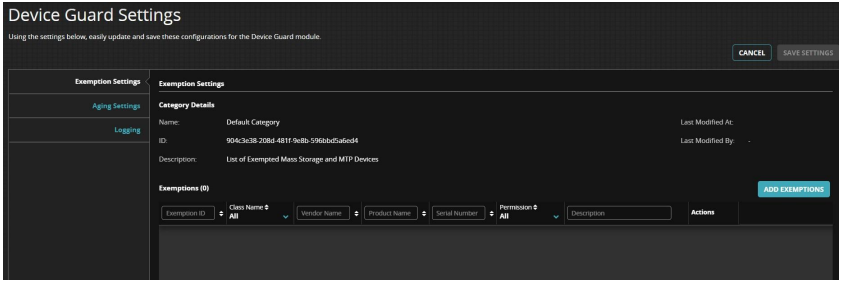
Once the configure button is clicked an admin will land on the Device Guard Settings page as seen below.
 |
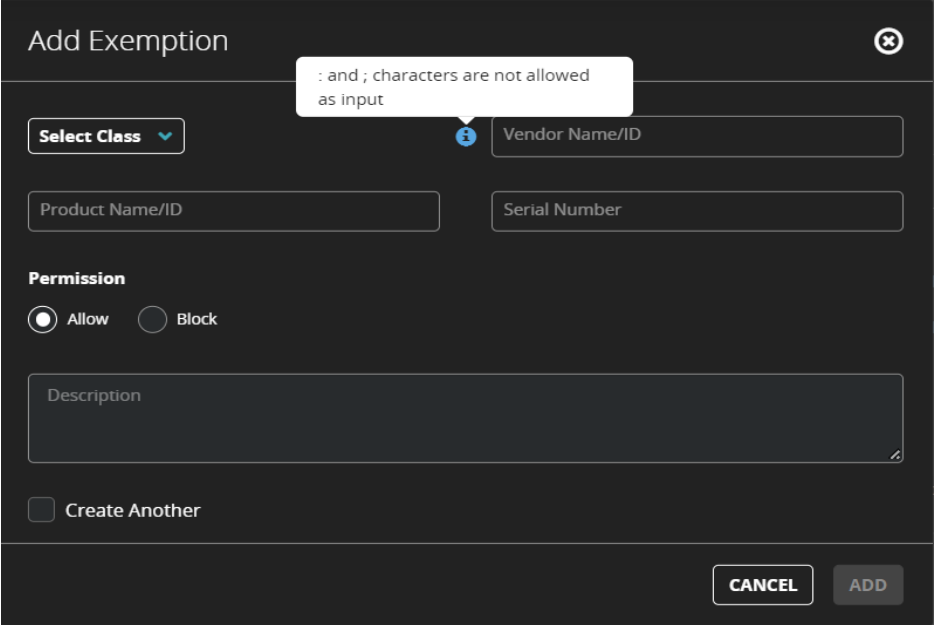
We can then proceed to create an exemption to the Device Guard class policy restrictions by clicking on the Add Exemption button. This button will bring up the following form:
 |