You can use Event Streamer to be notified when changes are made to the audit policy (EventId 4719).
Use Audit Audit Policy Change to monitor the audit policy changes in a group policy.
Launch the local group policy editor (gpedit.msc).
Navigate to Computer Configuration > Windows Settings > Security Settings > Advanced Audit Policy Configuration > Policy Change. Various subcategories of audit events are displayed.
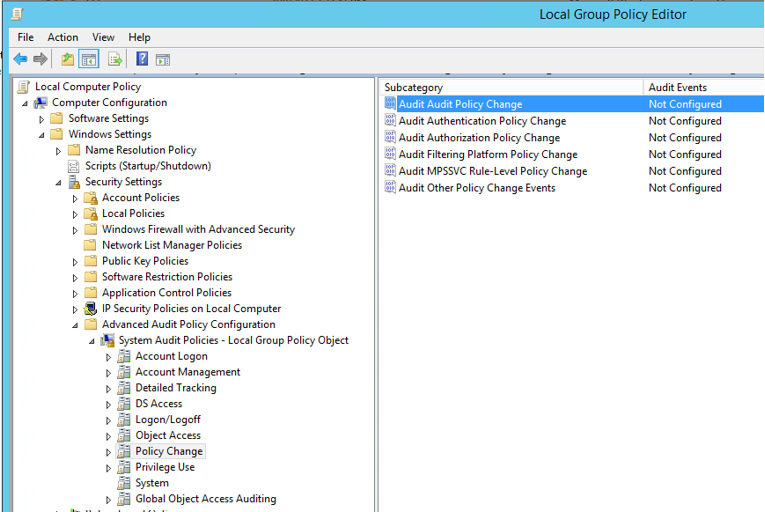
Right-click Audit Audit Policy Change and then select Properties.
Select the Configure the following audit events, Success, and Failure checkboxes and then click Apply.
For additional information see the Microsoft’s Documentation here.