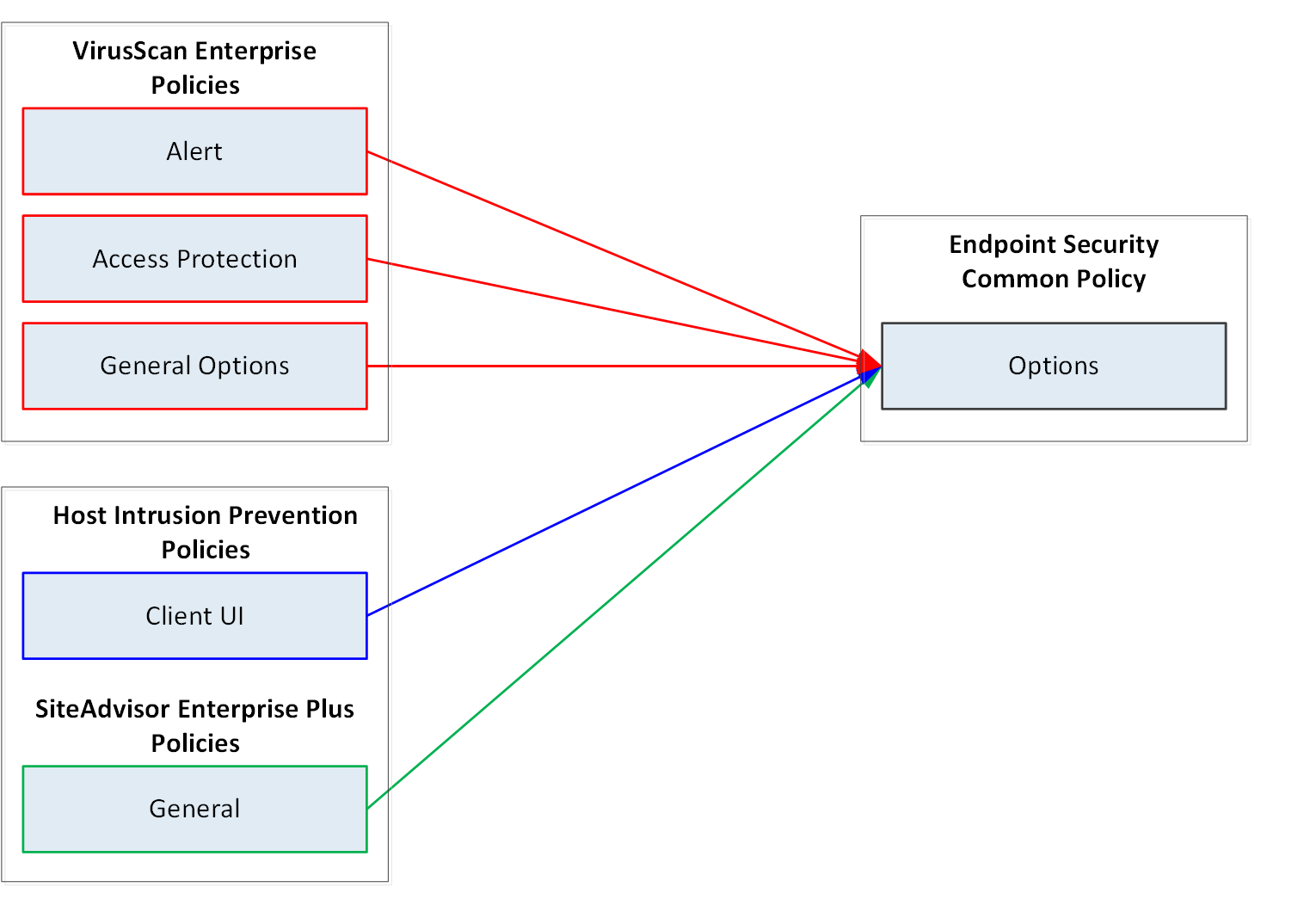
Use these maps to see where legacy settings are moved or merged during migration to Trellix ENS policies.
See the Changes to migrated settings appendix for details about settings that are removed, moved, renamed, or merged.
Migrating VirusScan Enterprise settings (Windows)
Settings from VirusScan Enterprise migrate to multiple Threat Prevention policies and the Trellix ENS Common policy.
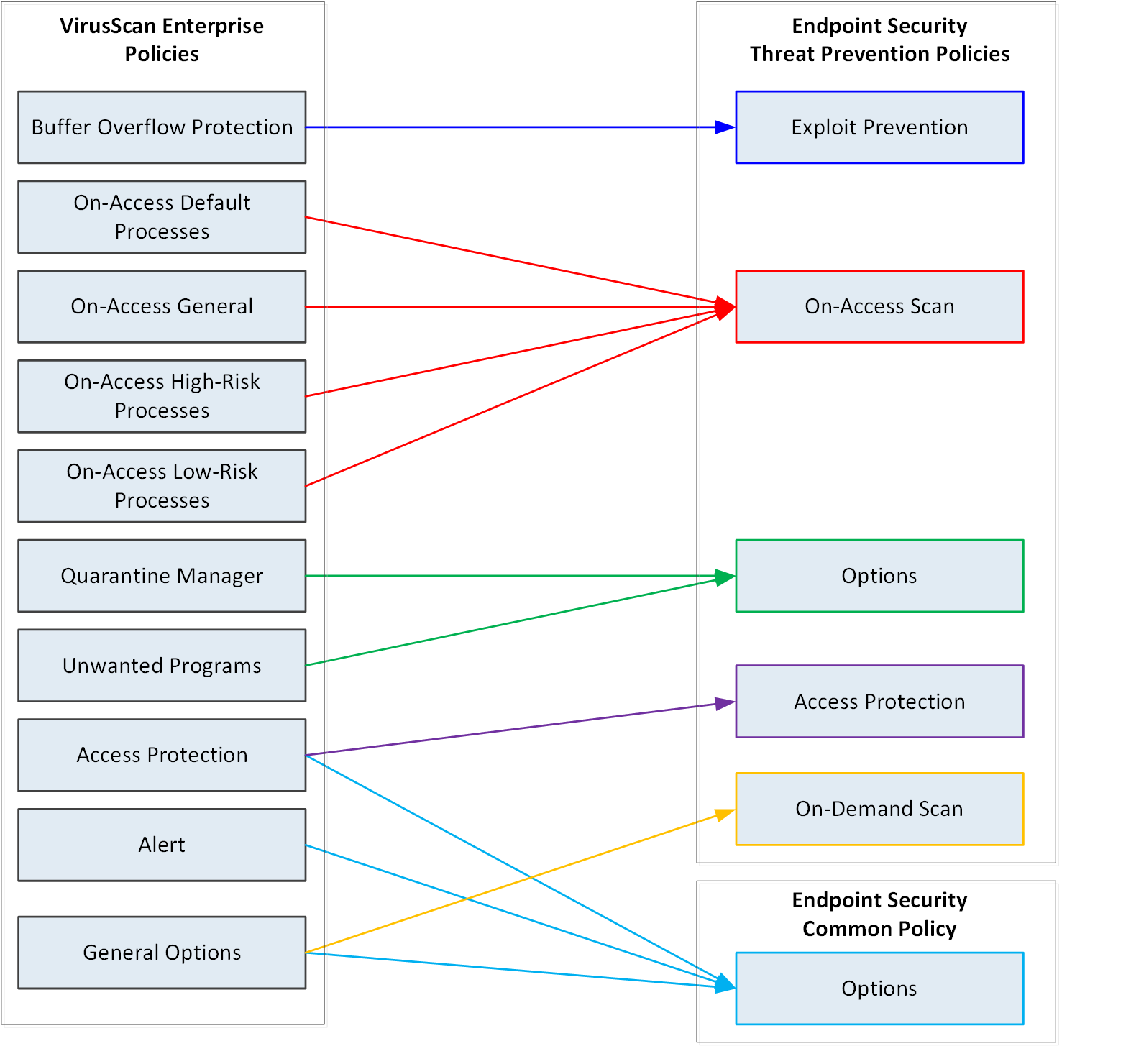
Migrating on-access scan settings to Threat Prevention policies (Windows, Mac, and Linux)
On-access scan settings from VirusScan Enterprise, McAfee Endpoint Protection for Mac, and VirusScan Enterprise for Linux migrate to two Threat Prevention policies.
- On-Access Scan exclusions are always migrated.
- If you are migrating products for multiple operating system platforms:
- VirusScan Enterprise settings take precedence over McAfee Endpoint Protection for Mac settings and VirusScan Enterprise for Linux settings.
- McAfee Endpoint Protection for Mac settings take precedence over VirusScan Enterprise for Linux settings.
- Duplicate settings are not migrated.
- If you are not migrating VirusScan Enterprise settings, additional settings are migrated from McAfee Endpoint Protection for Mac and VirusScan Enterprise for Linux.
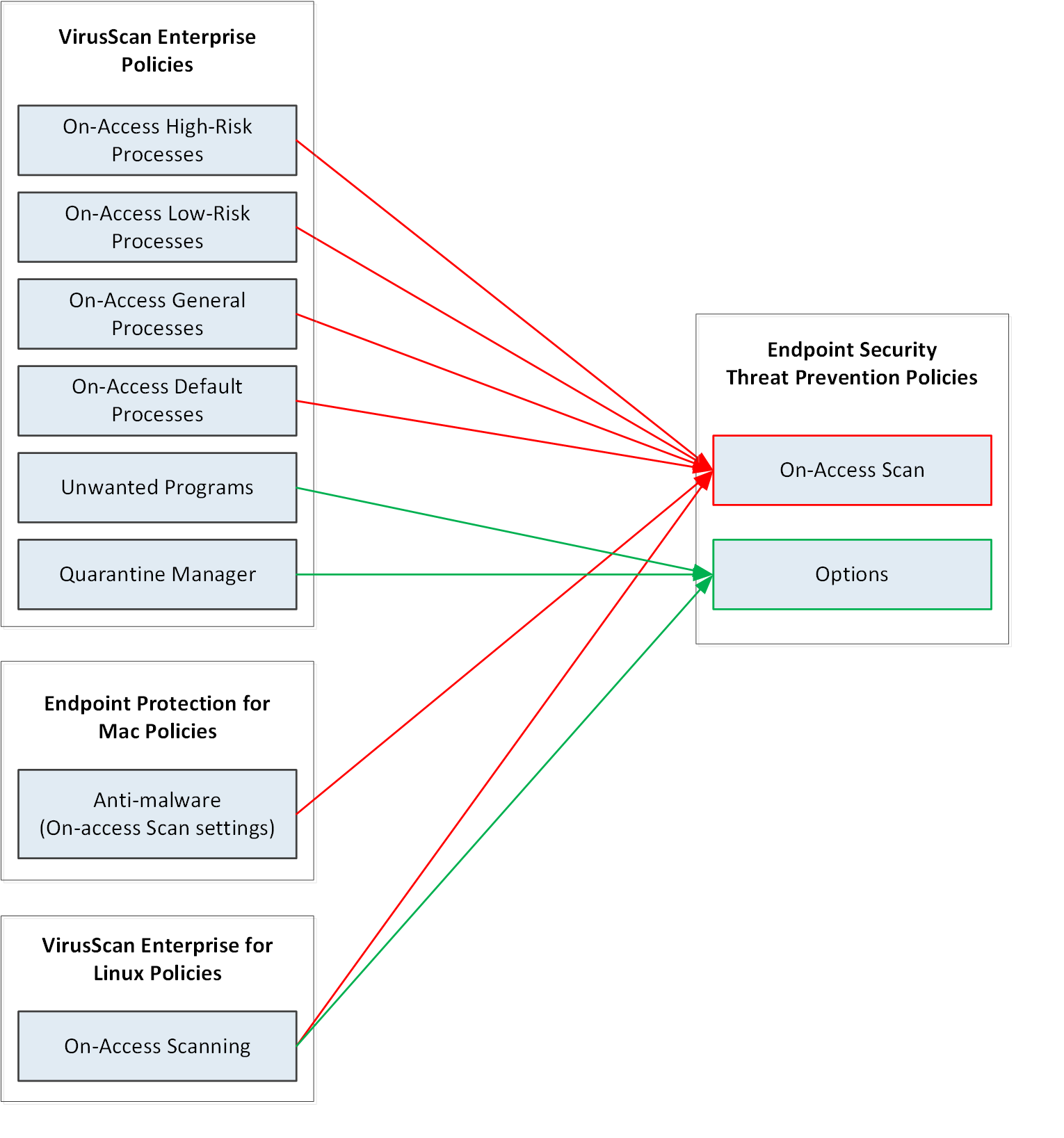
Migrating Access Protection and Buffer Overflow protection to Threat Prevention policies (Windows)
Settings for Access Protection and Buffer Overflow Protection migrate from VirusScan Enterprise and McAfee Host IPS to two Threat Prevention policies and the Trellix ENS Common Options policy.
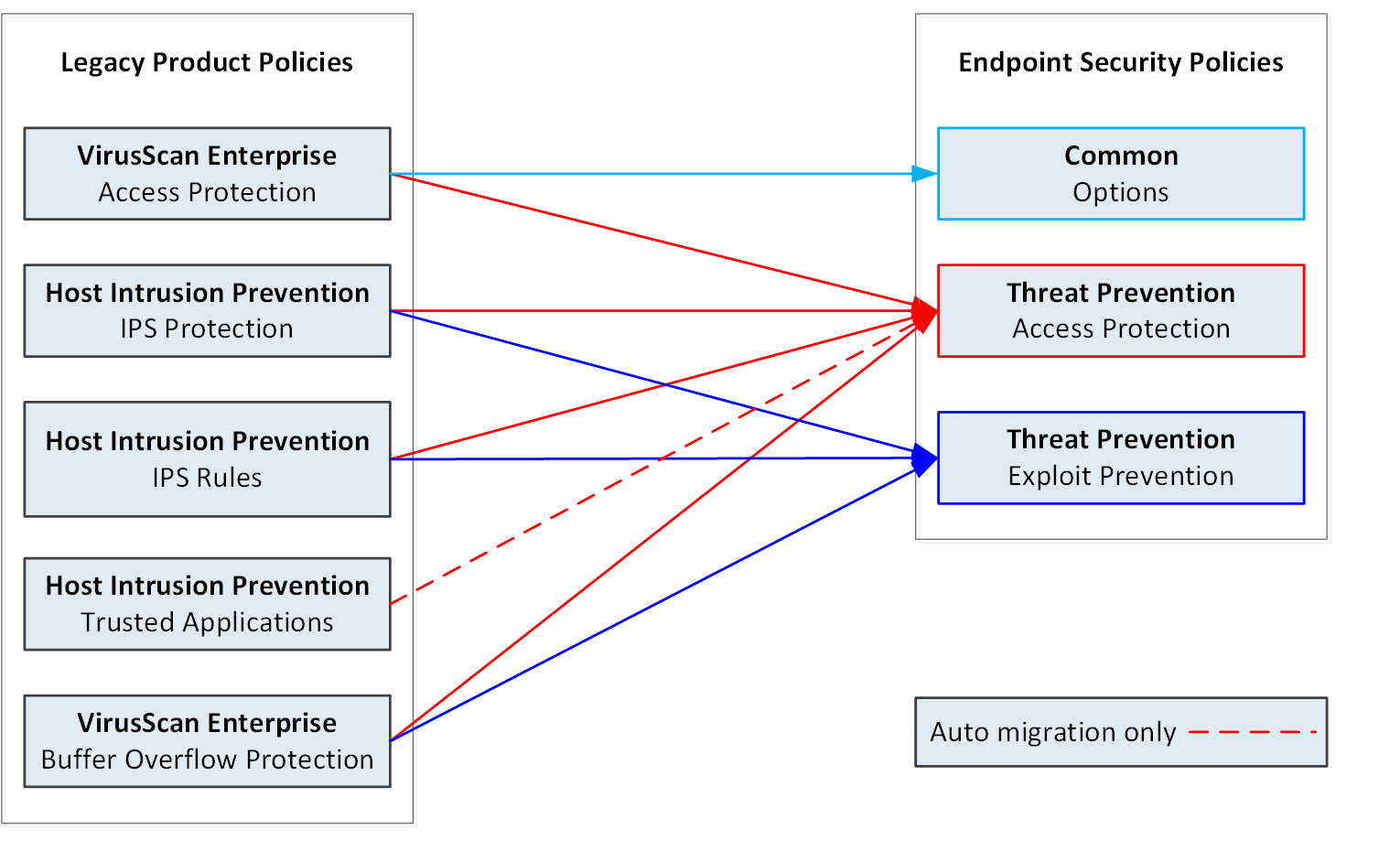
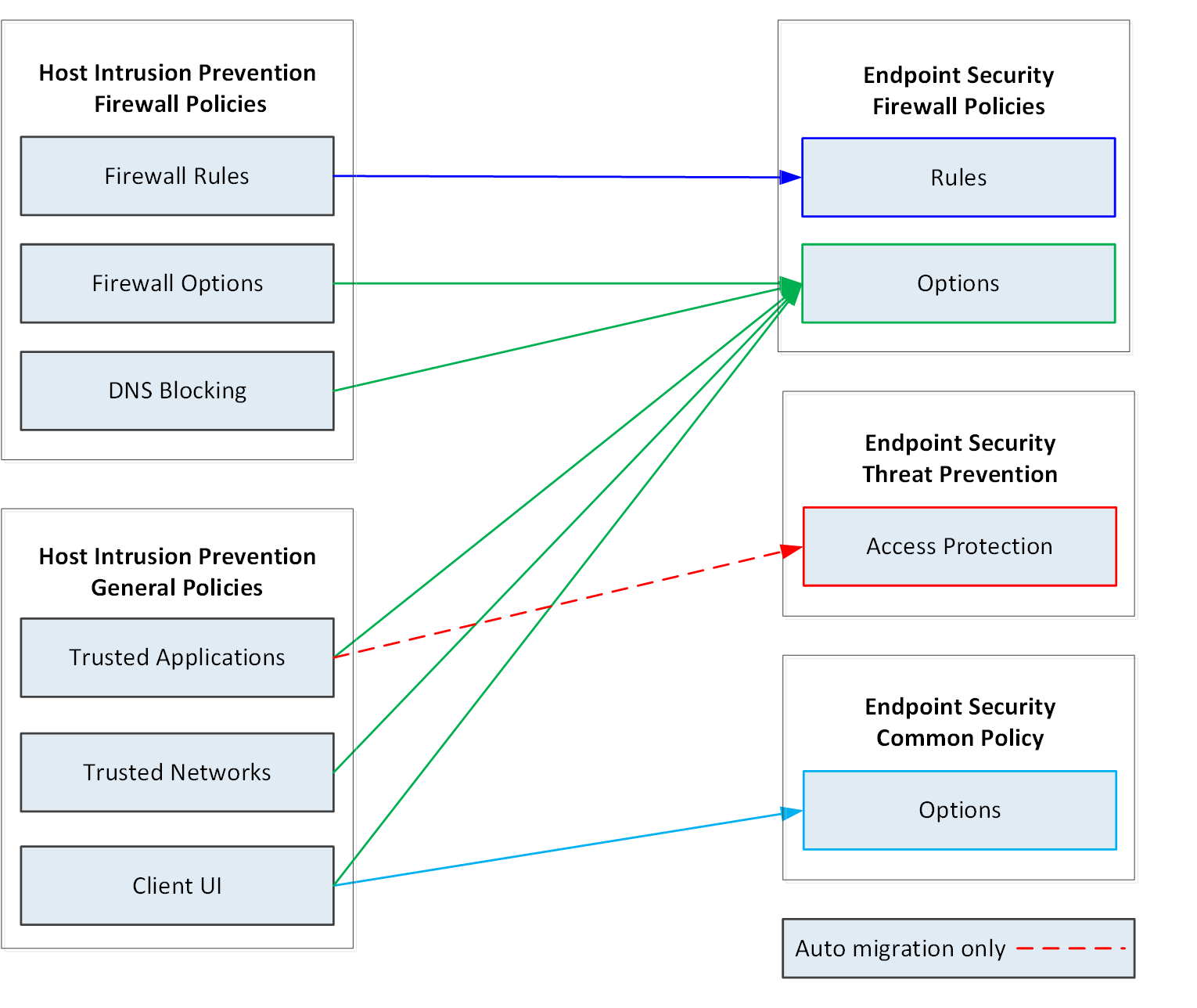
Migrating Host IPS Firewall and General settings to Endpoint Security Firewall
Settings from the Host IPS Firewall and General policies migrate to two Endpoint Security Firewall policies and the Trellix ENS Common Options policy.
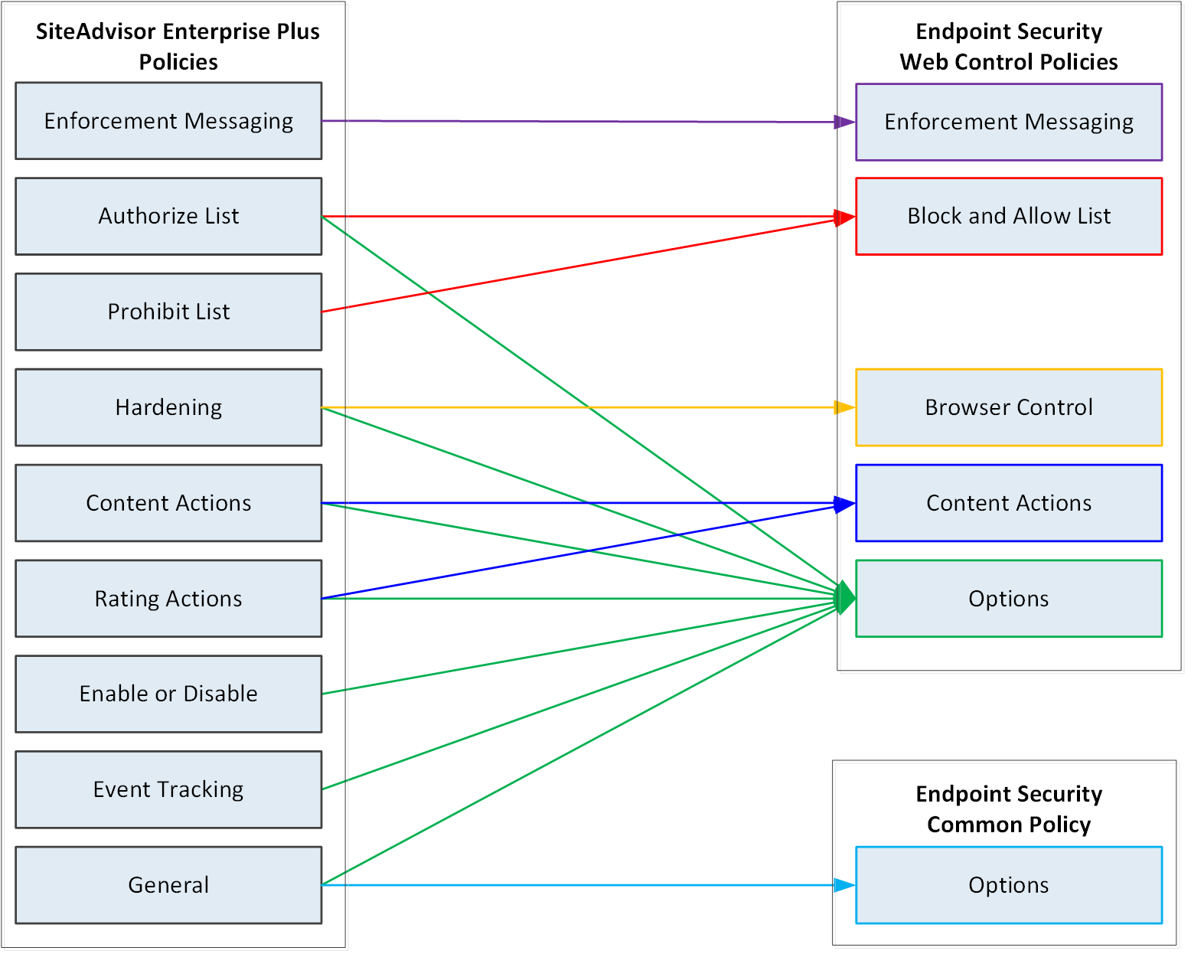
Migrating SiteAdvisor Enterprise settings to Web Control
Settings from SiteAdvisor Enterprise policies migrate to five Web Control policies and the Trellix ENS Common Options policy.
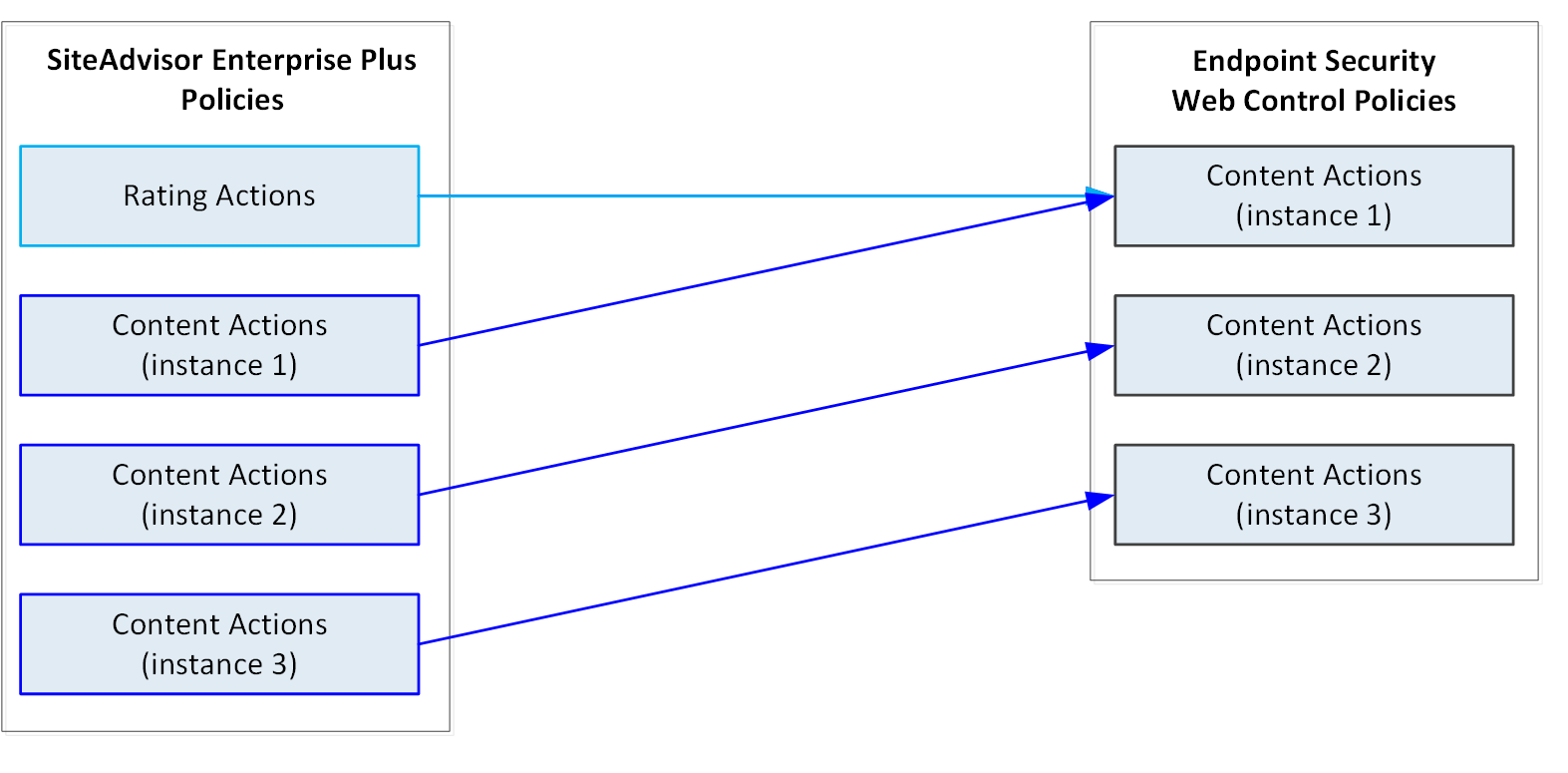
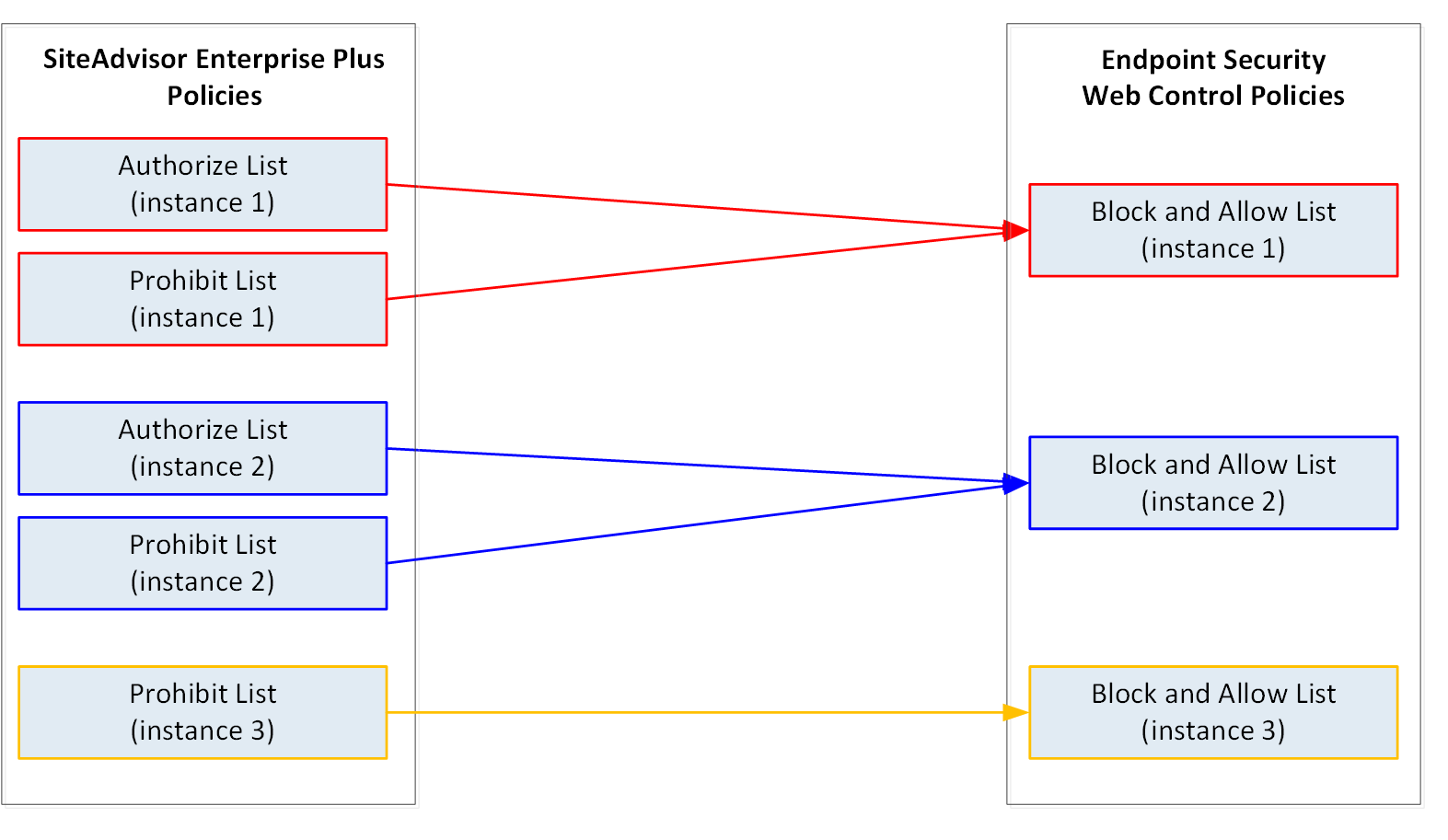
Migrating multiple-instance SiteAdvisor Enterprise policies
The SiteAdvisor Enterprise Content Actions, Authorize List, and Prohibit List policies are multiple-instance policies. Each instance of the source policies migrates to a separate instance of the target policies.
Migrating legacy settings to the Common Options policy
Settings from VirusScan Enterprise, McAfee Host IPS, and SiteAdvisor Enterprise policies migrate to the Options policy in the Common (Endpoint Security Platform) module for use by all the Trellix ENS product modules.