---
title: "Upgrade legacy software with migrated settings workflow"
slug: "upgrade-legacy-software-with-migrated-settings-workflow"
tags: ["Migration", "ENS 10.7.x"]
updated: 2026-10-07T18:04:46Z
published: 2026-10-07T18:04:46Z
canonical: "docs.trellix.com/upgrade-legacy-software-with-migrated-settings-workflow"
---
> ## Documentation Index
> Fetch the complete documentation index at: https://docs.trellix.com/llms.txt
> Use this file to discover all available pages before exploring further.
# Upgrade legacy software with migrated settings workflow
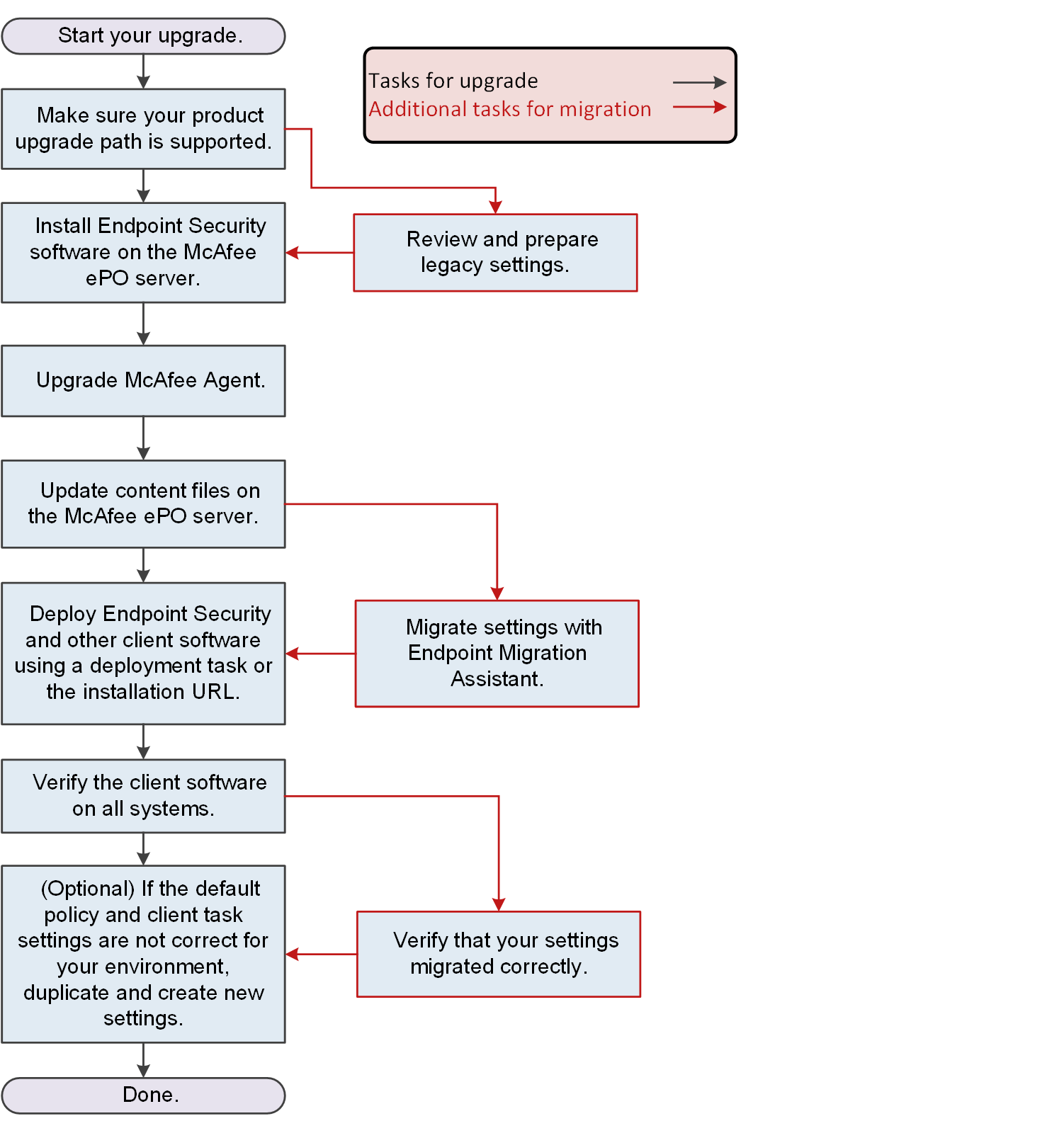
When upgrading legacy products to Trellix ENS, you can optionally save (or migrate) your custom settings using Endpoint Migration Assistant.
Migration tasks integrate into the basic workflow for upgrading to a new version of the software. See the Trellix Endpoint Security (ENS) Installation Guide for more information about the upgrade workflow tasks.
1. Confirm that your upgrade path is supported.
2. Review your legacy settings and prepare them for migration.
3. Check in the product package files and the
Trellix Agent package files to the
Trellix ePO - On-prem server.
4. Upgrade
Trellix Agent.
5. Manually update your
Trellix ePO - On-prem server with the latest content files required for
Trellix ENS: AMCore, Exploit Prevention, and
Adaptive Threat Protection content files.
6. Migrate policies, client tasks, and other settings from supported legacy products.
7. Deploy the client software with default or custom settings to managed systems in one of these ways:
- Remotely to multiple managed systems with deployment tasks.
- Locally on managed systems with an installation URL.
8. Verify that the client software is installed and up to date on all managed systems.
9. Verify that the settings migrated successfully.
10. (Optional) Configure settings as needed.