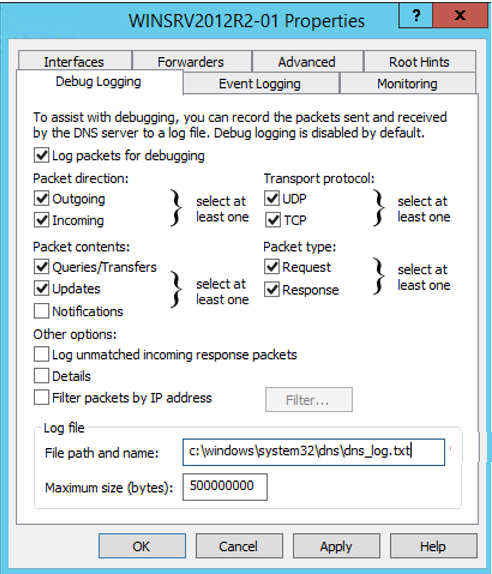
To view the log location of the DNS server:
Open Server Manager and from the Tools menu, select DNS server management application.
From the left-pane, expand DNS and select a protocol (for example, IPv4).
Right-click IPv4 and then select Properties.
In the Properties dialog box, select the Debug Logging tab. If debug logging is enabled, the location of the log file is displayed. If it is not enabled, the file path and name field are blank.