---
title: "Active Fail-Open kit module is stuck in bypass mode"
slug: "active-fail-open-kit-module-is-stuck-in-bypass-mode"
tags: ["Product Usage", "IPS 10.1.10"]
updated: 2026-10-05T15:40:08Z
published: 2026-10-05T15:40:08Z
canonical: "docs.trellix.com/active-fail-open-kit-module-is-stuck-in-bypass-mode"
---
> ## Documentation Index
> Fetch the complete documentation index at: https://docs.trellix.com/llms.txt
> Use this file to discover all available pages before exploring further.
# Active Fail-Open kit module is stuck in bypass mode
Links between Sensor and Active Fail-Open module Mon0/Mon1 are up but the Sensor is not receiving any traffic from the Active Fail-Open module. When this occurs, the **BYP/TAP/DISC** LED is **Amber** and **INLINE** LED is **OFF**.
You can troubleshoot the issue using the following two methods:
- At the CLI, run the following commands:
1. get_hb_act_mode - If
HB active mode is
off, enter the next command.
2. get_bypass_mode - If
Active state is
bypass, enter the next command.
3. set_hb_act_mode on
- From the web interface:
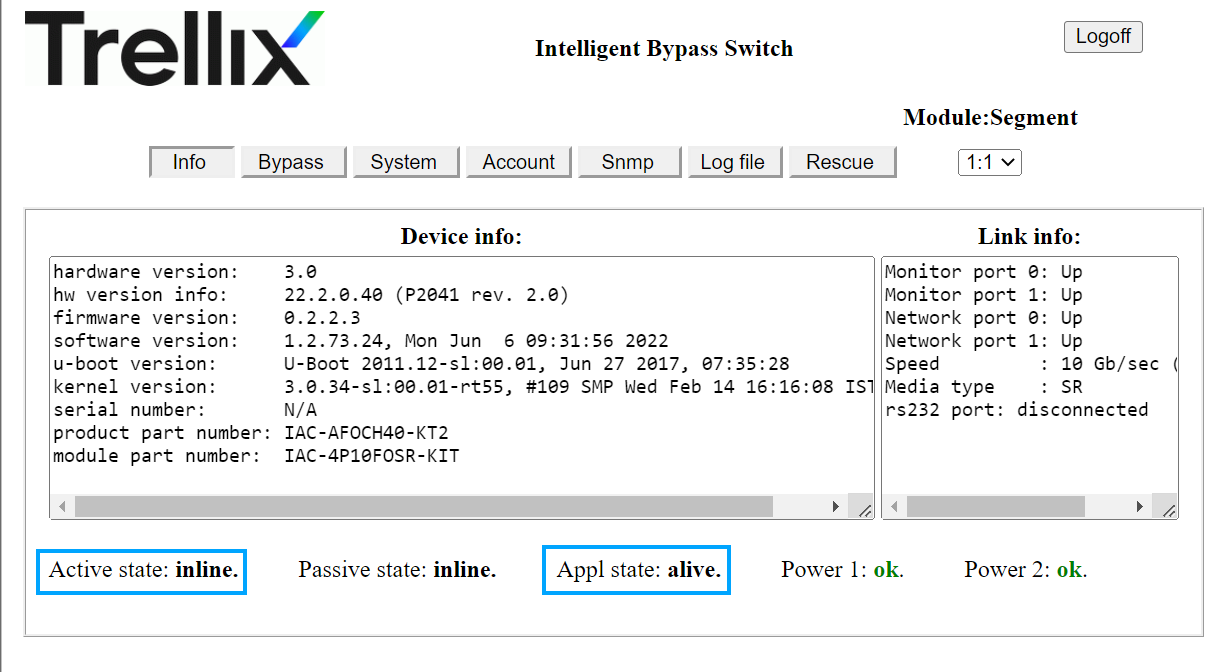
1. Check if the
**Active State** is in
**Inline** or
**Bypass** or
**Tap**.
2. Check if the
**Appl State** is
**unknown**. This means that the module in forced bypass state.
3. In the
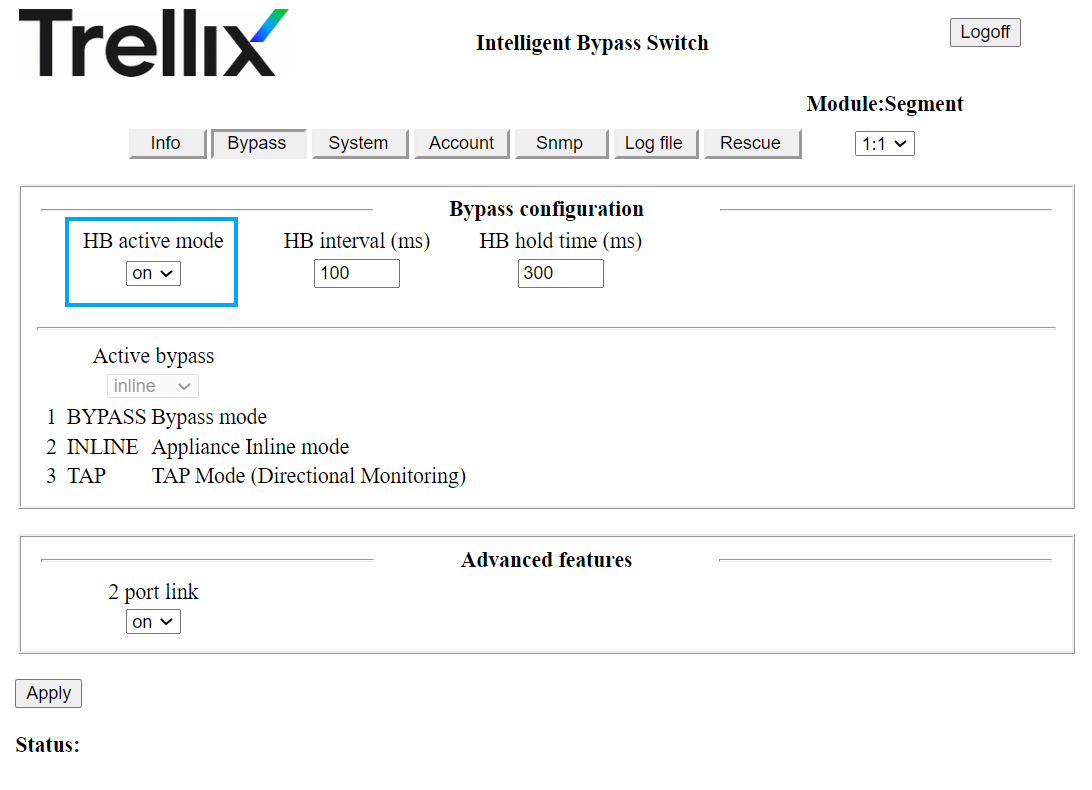
**Bypass** page, confirm that
**HB active mode** is set to
**ON**.