Follow these steps to add Service Range rule object:
-
Upon specifying the options in the Properties tab and selecting Service Range from the rule object Type drop-down, click Next.
Create a Service Range rule object 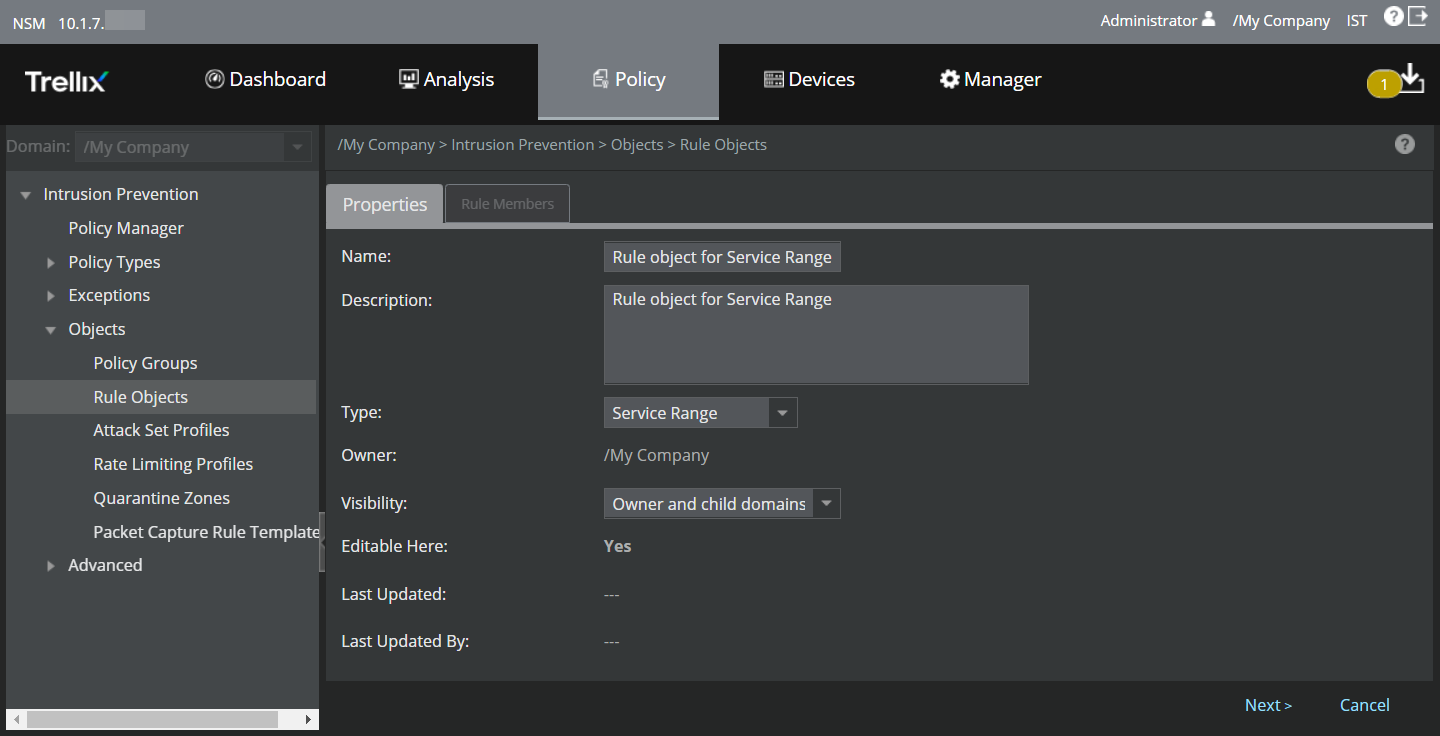
The Rule Members tab is displayed.
Add Rule Members 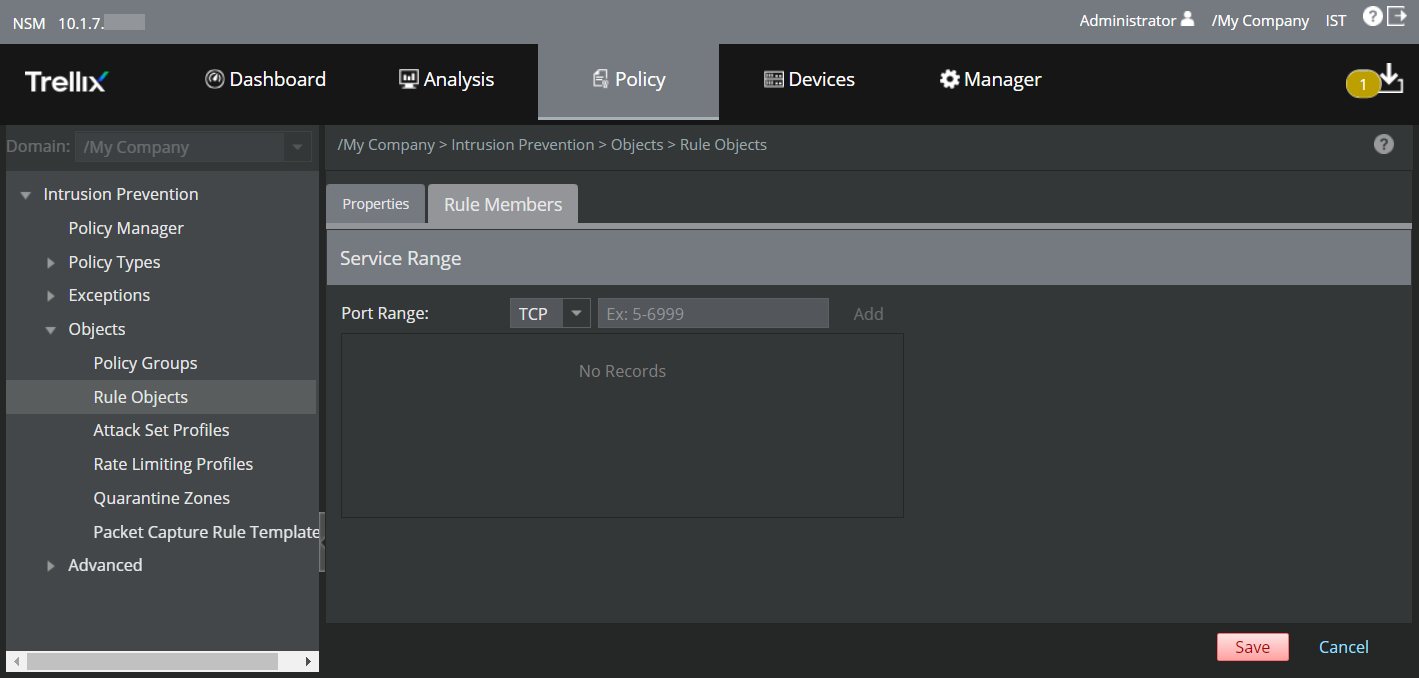
The following table explains the options in the Rule Members tab.
Option Definition Port Range Select TCP or UDP from the drop-down list. Enter the beginning and end port range (Example: 1- 65534) in the text box. Note
Ensure to enter a hyphen between the beginning and end port range.
Add Click this icon to add the Port range to the list. .png)
Click this icon to remove the Port range from the list. - Based on the above options, you can assign up to 10 TCP and UDP port ranges.
- Click Save.