Follow these steps to add Application on Custom Port rule rule object:
-
Upon specifying the options in the Properties tab and selecting Application on Custom Port rule from the rule object Type drop-down, click Next.
Create an Application on Custom Port rule object 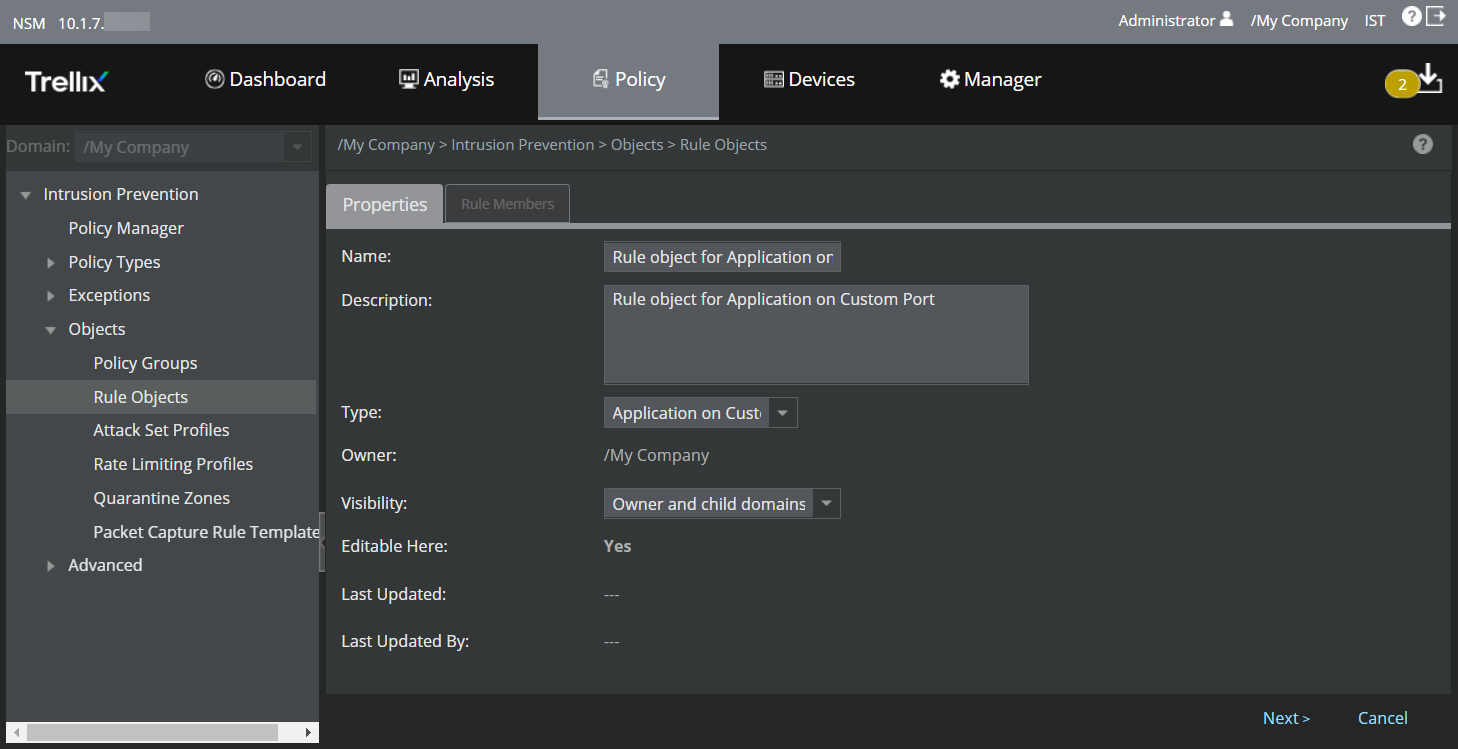
The Rule Members tab is displayed.
Add Rule Members 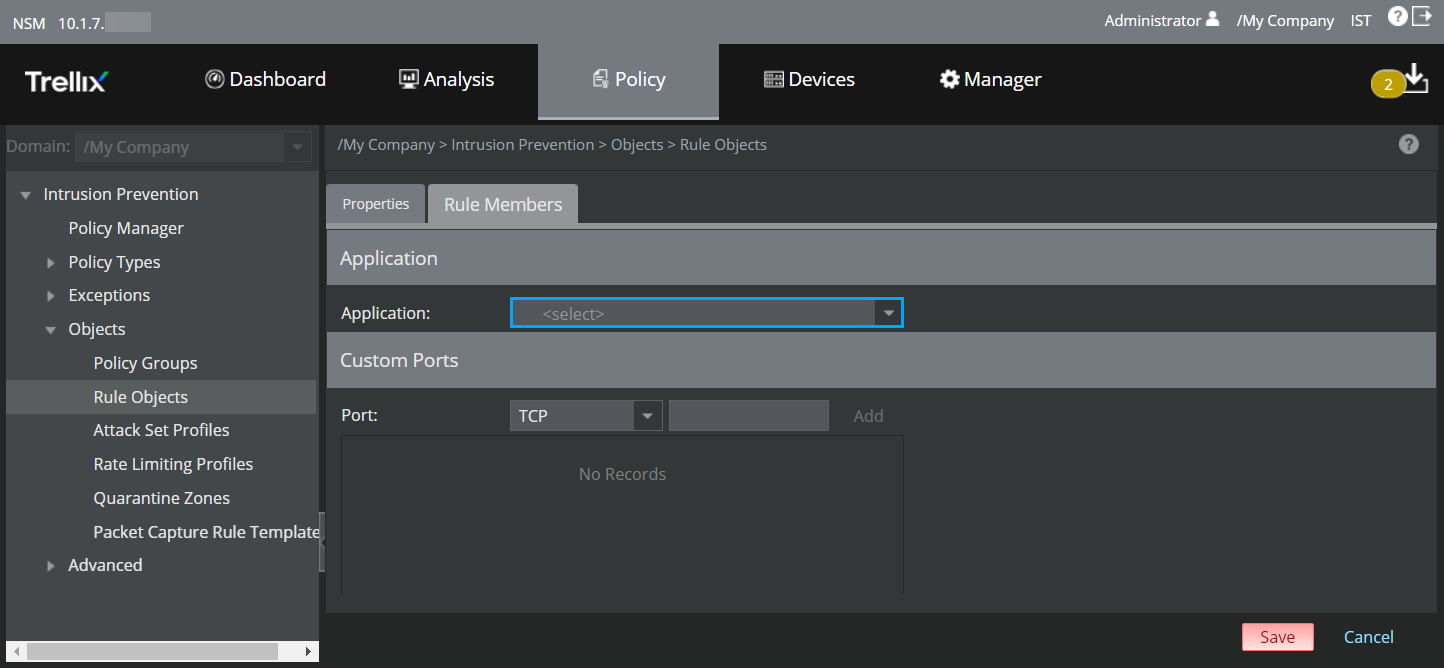
The following table explains the options in the Rule Members tab.
Option Definition Application Lists the pre-defined Application rule objects Custom Ports Select TCP or UDP and type the port number (from 1 to 65534) in the adjacent text box. Add Click this button to add the selected IP protocol and the port number to the list. You can define up to 10 port numbers per Application. 
Click this icon to delete the selected IP protocol from the list. - Based on the above options, you can select an Application from the pre-defined list of applications and assign up to 10 TCP and UDP ports.
- Click Save.