To add the condition to the example signature:
Task
- Click Condition 1 so that it is highlighted.
-
Click
AND in the Comparisons section.
The Add AND Comparison dialog opens.
Packet Grep Protocol Match 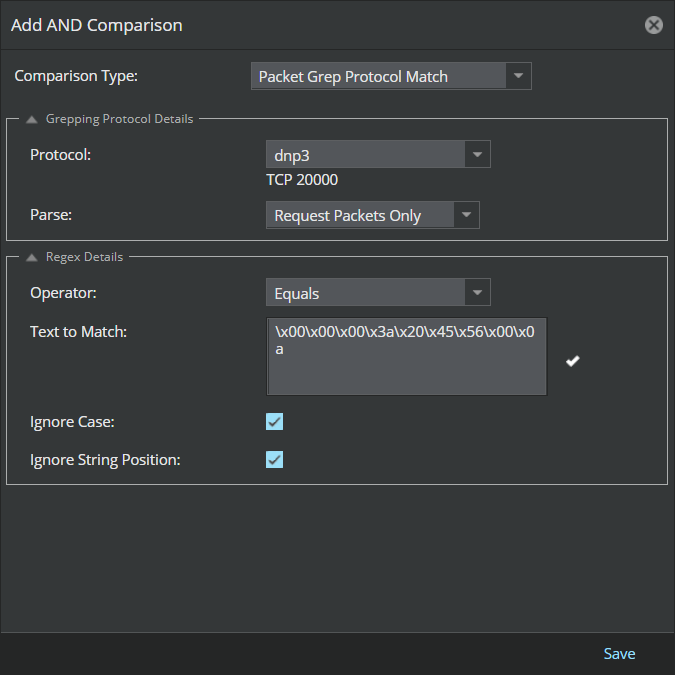
- For this example, select Packet Grep Protocol Match in the Comparison Type drop-down menu.
-
Select
dnp3 from the
Protocol list.
Because you selected IPv4, the Custom Attack Editor displays the IPv4-specific protocol fields on the following screen.
-
Configure the packets you want to parse.
For this example, specify Request Packets Only for the Parse field.
- From the Operator drop-down list, select the matching criteria as Equals.
-
Type the text you are searching for in the packets in the
Text to Match.
For this example, the text to match is " \x00\x00\x00\x3a\x20\x45\x56\x00\x0a".
- (Optional) Deselect Ignore Case and Ignore String Position.
-
Click
Save.
Your comparison appears under Condition 1.
- Click Add in the New Custom Attack window.
-
Verify that the attack definition is listed on the
Native Trellix IPS Format tab.
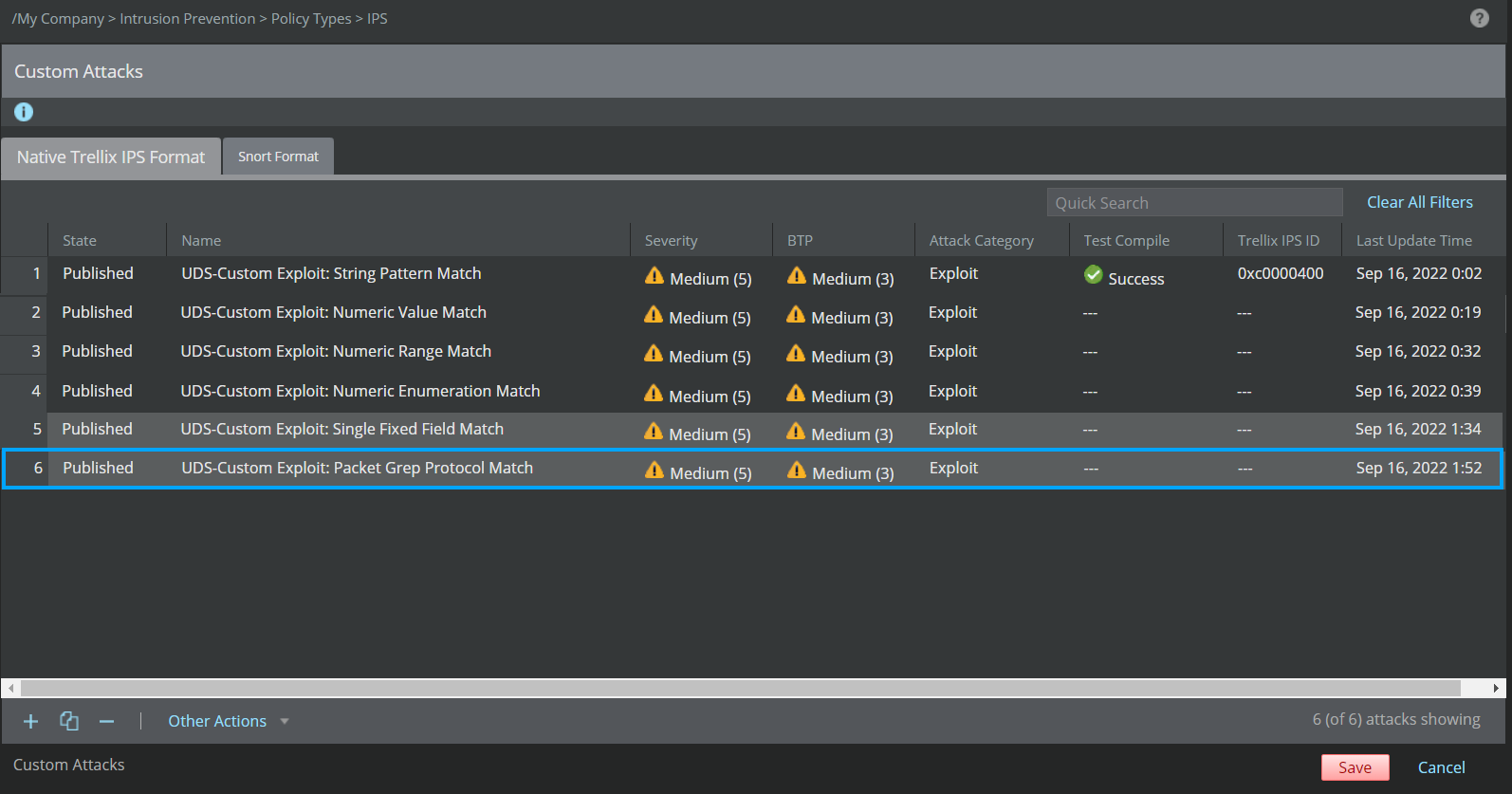
- Click Save to save the Trellix IPS Custom Attack in the Manager server database.
- Make sure the Trellix IPS Custom Attack is saved in the database and also published in the policies.