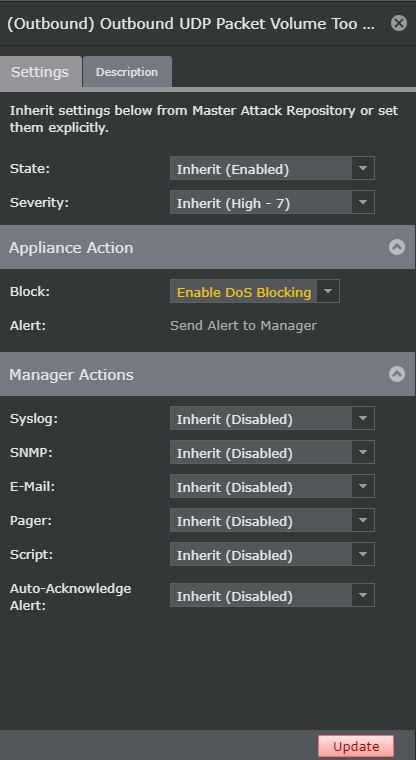
All attacks, except ICMP echo anomaly and TCP control anomaly, can be configured to be blocked from within the Attack Log.
Task
- Navigate to Analysis → <Admin Domain Name> → Attack Log.
- Select the DoS alert for which you want to enable blocking and click Other Actions.
-
Select
Update Policy, and click
(Domain IPS) /<Admin Domain Name>/<Policy Name> or
(Interface IPS) /<Admin Domain Name>/<Device Name>/<Interface>.
The <Attack Name> panel opens.
- Under the Appliance Action section, select Enable DoS Blocking for Block.
-
Click
Update.
The respective policy is updated with the DoS blocking for the attack selected.
Blocking attacks in Attack Log