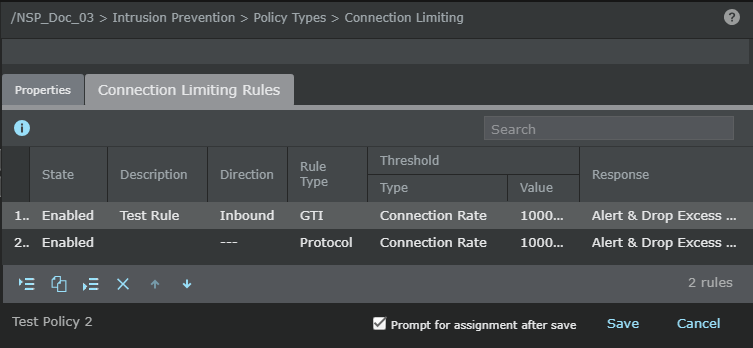
You define Connection Limiting rules in a Connection Limiting policy. To effectively use Connection Limiting policies, familiarize yourself with the components that make up a Connection Limiting rule.
| Option | Definition |
|---|---|
| # | Displays the serial number of the rule. This is referenced in the alerts. |
| State | Displays whether a rule is enabled or disabled. Sensor does not apply disabled rules. This option might help you during troubleshooting. |
| Description | Optionally enter additional information about the rule. You can enter a description up to 64 characters long and click OK. |
| Direction |
|
| Rule Type |
|
| Threshold |
Type :
|
|
Value: Define the connections per second or the number of active connections based on the threshold type you selected. |
|
| External | Reputation : Select one of the external
Trellix GTI reputations (risk levels):
|
|
Location : Select the external geo-location (Trellix GTI countries).
|
|
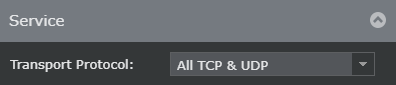
| Service | Select one of the following transport protocols from the
Transport Protocol drop-down list:
|
| Response | Select the response action that the Sensor must perform when the traffic matches the options you specified in the Connection Limiting rule. The following are the response options:
|
| Prompt for assignment after save |
When selected, the Assignments window opens when you save a policy and you can assign the policy to the required Sensor resources. When deselected, the rule is saved in the Manager database and the policy appears in the Connection Limiting list. |
| Save | Saves the Connection Limiting rules in the Manager database. The Connection Limiting policy is listed in the Connection Limiting list. |