You can enable the integration between the Manager and the Logon Collector server at the admin domain level.
Task
-
Navigate to
Manager → <Admin Domain Name> → Integration → MLC.
The Enable page is displayed.
- To enable the MLC integration, select the Enable MLC Integration? checkbox.
-
Enter the
Server Name or IP Address and
Server Port details.
Enable Logon Collector 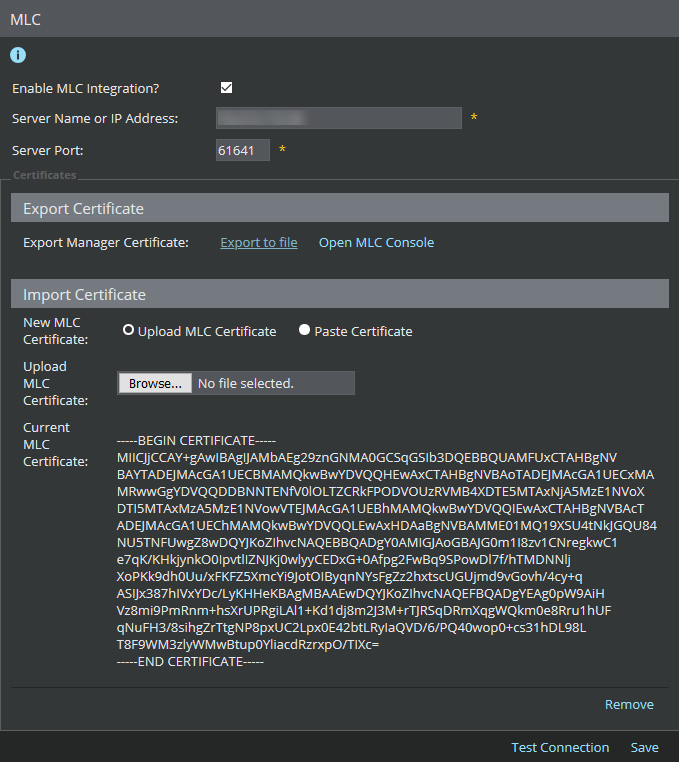
- To complete the integration, you have to synchronize the certificates between the MLC console and the Manager. Click the Export to file link to export the Manager certificate to MLC.
- To import the MLC certificate, select Upload MLC Certificate, import the certificate from the location by clicking Choose File.
-
Click
Save.
To test the connection, click Test Connection.