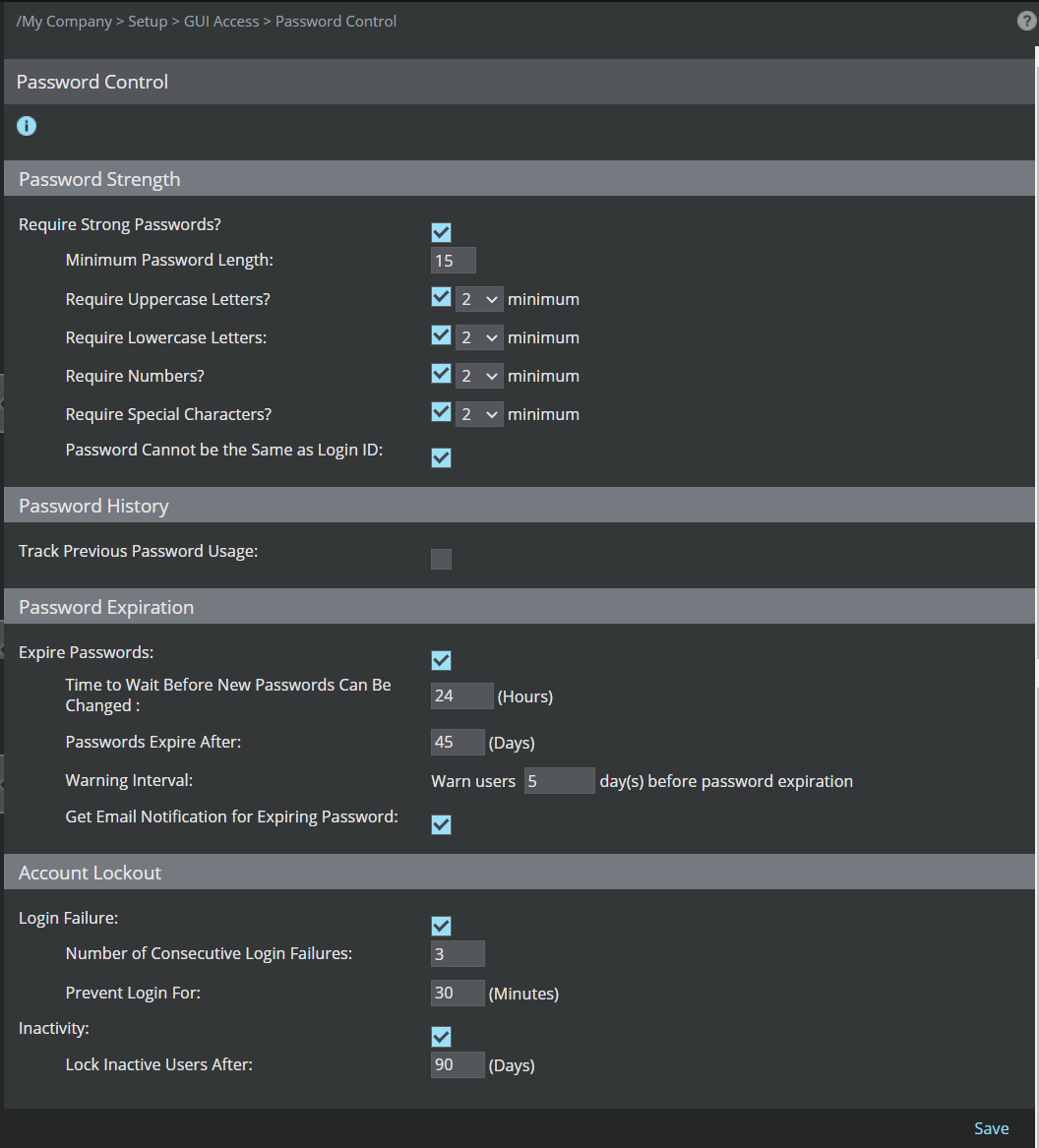
The Password Control page allows administrators to set password requirements such as Password Strength, Password History, Password Expiration, and Account Lockout.
Select Manager → <Admin Domain Name> → Setup → GUI Access → Password Control.Note
In the Central Manager, select Manager → Setup → GUI Access → Password Control. The fields displayed are similar to that in Manager, explained below.
The Password Control page appears.