In-line ethernet ports can be configured as fail-open or fail-closed. The RJ-45 monitoring ports are built-in and include an built-in fail-open functionality as well.
Ethernet ports fail-close, implying that the flow of traffic will stop if the Sensor fails. To allow traffic to flow uninterrupted, you must use special hardware, and cable the Sensor to external active fail-open kits. For instructions, see the subsequent sections of this chapter.
This section provides steps to connect the Sensor's ethernet ports so they fail-close.
Plug the cable into one of the monitoring ports, for example 1.
Plug the cable into the other monitoring port, for example 2.
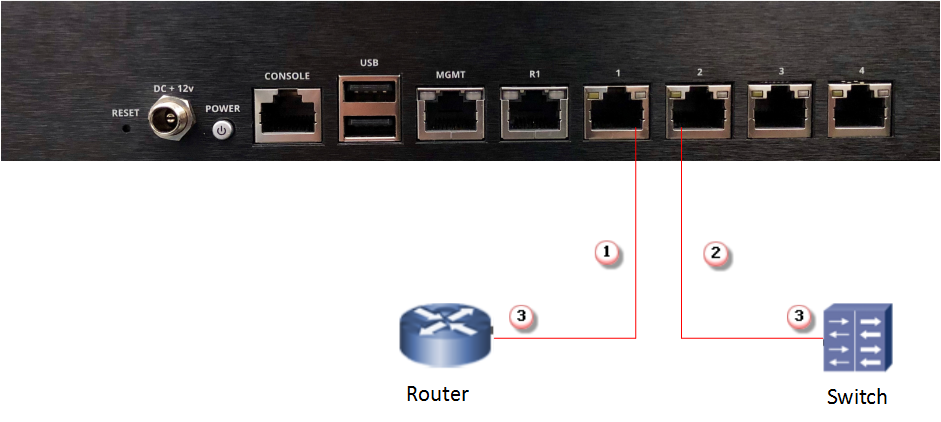
Connect the other end of each cable to the network devices that you want to monitor.
For example, if you plan to monitor traffic between a switch and a router, connect the cable connected to 1 to the router and the one connected to 2 to the switch.