You can create a virtual instance of the Linux-based Manager using the OVA file.
Before you begin
- You should have a Virtual network defined in the ESXi server for management access.
- Make sure you have more than 500 GB disk space available in your ESXi server, as the Linux-based Central Manager/Manager requires 500 GB disk space.
Task
-
Log on to the
VMware ESXi server. Select
Host menu from the
Navigator pane.
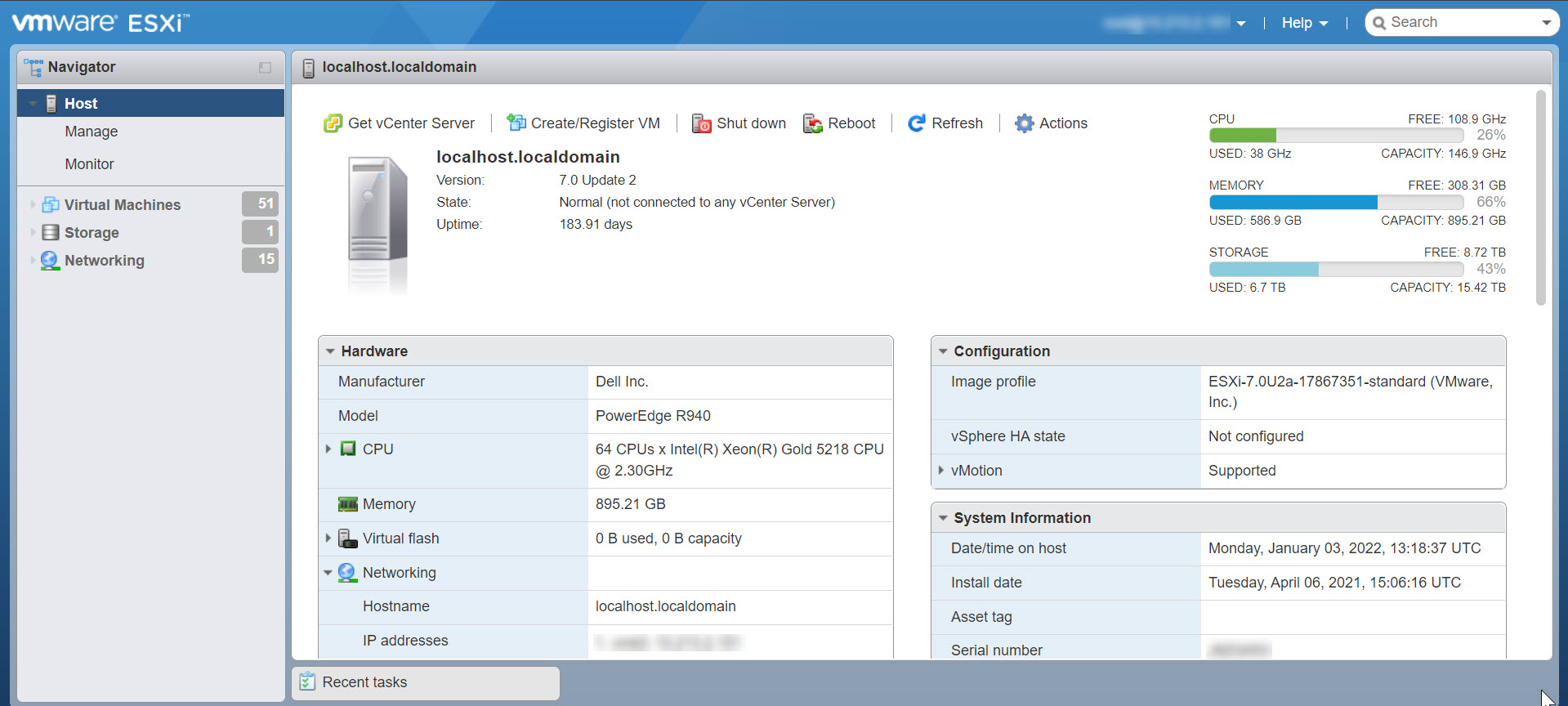
The Host page is displayed. -
Select
Create/Register VM option.
The New virtual machine dialog box is displayed.
-
Select
Deploy a virtual machine from an OVF or OVA file option and select
Next.
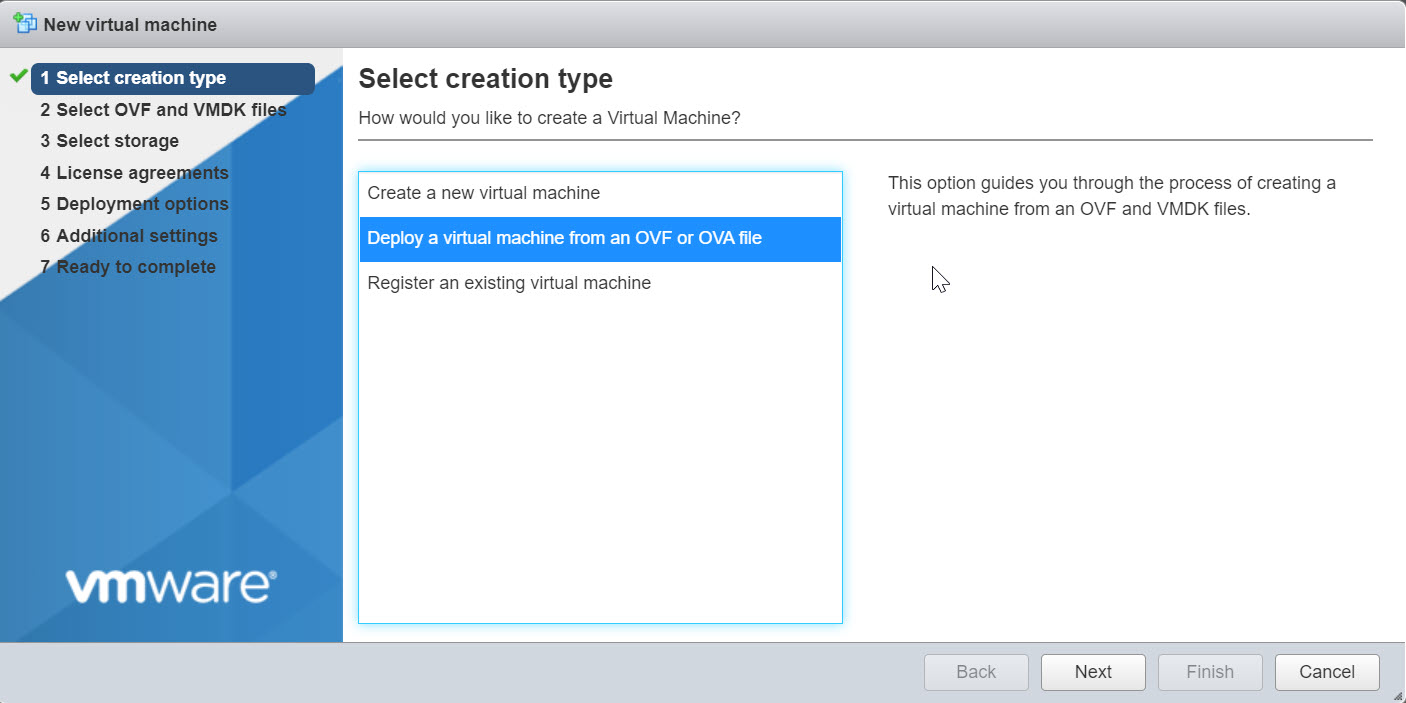
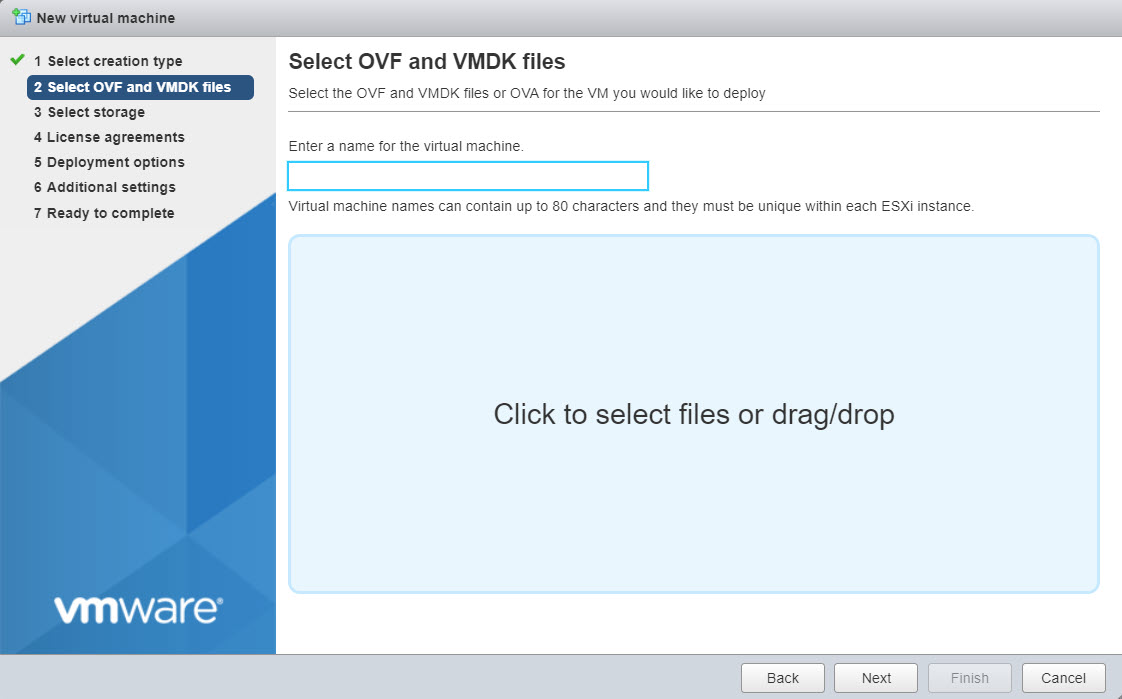
The Select OVF and VMDK files section is displayed. -
In the
Enter a name for the virtual machine field, provide the name of the virtual machine.
Note
The name can contain up to 80 characters including alphabets, numerals, and special characters.
Select Click to select files or drag/drop option and navigate to location where the file is placed. Then, select the required Manager OVA file and click Next option.
Note
The Manager and Central Manager uses different OVA file, you can download the required OVA file from the Download Server.
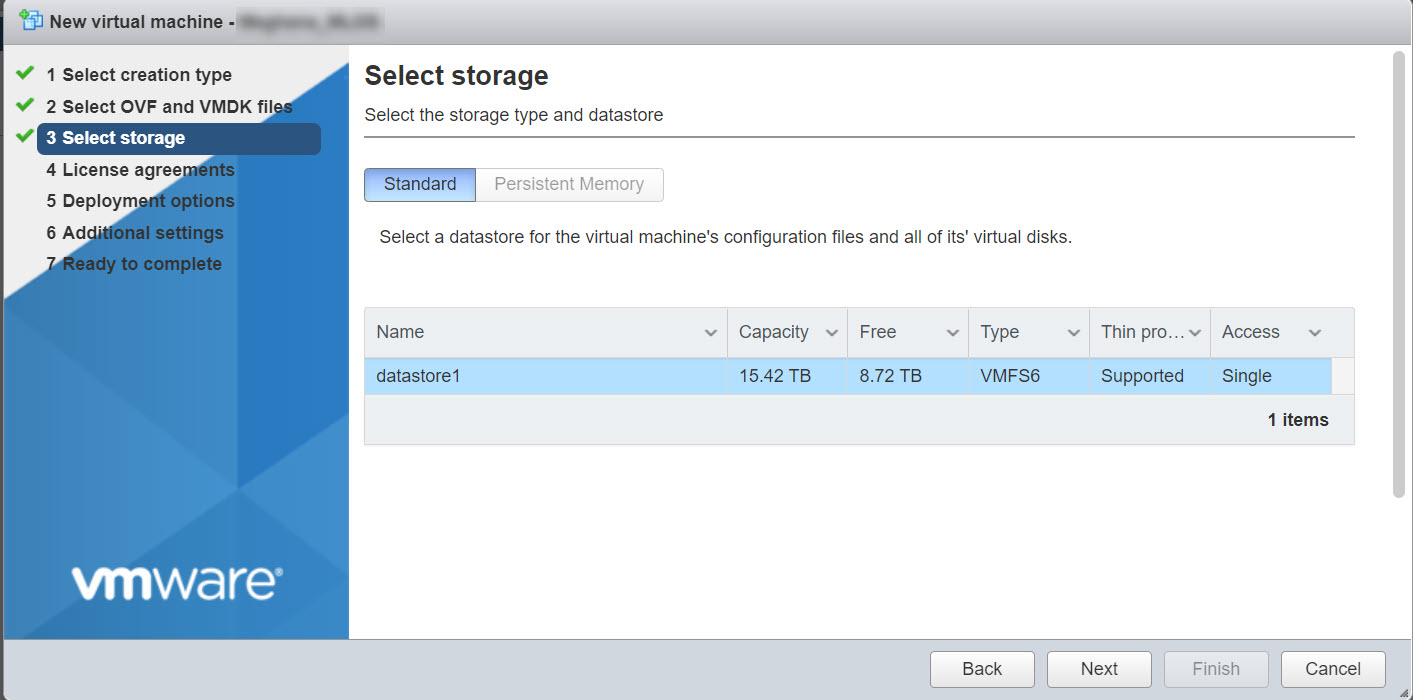
The Select storage section is displayed. -
Configure the required storage type and datastore for the virtual machine and click
Next option.
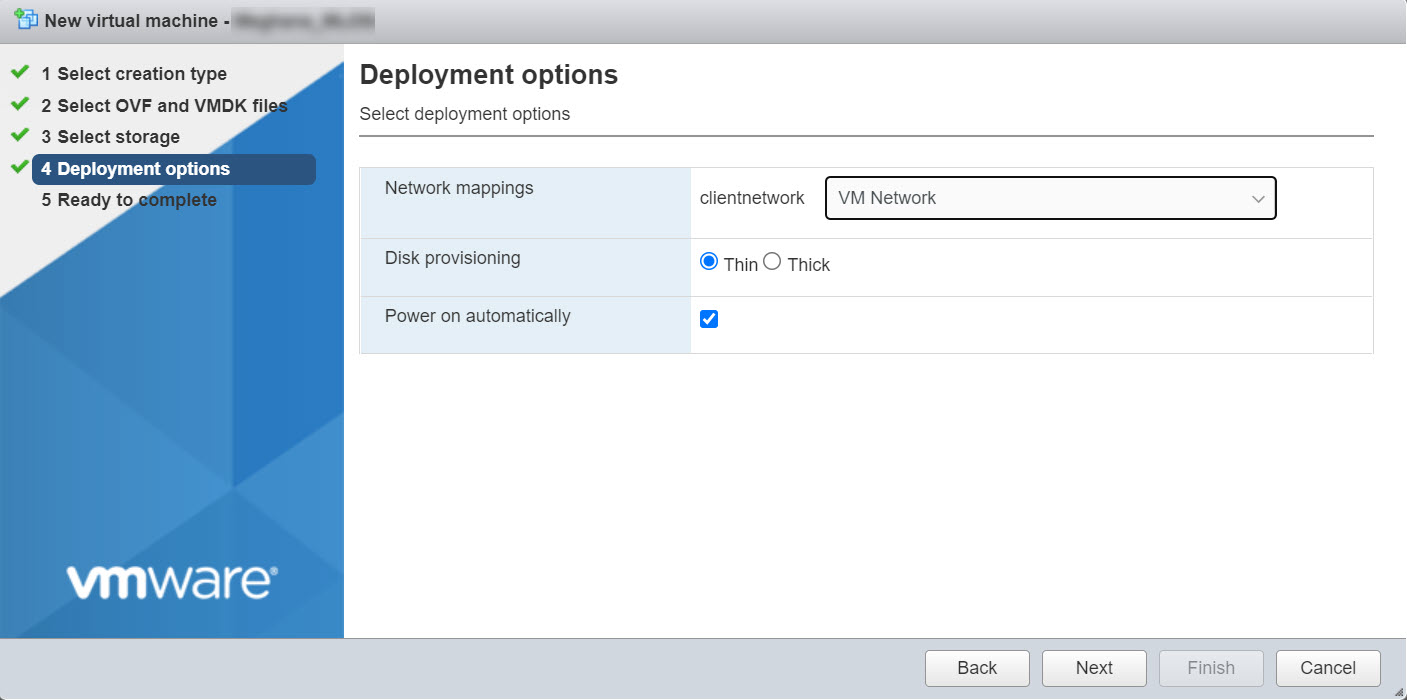
The Deployment options section is displayed. -
In the
Deployment options section, the following options are displayed:
Network mappings From the Network mappings drop-down, select clientnetwork as VM Network. Disk provisioning Choose the Disk provisioning as Thin or Thick depending on the availability of physical disk storage. It is recommended to use the default provision as Thin.
Power on automatically Enable the Power on automatically option. After configuring the deployment options, click Next option.
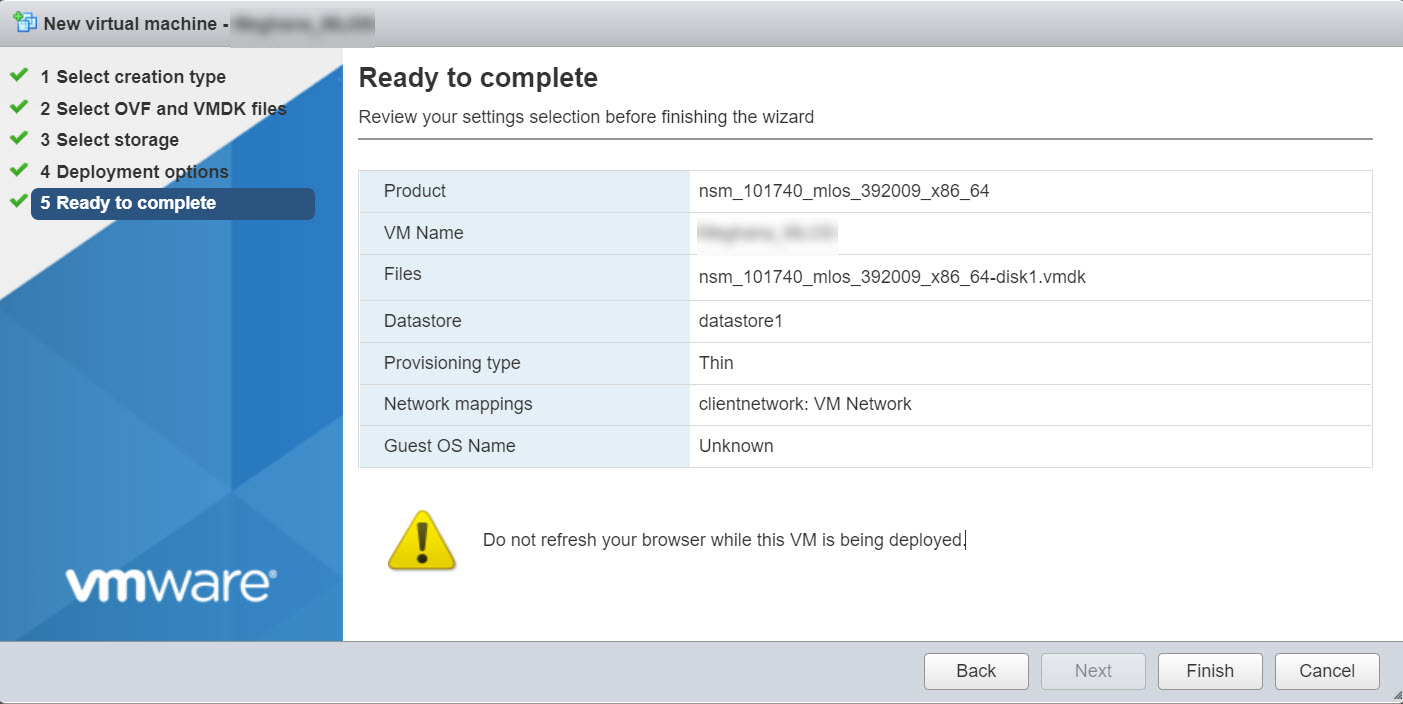
The Ready to Complete section is displayed. -
Verify the configuration and click
Finish to deploy the Linux-based Manager.
- Once the deployment is complete, you can configure the Linux-based Manager using SSH.