Make sure all requirements listed in System requirements have been met.
Log into the Central Management System Web UI.
Select Appliances > Sensors.
Select Actions > Create HA Pair. The CREATE HA PAIR dialog shows supported Network Security models that are connected to the Central Management System appliance.
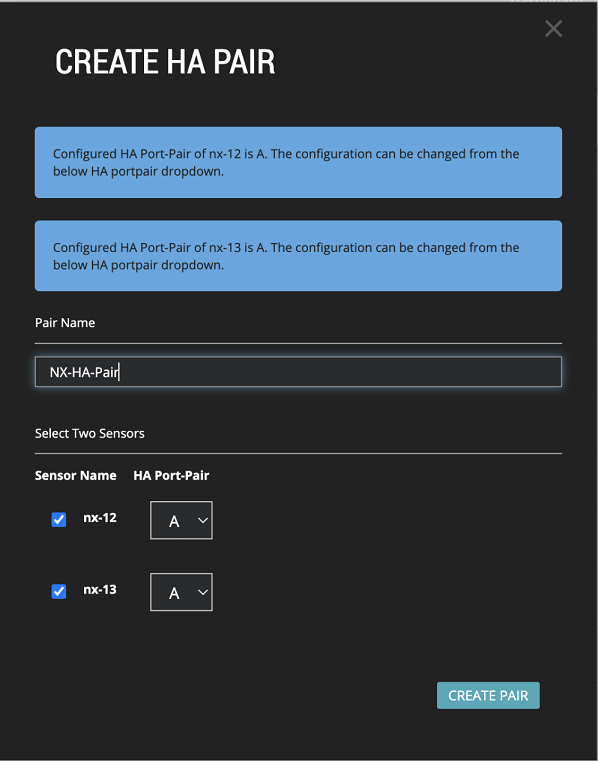
Enter a unique name for the Network Security pair.
Select the checkboxes for the two Network Security appliances that will form the pair.
To configure the HA port-pair for the NX-HA pair being created, select the same port-pair in the dropdown for each appliance.
Click CREATE PAIR.
If you are prompted to enable IPv6 on the appliances, click OK.
Synchronize the configuration so the detection settings are identical. (See Synchronizing configuration settings using the Web UI.)
Creating a Network Security HA pair using the web UI
- Published on Sep 12, 2026
- 1 minute(s) read
To create a pair:
Was this article helpful?