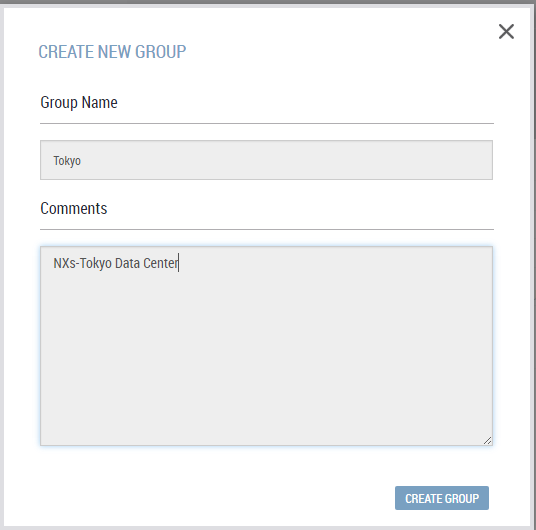
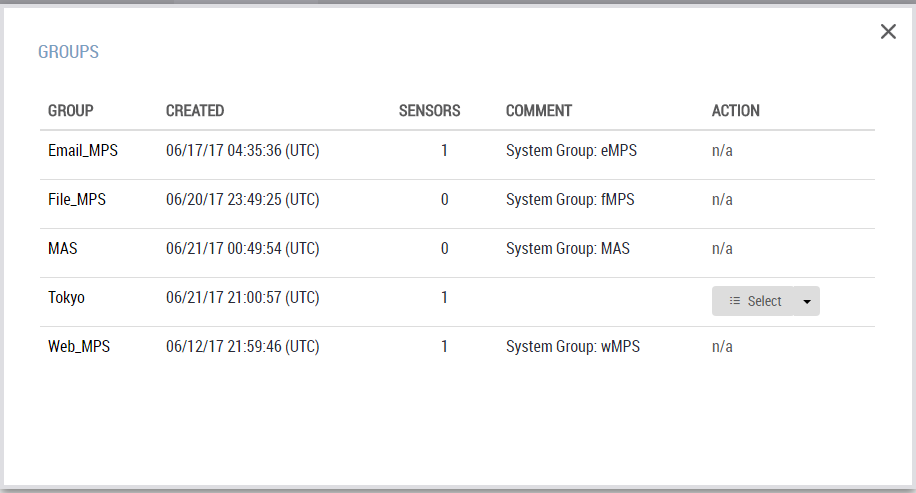
Use the Create New Group dialog box to create groups, and the Groups dialog box to manage groups.
To add a new group:
Click the Appliances tab. The Sensors tab should be selected.
Click Actions > New Group.
Enter the name of the group and an optional comment.
Click Create Group. The Groups dialog box opens.
Verify that the new group was added.
To edit an existing group:
Click Show All Groups to open the Groups dialog box.
Locate the group in the list.
Click Select > Edit.
Edit the name and comment as needed.
Click Edit Group.
To delete a group:
Click Show All Groups to open the Groups dialog box.
Locate the group in the list.
Click Select > Delete.
When prompted, click OK to confirm that you want to delete the group.