The new docs.trellix.com features a modernized UI and AI-powered conversational search. Content is currently available in English, with additional languages launching in early November 2026. We hope you enjoy the updated experience.

Deleting an entry from the SmartVision alerts whitelist using the Web UI

Prev Next

To remove a combination of conditions from the Alert whitelist, use the checkbox next to that entry.
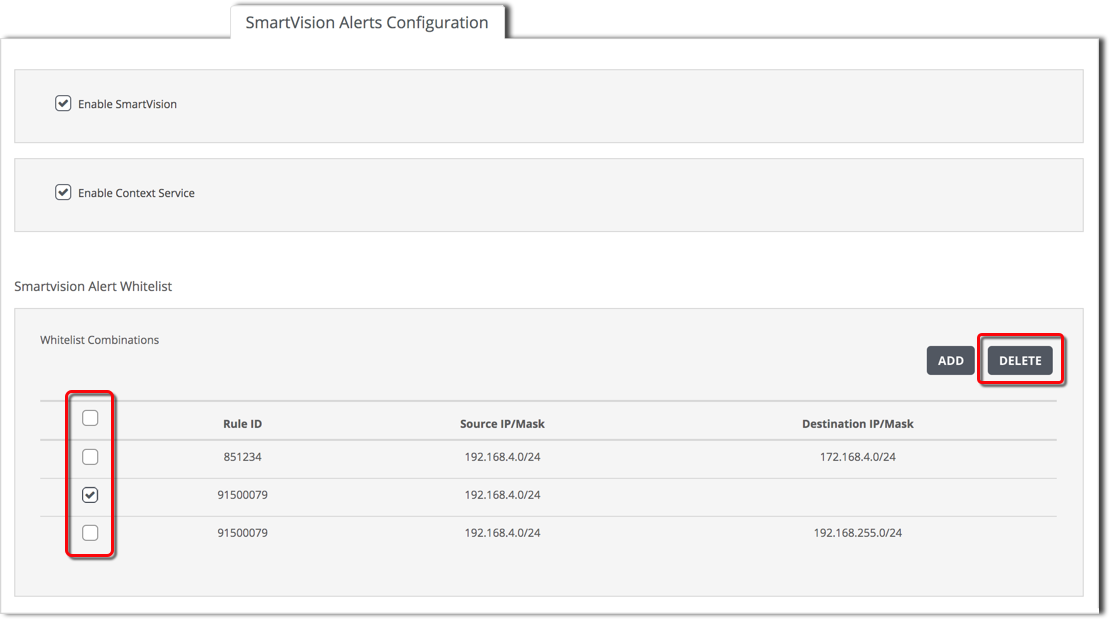
Settings_SmartVision_Whitelist_delete.png

Prerequisites

To add a combination of alert whitelisting criteria:
  1. Click SmartVision Alerts Configuration.

  2. Select the checkbox of each combination of conditions you want to remove.

  3. Click Delete, then click Yes to confirm.