On the Settings > Evidence Collector > Event Filters > Custom Filters page of the Network Security appliance, you can delete one or more custom event filters or all custom event filters configured for a specific filter type from the configuration. All the custom event filters configured for a specific filter type can also be deleted from a specific page of the list or from all the pages.
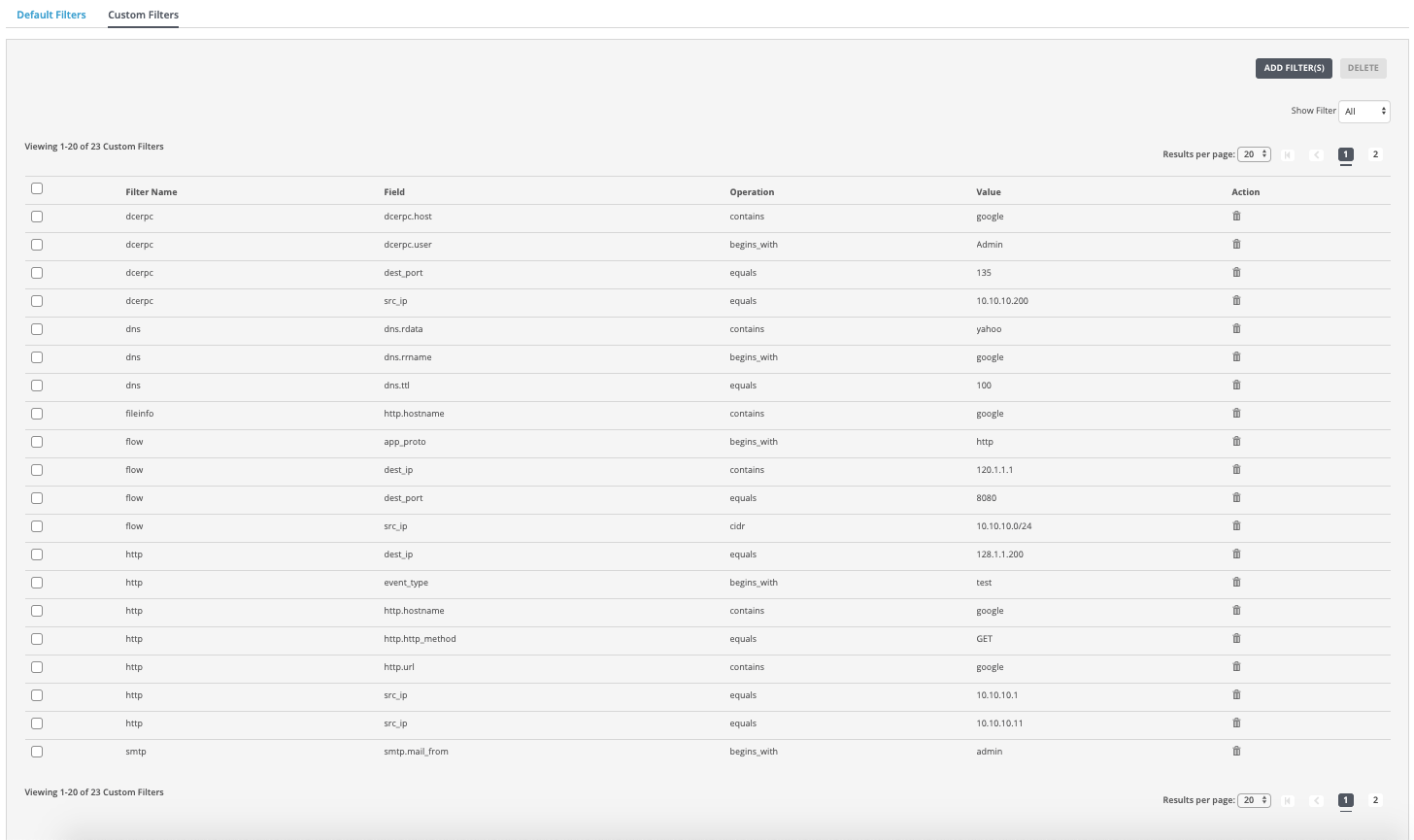
In the Web UI, choose Settings > Evidence Collector.
Click Event Filters.
Click Custom Filters.
In the Show Filter drop-down list, select a filter type (for example,
http) to view the list of configured custom event filters for the selected filter type. To view all custom event filters for all filter types, select All.In the table, select one or more custom event filters to delete from the configuration.
To delete one or more custom filters, click Delete. To delete a single entry, click the trash can icon in the Action column. A confirmation dialog box appears.
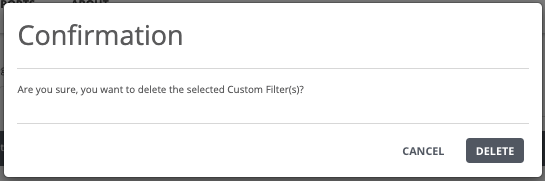
Click Delete to confirm that you want to delete one or more custom event filters from the selected configuration.
The following message appears:

Note
If you selected All in the Show Filter drop-down list, then all the custom event filters configured for all filter types will be deleted from the configuration.
In the Web UI, choose Settings > Evidence Collector.
Click Event Filters.
Click Custom Filters.
In the Show Filter drop-down list, select a filter type (for example,
http) to view the list of configured custom event filters for the selected filter type. To view all custom event filters for all filter types, select All.To delete all the custom event filters for a specific filter type from the configuration, click the checkbox at the top of the list.
Click Delete to delete all custom event filters configured for a specific filter type from a specific page of the list. A confirmation dialog box appears.
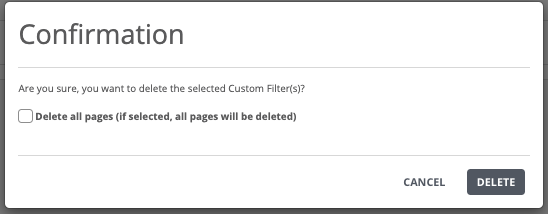
(Optional) Select the checkbox if you want to delete all the custom event filters configured for a specific filter type from all the pages.
Click Delete to confirm that you want to delete all the custom event filters configured for all filter types from a specific page of the list, all the pages, or from the configuration.
The following message appears: