To deploy the Gateway Load Balancer in AWS, perform the following steps:
Login to the AWS console, and navigate to Services → Compute → EC2.
In the left panel, under Load Balancing, click Load Balancers.
The Load Balancers page is displayed.
Select Create load balancer.
Load Balancers
The Select load balance type is displayed.
In the Load balancer types section, go to Gateway Load Balancer and click Create.
Select load balance type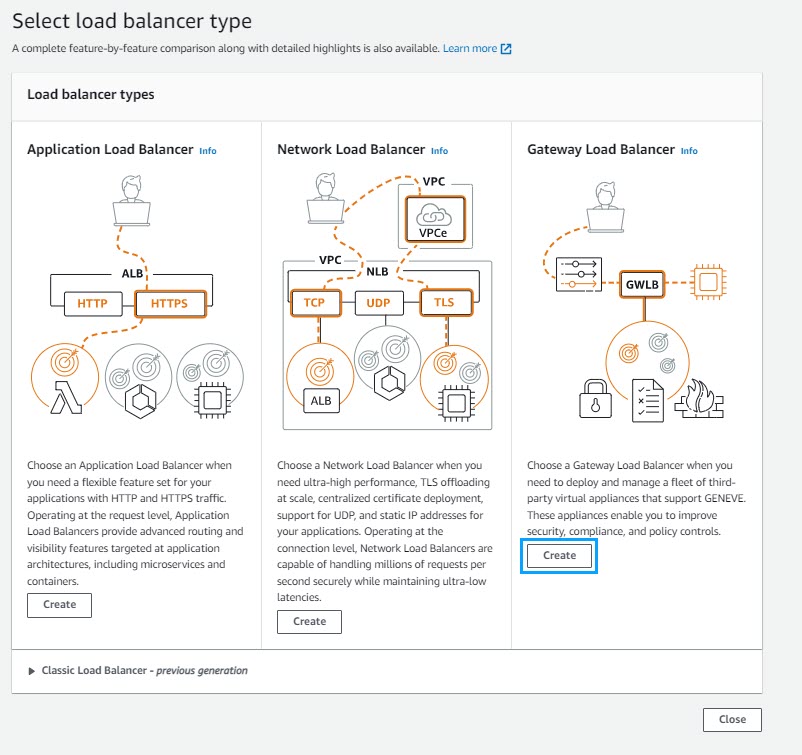
The Create Gateway Load Balancer page is displayed.
Go to Basic configuration, provide the required load balancer name in Load balancer name.
Choose IPv4 from IP address type.
Note
Only IPv4 address type is supported.
Basic configuration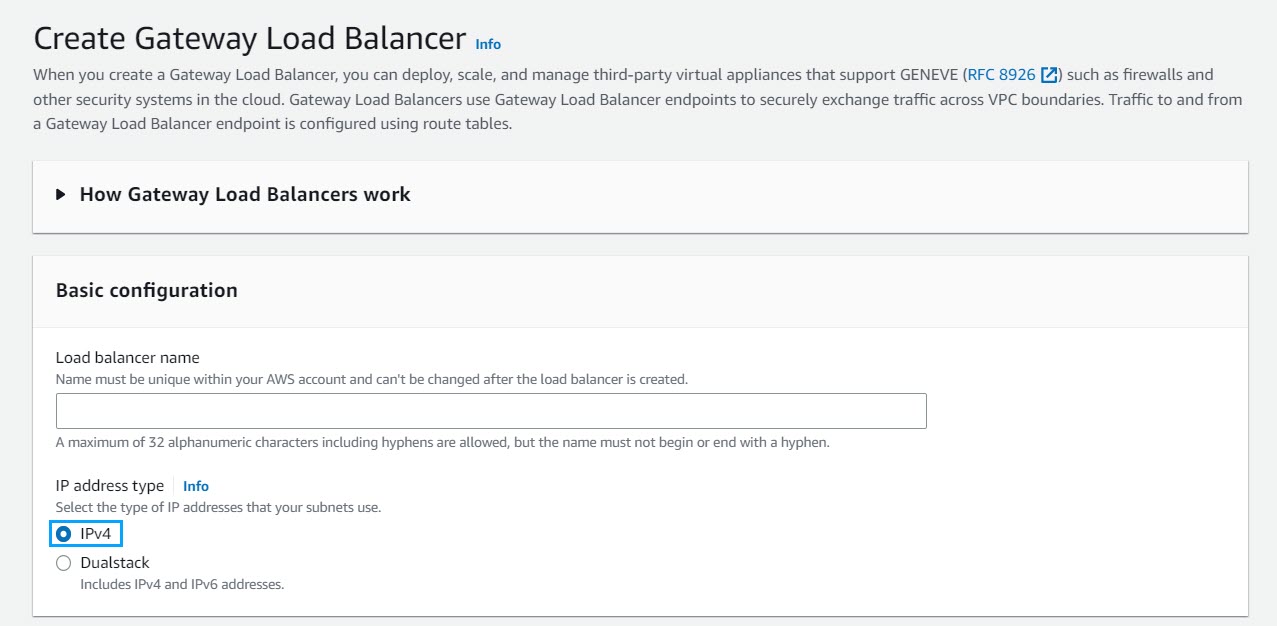
Go to Network mapping, select the VPC where the load balancer has to be deployed from VPC drop-down.
Network mapping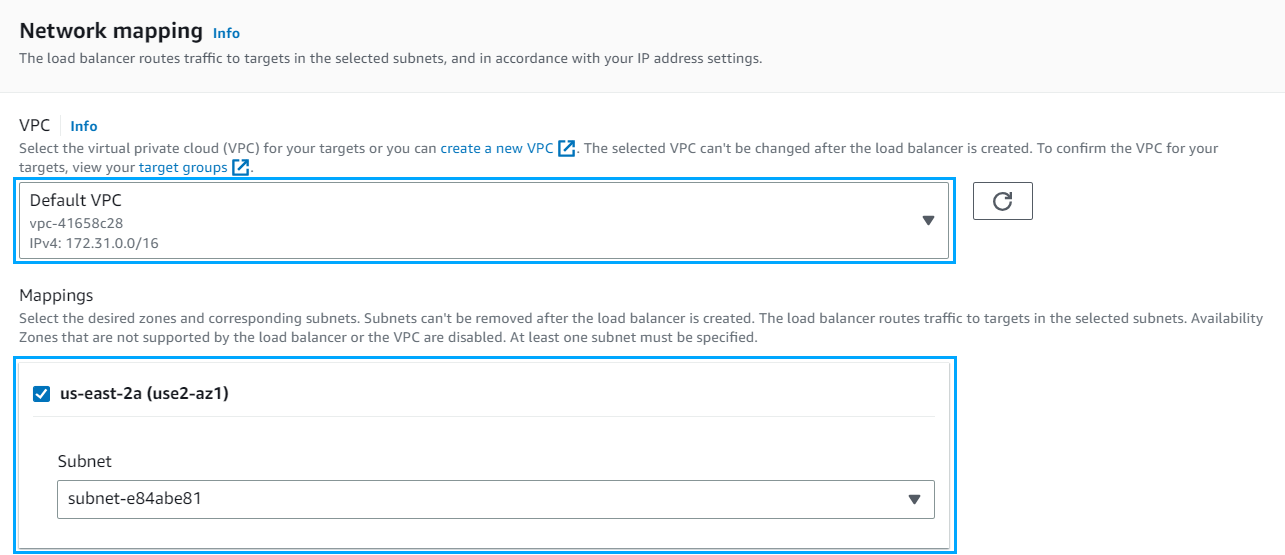
Go to IP listener routing, provide the required target group from Forward To drop-down in Default action. To create a target group, see Create a Target group.
IP listener routing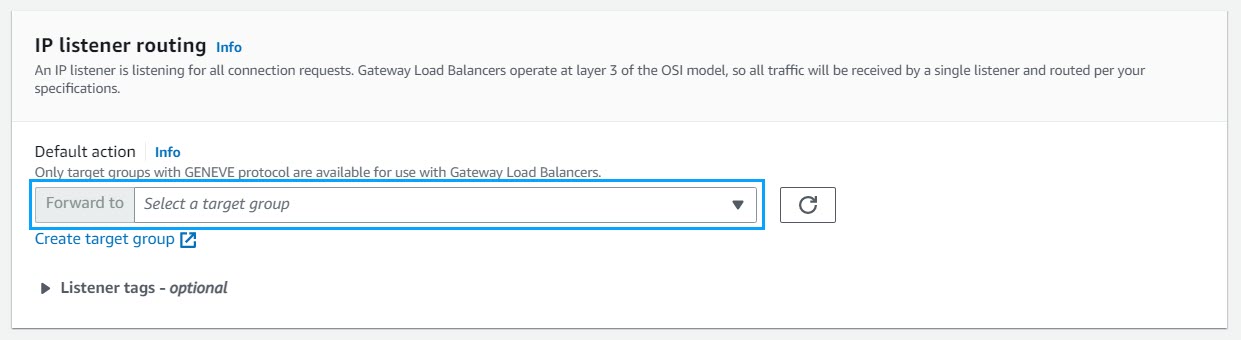
Go to Summary, verify the configurations and click Create load balancer to complete the deployment.
Sumamry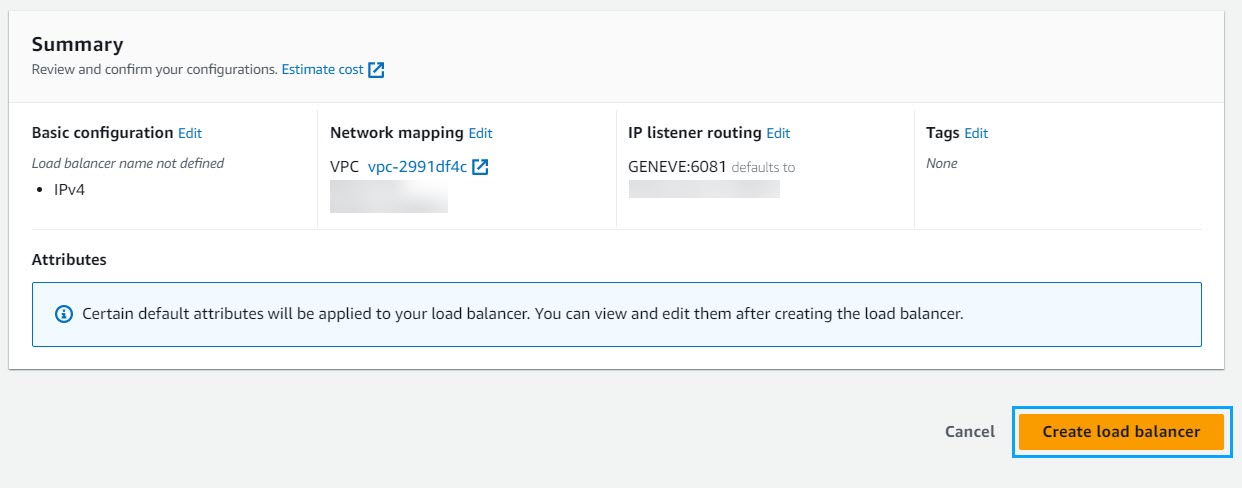
Note
The complete deployment of GWLB may take up to 5 minutes.