You can download the available Sensor software and NTBA Appliance updates on demand from the Update Server. If more than one version is available, select the most recent version.
Automation enables the Manager to verify the Update Server for software updates on a periodic basis.
Task
-
Select
Manager → <Admin Domain Name> → Trellix IPS Protection Status. Then, select
Device Software tab.
The Device Software tab is displayed.
.png)
It displays the details of downloaded device software such as Model, Version, Release Date, FIPS-Compliant, and Size (MB).
To download the details of downloaded device software, select Save as CSV. You can also view the total available software images.
-
To download the required device software, select
Download Device Software.
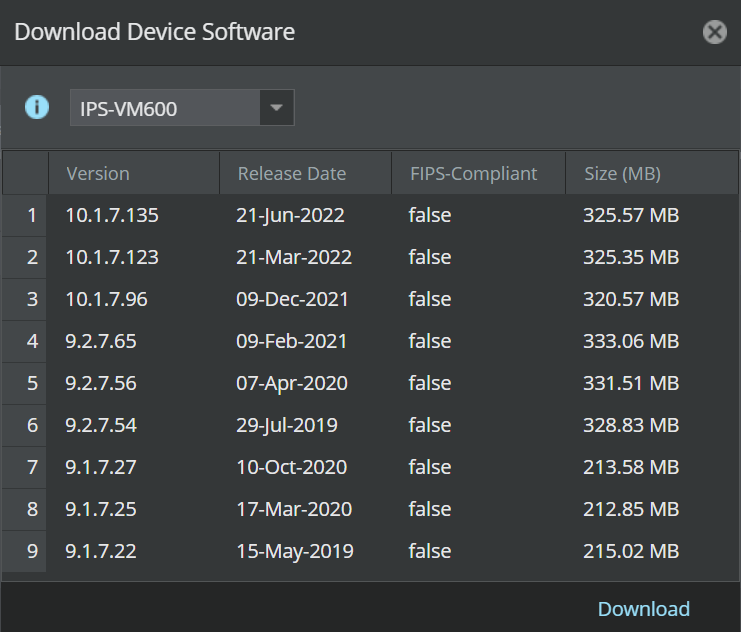
The Download Device Software dialog-box appears. It displays the details, such as Version, Release Date, FIPS-Compliant, and Size (MB).
Note
If you download the Device Software directly from the Update Server, the Release Date is available in DD-MMM-YYYY format. When you manually import the Device Software, the date is displayed in MMM-YYYY format.
-
Select the Sensor model from drop-down. Then, select the required version of the device software.
Note
Only the latest three Sensor software versions for 10.1, 9.2, and 9.1 releases will be available for download, provided the releases are supported by the selected Sensor model.
-
Click
Download to download the software updates.
Note
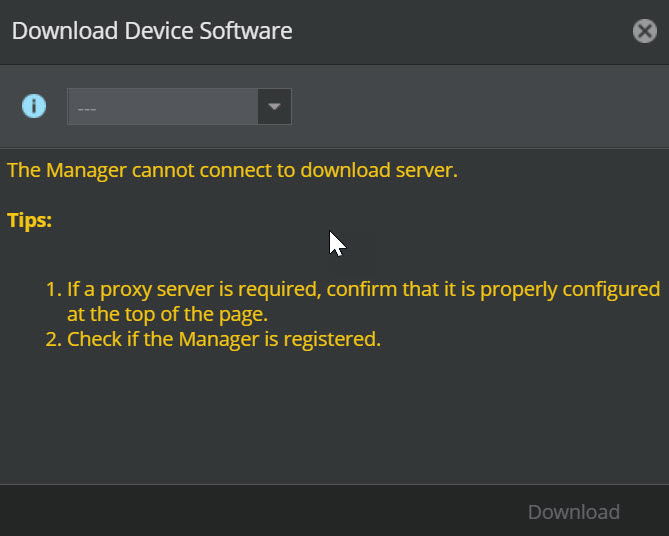
In an air-gap network, unregistered, or proxy server disabled Manager, Download Device Software does not display any details of the available software version.
What to do next
Use the Deploy Device Software option to deploy these software updates. For more information, see the Trellix Intrusion Prevention System Installation Guide.