The Enable page when accessed from the Global tab of the admin domain is used to control the overall state of device Performance Monitoring at the admin domain level.
Performance Metrics are collected from devices and used to produce performance-related graphs and reports. The Enable page provides the option to enable or disable performance metric collection.
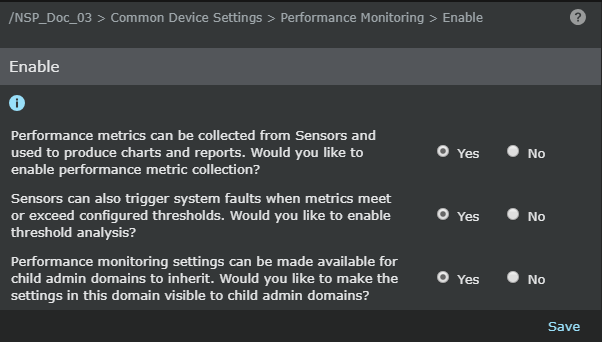
Follow this procedure to enable or disable metric collection at the admin domain level:
Task
- Select Devices → <Admin Domain Name> → Global → Common Device Settings → Performance Monitoring → Enable.
- Against Performance metrics can be collected from sensors and used to produce charts and reports. Would you like to enable performance metric collection? choice, select Yes to enable metrics collection or select No to disable metrics collection.
- Click Save.