Before you begin
- Configure an IPv4 address for your fail-open switch.
- Make sure you are able to access the fail-open switch web-interface using a web browser.
You can enable tap mode for your fail-open switch if you use a tap to route network traffic to the Sensor monitoring ports.
Task
-
Log on to the web interface of the fail-open switch.
Use default credentials to access the web interface.
- Click the Bypass tab to access the Bypass configuration page.
- Under HB active mode, select Off from the drop-down list.
-
Under
Active bypass, select
tap from the drop-down list.
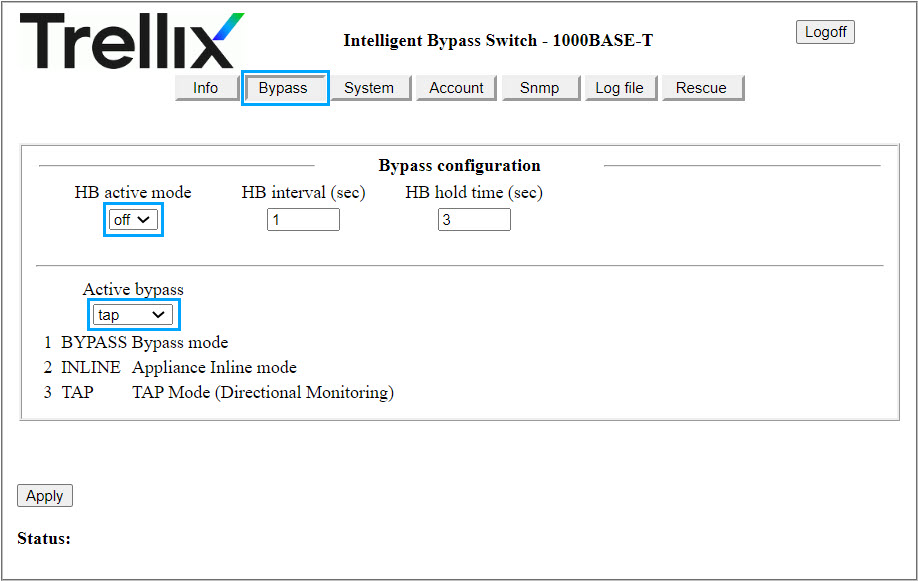
- Click Apply to save your configuration.