Use the Settings > Evidence Collector page to enable or disable the Evidence Collector module using the Web UI.
In the Web UI, choose Settings > Evidence Collector.
Click Helix Integration.
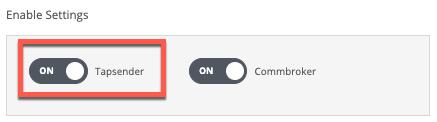
In the Enable Settings area, click the Tapsender toggle button to enable the Evidence Collector module.
The toggle button displays "ON" to show that the Evidence Collector module can collect logs generated by the Network Security appliance.
The following message appears:

In the Web UI, choose Settings > Evidence Collector.
Click Helix Integration.
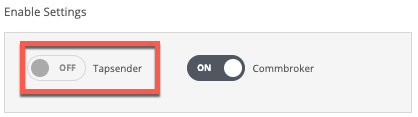
In the Enable Settings area, click the Tapsender toggle button to disable the Evidence Collector module.
The toggle button displays "OFF" to show that the Evidence Collector module cannot collect logs generated by the Network Security appliance.
The following message appears: