In the Settings > External SIEM Integration area in the Evidence Collector page of a Network Security appliance, you can enable or disable the Layer 7 Metadata Event Exporter to collect logs generated by the Trellix appliance.
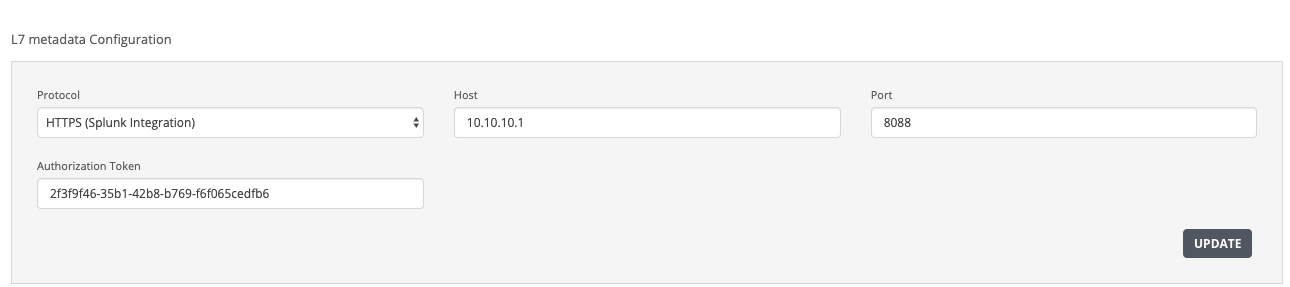
You specify the following Layer 7 Metadata Event Exporter settings.
Field | Description |
|---|---|
Protocol | The protocol type (HTTPS, TCP or UDP) that is used to send the Layer 7 metadata events to the Splunk Enterprise server. |
Host | The destination IPv4/IPv6 address of the Splunk Enterprise server. |
Port | The port that the appliance uses to initiate a connection with the Splunk Enterprise server. Valid values are integers ranging from 514 to 65535. |
Authorization Header | The authorization header that is used to create the HTTPS event collector token. The HTTPS Event Collector (HEC) token is the Splunk authorization header. |
In the Web UI, choose Settings > Evidence Collector.
Click External SIEM Integration.
In the Protocol drop-down list, choose HTTPS (Splunk Integration), TCP, or UDP.
In the Host field, enter the destination IPv4/IPv6 address of the Splunk Enterprise server.
In the Port field, enter the port that the appliance uses to initiate a connection.
In the Authorization Token field, enter the authorization header that is used to create the HTTPS event collector token.
Click Update.
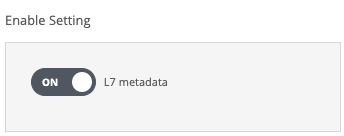
In the Enable Settings area, click the L7 metadata toggle button to enable the Layer 7 Metadata Event Exporter.
The toggle button displays "ON" to show that the Layer 7 Metadata Event Exporter can collect logs generated by the Trellix appliance.
The following message appears:

In the Web UI, choose Settings > Evidence Collector.
Click External SIEM Integration.
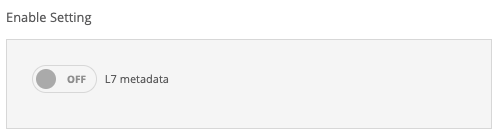
In the Enable Settings area, click the L7 metadata toggle button to disable the Layer 7 Metadata Event Exporter.
The toggle button displays "OFF" to show that the Layer 7 Metadata Event Exporter cannot collect logs generated by the Trellix appliance.
The following message appears: