This section provides analysis and attack examples that are related to malware and callback activity. Click to display all information specific to a host attack.
Example: DLL-based Attack
Note
On a NX sensor or sensor-enabled NX integrated appliance, the sensor extracts the malicious DLLs that need to be analyzed by the MVX cluster. The Virtual Execution compute node returns the results of the analysis over the SSH connection to the sensor.
The NX appliance analyzes DLLs found in network traffic using the MVX engine to determine maliciousness. When you click on the IP address of a host on the Alerts > Alerts > Alerts page, the details display as shown in the following figure.
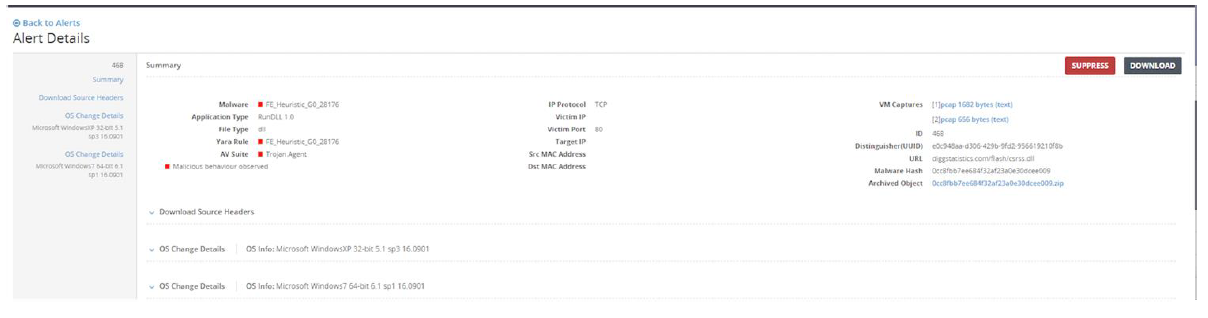
Malicious DLLs are extracted and referenced in the File Type (FT) field for individual events on the Alerts Details results pages. When you expand a header, more detail is provided.
Example: Archived File Analysis
Note
On a NX sensor or sensor-enabled NX integrated appliance, the sensor extracts the suspicious archived files that need to be analyzed by the MVX cluster. The Virtual Execution compute node returns the results of the analysis over the SSH connection to the sensor. You can view the results of the analysis in the FT column on the Alerts > Alerts > Alerts page in the sensor Web UI.
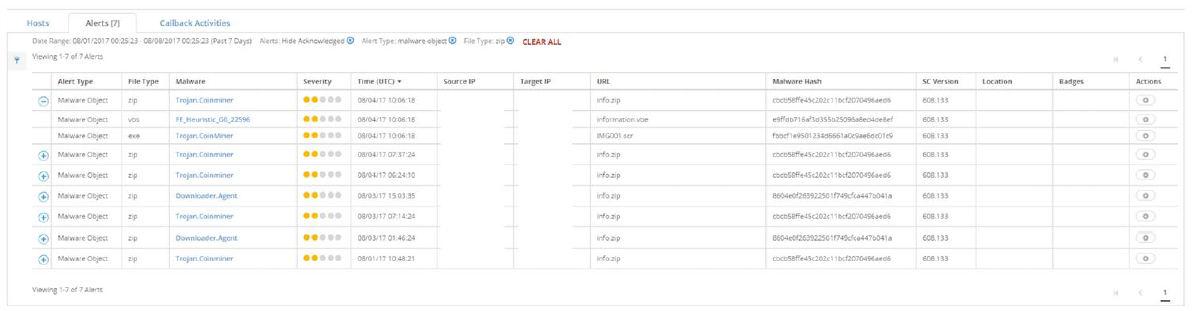
The NX appliance includes full support for MVX engine analysis of archived files from the traffic stream: ZIP, RAR, TNEF, and 7-ZIP. Archived files are extracted and analyzed, and results are displayed in the FT column on the AlertsAlertsAlerts page in the sensor Web UI. Blue boxes indicate an archived file. Green boxes indicate extracted and analyzed files. The NX appliance supports extraction and analysis of multiple recursive hierarchical levels of archived files—each level is represented by the number of blue and green boxes.
Example: XFF (X-Forwarding)
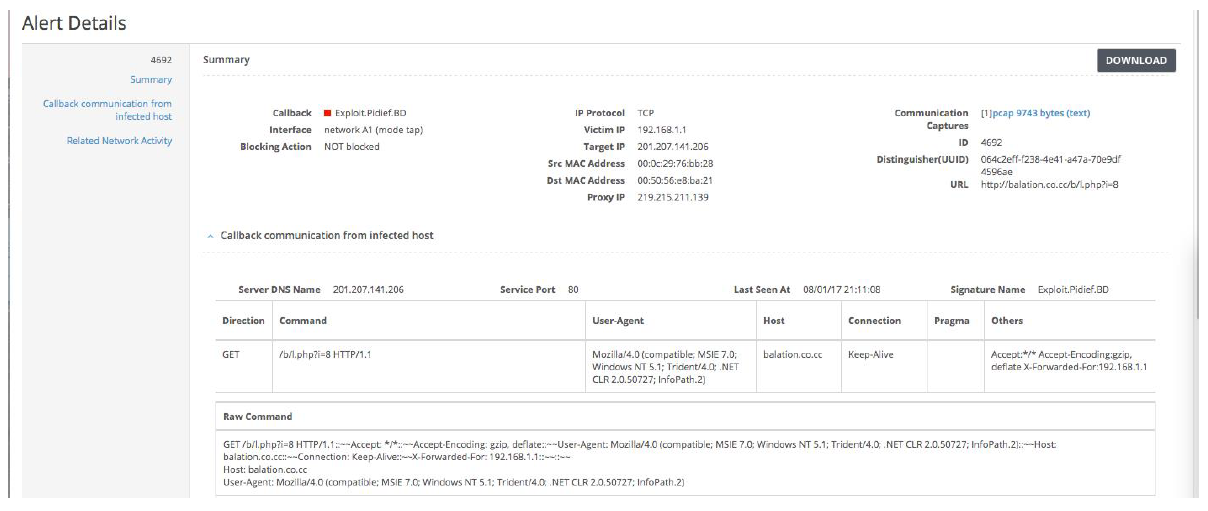
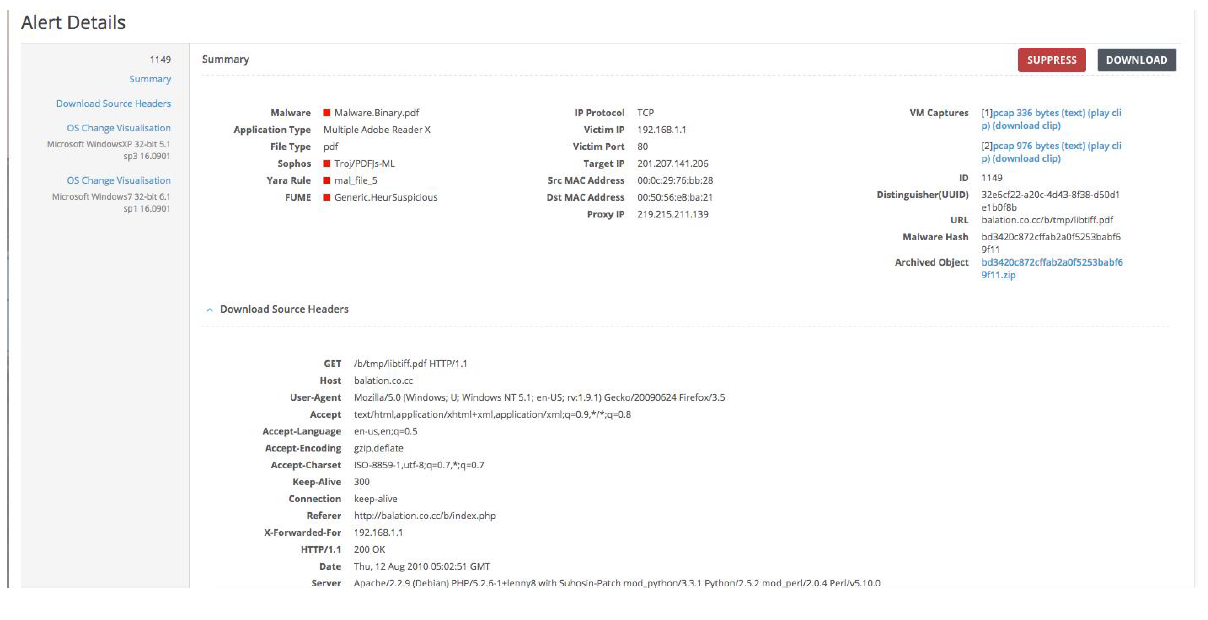
The NX XFF feature identifies the IP address of a host that is infected or about to be infected. This visibility is especially useful in networks using proxy gateways. Instead of anonymous host traffic, Trellix extracts the host’s source IP address from the HTTP header and displays it on the Alerts → Alerts → Alerts page in the proxy-IP column. On the Alerts page, x-forwarded IPs are reported as the Source IP, and the originating Layer 3 Source IP is reported as the proxy IP. This feature is enabled by default for both Web and binary analysis. Clicking the Callback Information from Infected Host link to display information for an xforwarded bot alert:
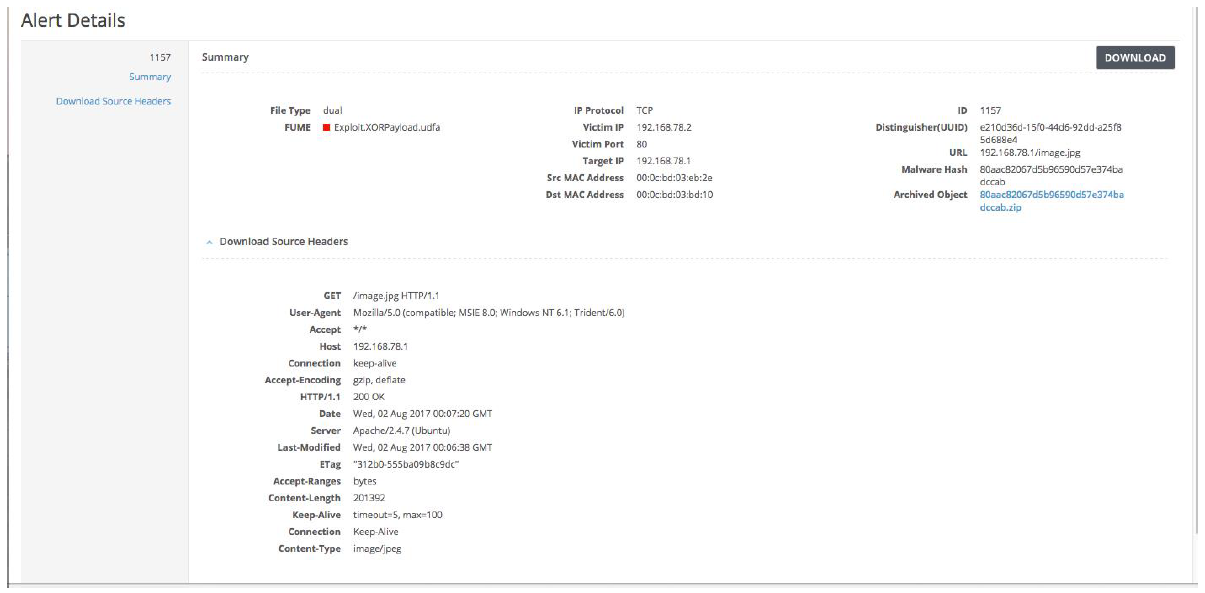
Click the Download Source Header link to display details for an x-forwarded binary analysis alert:
Example: eXclusive-OR encoded (XOR'd)
Note
On a NX sensor or sensor-enabled NX integrated appliance, the Virtual Execution compute node performs static analysis on submitted XOR’d obfuscated Web object samples for malware analysis in a Trellix MVX deployment. The Virtual Execution compute node returns the results of the static analysis over the SSH connection to the sensor. You can view the results of the analysis on the Alerts → Alerts → Alerts page as “Observed: Encrypted/obfuscated object transferred” in the sensor Web UI.
During NX traffic static analysis, XOR’d obfuscated Web objects are detected and submitted to the MVX engines for malware analysis. XOR’d analysis is enabled by default and no configuration is required. Malicious XOR’d alerts for a specific executable file or Web object are represented on the Alerts → Alerts → Alerts page as “Observed: Encrypted/obfuscated object transferred”.
Example: TCP Reset and Out-of-Band Blocking Details
Deploying NX inline actively prevents malware attacks. For customers choosing not to deploy inline but who want the proactive benefits of analyzing live traffic, Trellix expanded the TCP Reset functionality to include Out-of-Band Blocking for offline TAP mode threat protection, which kills a TCP, UDP, or HTTP connection instantly. Out-of-Band Blocking is enabled by default for inline blocking; but for out-of-band deployments, Out-of-Band Blocking is disabled by default. For details about the TCP reset function and out-of-band blocking, see Inline monitoring.
Information about an Out-of-Band Blocking event is displayed on the Filtered Alerts page. A reference to Interface: network A1 (mode tap) indicates that Out-of-Band Blocking took place.