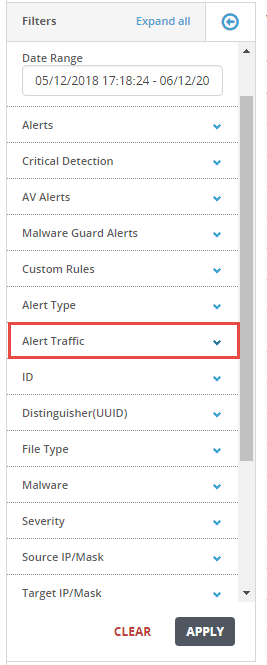
On the Alerts > Alerts > Alerts page of the Network Security appliance, use the Filters panel on the left edge of the page to filter and sort the HTTPS alerts based on SSL interception. Multiple alerts are displayed in a single row as an alert group. If the appliance has identified SSL interception for the HTTPS alert, the SSL Intercept badge appears in the Badges column.
If the appliance has identified SSL interception for HTTPS/2 traffic based alerts, HTTPS/2 badge is displayed in the Badge column. You can use this badge to filter HTTPS/2 traffic based alerts.
Note
You can filter and sort HTTPS alerts based on SSL interception only using the Web UI.
If you want to add a domain to the built-in custom whitelist exception category, see Adding or deleting domains to the built-in custom whitelist exception category using the Web UI .
Administrator, Monitor, or Analyst access to the Network Security appliance
Verify that the operational mode for inline deployment on a network port pair is configured by using the
show policymgr interfacescommand. For details about how to configure inline operational modes, see Configuring inline operational modes.You have imported the public and private keys for a trusted SSL interception CA certificate and an untrusted SSL interception CA certificate. For details about how to import the SSL CA certificate, see Importing an SSL CA certificate using the Web UI or Importing an SSL interception CA certificate using the CLI .
You have exported the public key issuer certificate that is trusted by a trusted public CA or that acts as an untrusted certificate. For details about how to export the public key for an SSL CA certificate, see Exporting an SSL CA certificate using the Web UI .
You have configured the inbound and outbound SSL interception connections that are part of the advanced SSL settings. For details about how to configure the advanced SSL settings, see Configuring advanced SSL settings for SSL interception using the Web UI or Configuring advanced SSL settings for SSL interception using the CLI .
(Optional) Download and install the latest URL categories from the third-party URL categorization database. For details about how to configure automatic URL category updates, see Configuring automatic URL category updates using the CLI. For details about how to force immediate URL category updates, see Forcing immediate URL category updates using the CLI.
(Optional) Add a domain to the built-in custom whitelist category. For details about how to add a domain to the built-in custom whitelist category, see Adding or deleting domains to the built-In custom whitelist category using the Web UI.
Verify that SSL interception has been enabled on at least one network port pair. Use the
show policymgr ssl-interceptcommand. The "ssl intercept enable" line displays "yes" if SSL interception is enabled on each port pair.