To deploy the SIEM, you must first get your Adallom API token.
To get the Adallom API token:
Log into the Adallom console at https://console.adallom.com.
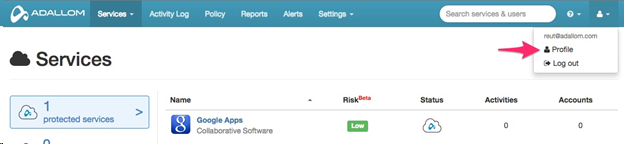
Click the user icon in the navigation bar and select Profile.
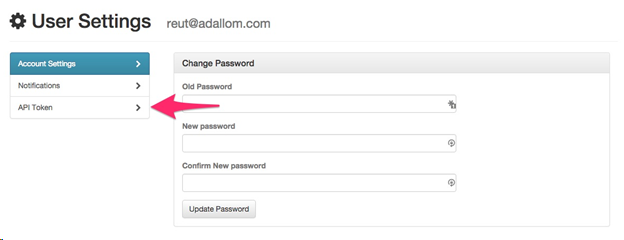
On the User Settings page, click API Token.
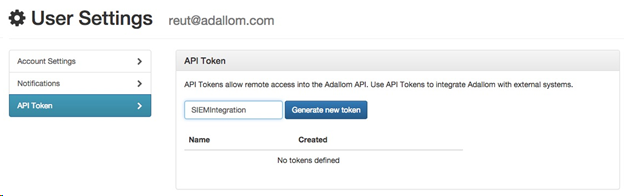
In the text box, type SIEMIntegration and then click Generate new token.
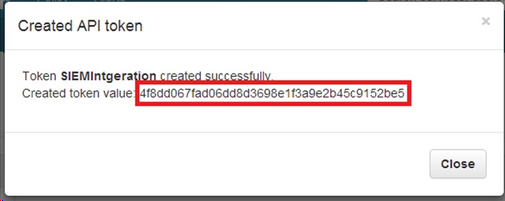
In the Created API token window, copy the value in the Created token value field.