The new docs.trellix.com features a modernized UI and AI-powered conversational search. Content is currently available in English, with additional languages launching in early November 2026. We hope you enjoy the updated experience.

Heartbeat packet management

Prev Next

This section covers the commands to set and view heartbeat counter statistics, heartbeat sequence <number> state, and logs. It also documents the procedure to identify monitor port ID by examining heartbeat packets.

Set and view heartbeat counter statistics

Command

Description

get_hb_stat

Displays heartbeat counter statistics which include Transmit(Tx) and Receive(Rx) packets between monitor ports MON0 and MON1.

clear_hb_stat

Resets heartbeat statistics to 0.

Monitoring port ID on Heartbeat Packets

Currently, there are no commands to view the monitoring port ID through which the heartbeat signals are sent to the Sensor. However, users can examine the heartbeat packet captures to identify the monitoring port ID.

For example, users can examine the Packet Bytes pane in Wireshark for a selected heartbeat packet and identify the port being used.

  • If the byte value is 1, it means monitoring port MON0 is being used.

    Monitoring Port 0
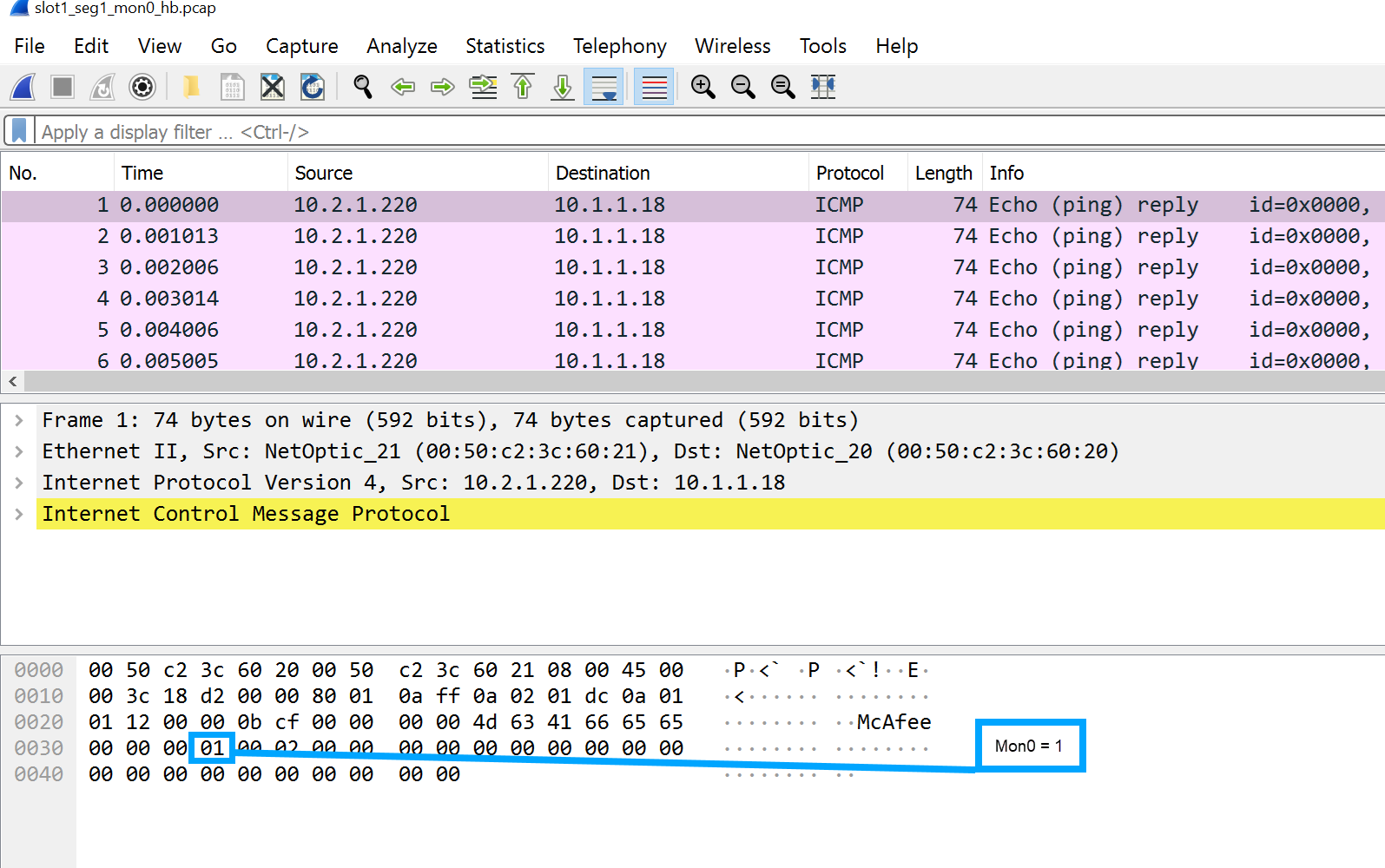
    Monitoring Port 0


  • If the byte value is 2, it means monitoring port MON1 is being used.

    Monitoring Port 1
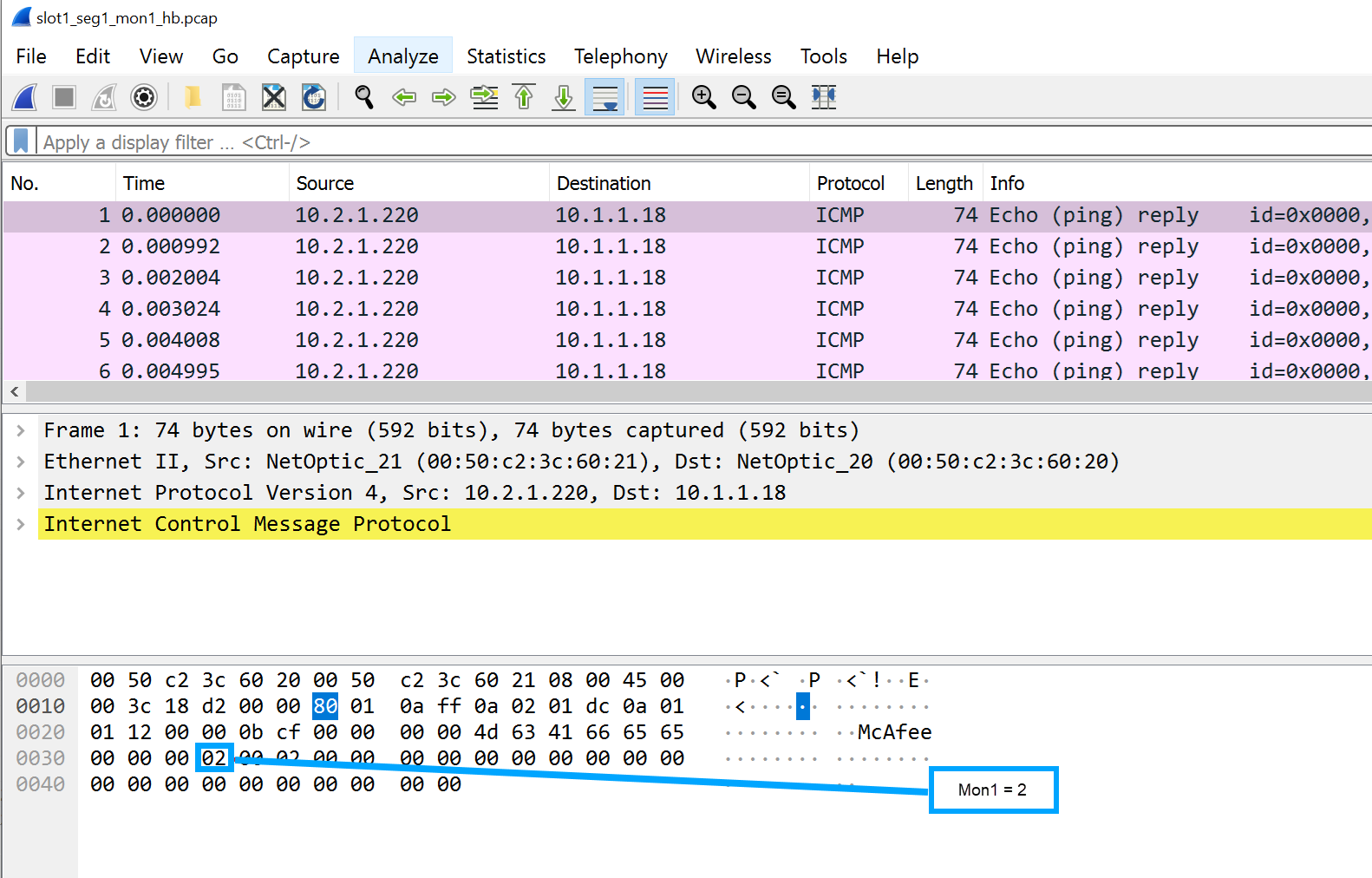
    Monitoring Port 1


Set and view sequence <number> state on heartbeat packets

Command

Description

set_hb_seq_state <on/off> [all]

Sets the heartbeat sequence <number> state on or off.

  • By entering all in the command, you can set all modules in chassis to on or off state.

  • By avoiding all in the command, you can set the sequence <number> state on the current module.

get_hb_seq_state

Identifies current state of heartbeat sequence <number> on monitoring ports (MON0 or MON1.)

Note

The sequence state is turned off by default. You need to turn it on before executing this command.

Set and view heartbeat packet logging

Command

Description

set_hb_log_state <on/off> [all]

Allows you to enable or disable heartbeat packet logging.

  • By entering all in the command, you can enable or disable logging across all modules in the chassis.

  • By avoiding all in the command, you can enable or disable logging only on the current module.

get_hb_log_state

Displays the status of heartbeat logging.

Note

Heartbeat packet logging is turned off by default. You need to turn it on before executing this command.

get_hb_log <username> <ip address> <valid directory path> [all]

Generates heartbeat log output based on the input syntax.

<ip address> refers to the IP address of SCP Server that you setup.

<username> refers to the username you setup on the SCP Server.

<valid directory path> refers to the directory path on the SCP Server where you plan to store the generated log file.

By entering all in the command, you will be able to obtain the heartbeat log output for all the modules with heartbeat logging enabled.

Note

Heartbeat packet logging is disabled by default. You need to enable it before executing this command.

Note

Execute the get_hb_log command to view proper usage and options of the command. Follow the usage and options provided in the output to avoid any errors that occur while issuing the complete syntax.