This section covers the commands to set and view heartbeat counter statistics, heartbeat sequence <number> state, and logs. It also documents the procedure to identify monitor port ID by examining heartbeat packets.
Set and view heartbeat counter statistics
Command | Description |
|---|---|
| Displays heartbeat counter statistics which include Transmit(Tx) and Receive(Rx) packets between monitor ports MON0 and MON1. |
| Resets heartbeat statistics to 0. |
Monitoring port ID on Heartbeat Packets
Currently, there are no commands to view the monitoring port ID through which the heartbeat signals are sent to the Sensor. However, users can examine the heartbeat packet captures to identify the monitoring port ID.
For example, users can examine the Packet Bytes pane in Wireshark for a selected heartbeat packet and identify the port being used.
If the byte value is 1, it means monitoring port MON0 is being used.
Monitoring Port 0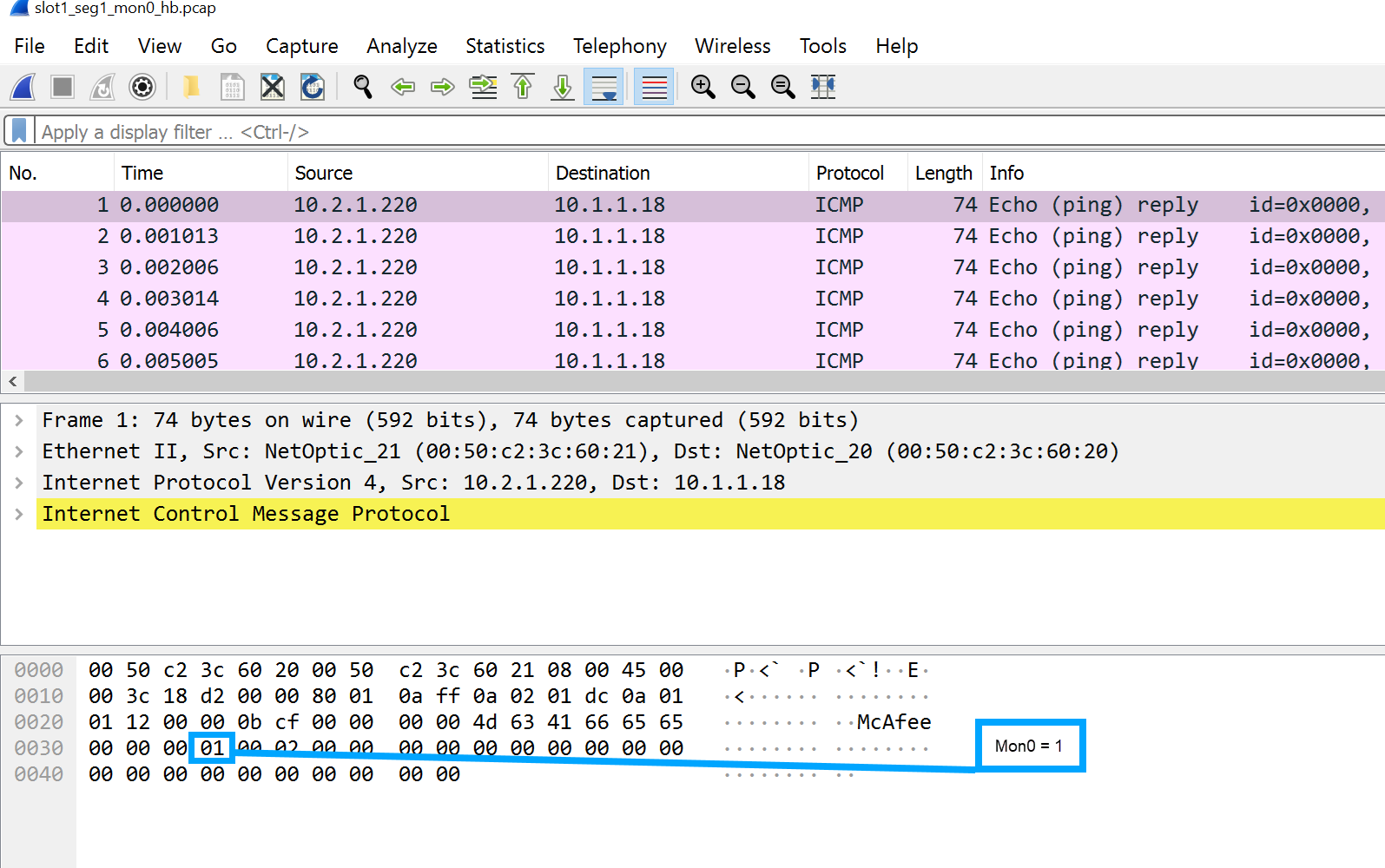
If the byte value is 2, it means monitoring port MON1 is being used.
Monitoring Port 1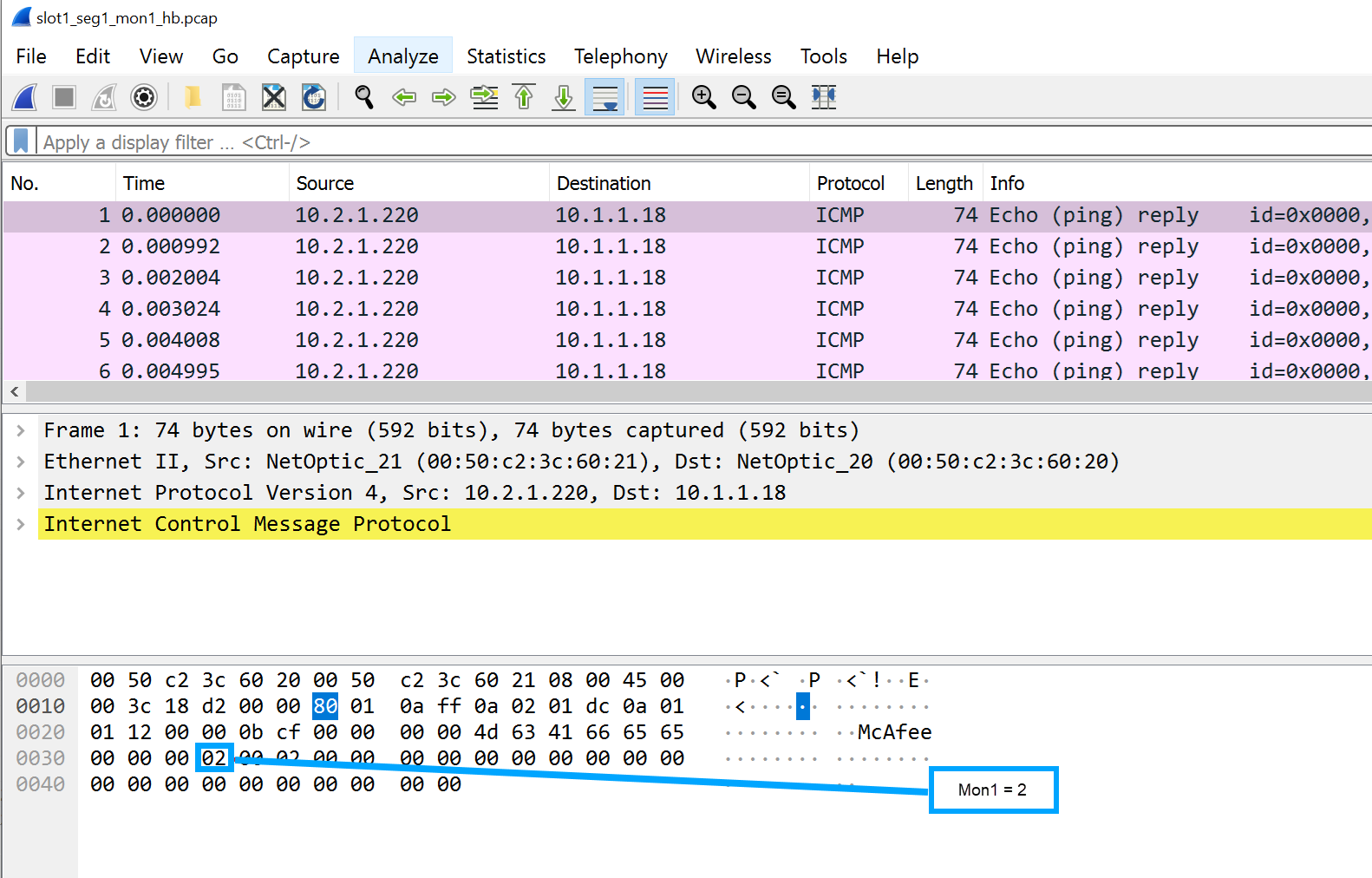
Set and view sequence <number> state on heartbeat packets
Command | Description |
|---|---|
| Sets the heartbeat sequence <number> state on or off.
|
| Identifies current state of heartbeat sequence <number> on monitoring ports (MON0 or MON1.)
|
Set and view heartbeat packet logging
Command | Description |
|---|---|
| Allows you to enable or disable heartbeat packet logging.
|
| Displays the status of heartbeat logging.
|
| Generates heartbeat log output based on the input syntax.
By entering
|