Before you begin
Make sure of the following before you begin importing a rules file:
- All the variables, classifications, and references used in the rules are either defined in the rules files up front or already available in the Manager.
- Just like a conf file, a rules file too can call other files. So, make sure the files called by a rules file are in place.
You can import rules directly from a rules file without a conf file. This section provides the steps for importing Snort rules into the Manager using a rules file.
Task
-
Select
Policy → <Admin Domain Name> → Intrusion Prevention → Policy Types → IPS. Click
Custom Attacks.
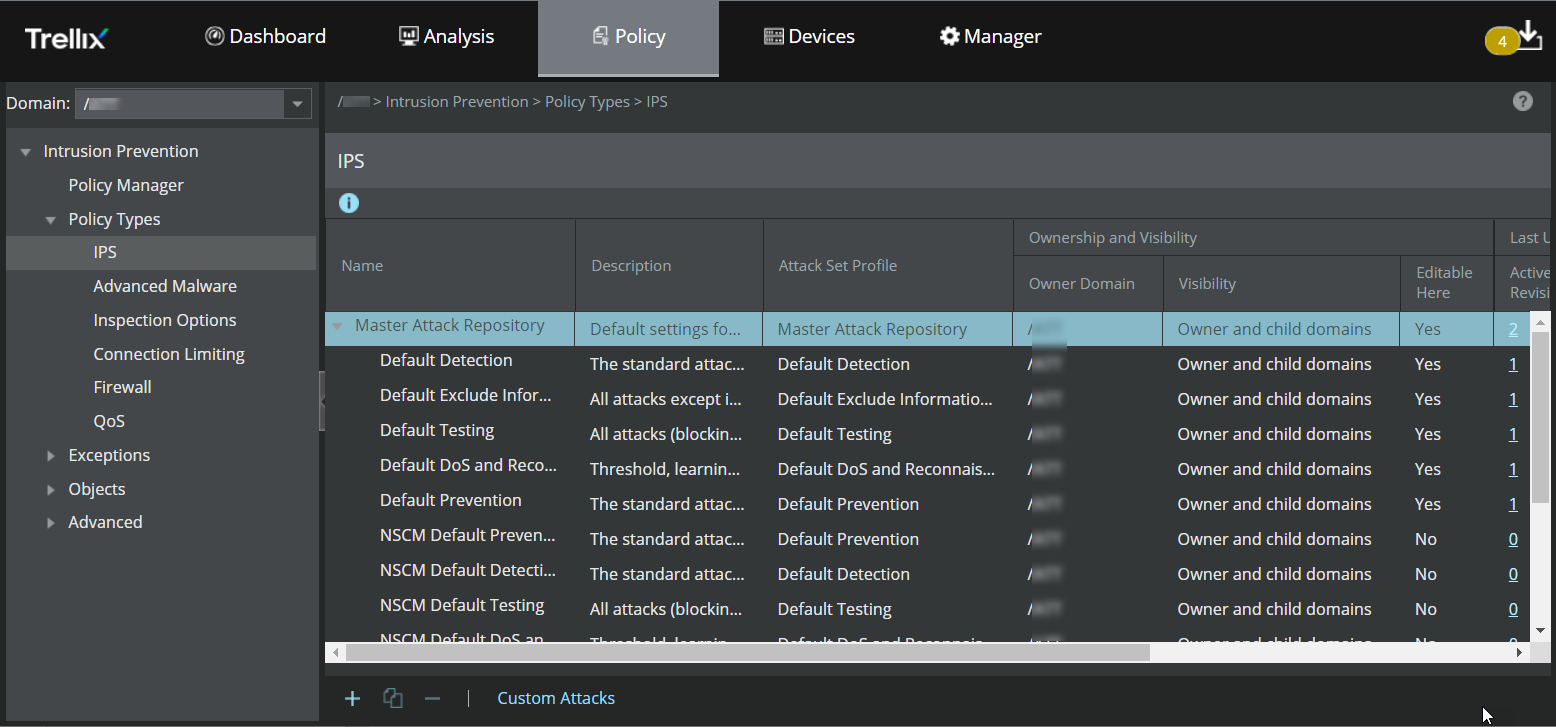
-
In the
Custom Attack Editor of the
Snort Format tab, click
Other Actions → Import .
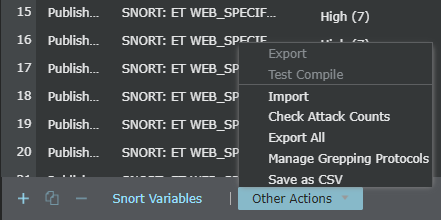
- Navigate to the .rules file to be imported.
-
Click
Open.
All the rules are imported into the Manager and the valid ones are converted to Import snort rules through a conf file's format. There could be some rules that were successfully converted to Import snort rules through a conf file's format, some converted with warnings, and some that failed to convert.
-
Select a
Protection Category value.
New Signature window 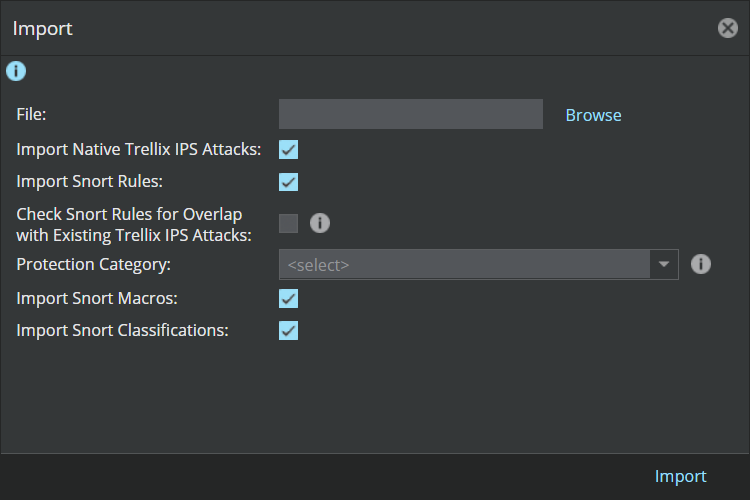
- Click Import.
-
You can refer to the section
Managing Snort rules to:
- View the details of the imported Snort rules
- Know which rules converted successfully, which converted with warnings, and which failed to convert