Before you begin
Make sure you have the Sensor MIB files available. In your Manager installed directory, go to Trellix\IPS Manager\App\config\mibs and copy all of the contents.
Task
- Open your MIB browser.
- Configure the third-party SNMPv3 users and other SNMP-related configurations, such as timeouts (preferred value is 30 seconds) and retries (preferred value is 3), in the MIB browser.
-
Load the following files in the same order:
- TRELLIX-SMI
- TRELLIX-TC
- TRELLIX-SENSOR-SMI
- TRELLIX-SENSOR-CONF-MIB
- TRELLIX-SENSOR-PERF-MIB
- TRELLIX-INTRUVERT-EMS-TRAP-MIB
After you load the MIB files, you can view the MIB tree structure in your MIB browser. Based on the features available in your MIB browser, you can use the data from the Sensor for analysis or just for monitoring. All the following snapshots are taken using MG-SOFT MIB Browser Professional SNMPv3 Edition.
The following snapshot provides the view of the configuration and performance MIB supported for Trellix Intrusion Prevention System.
MIB configuration 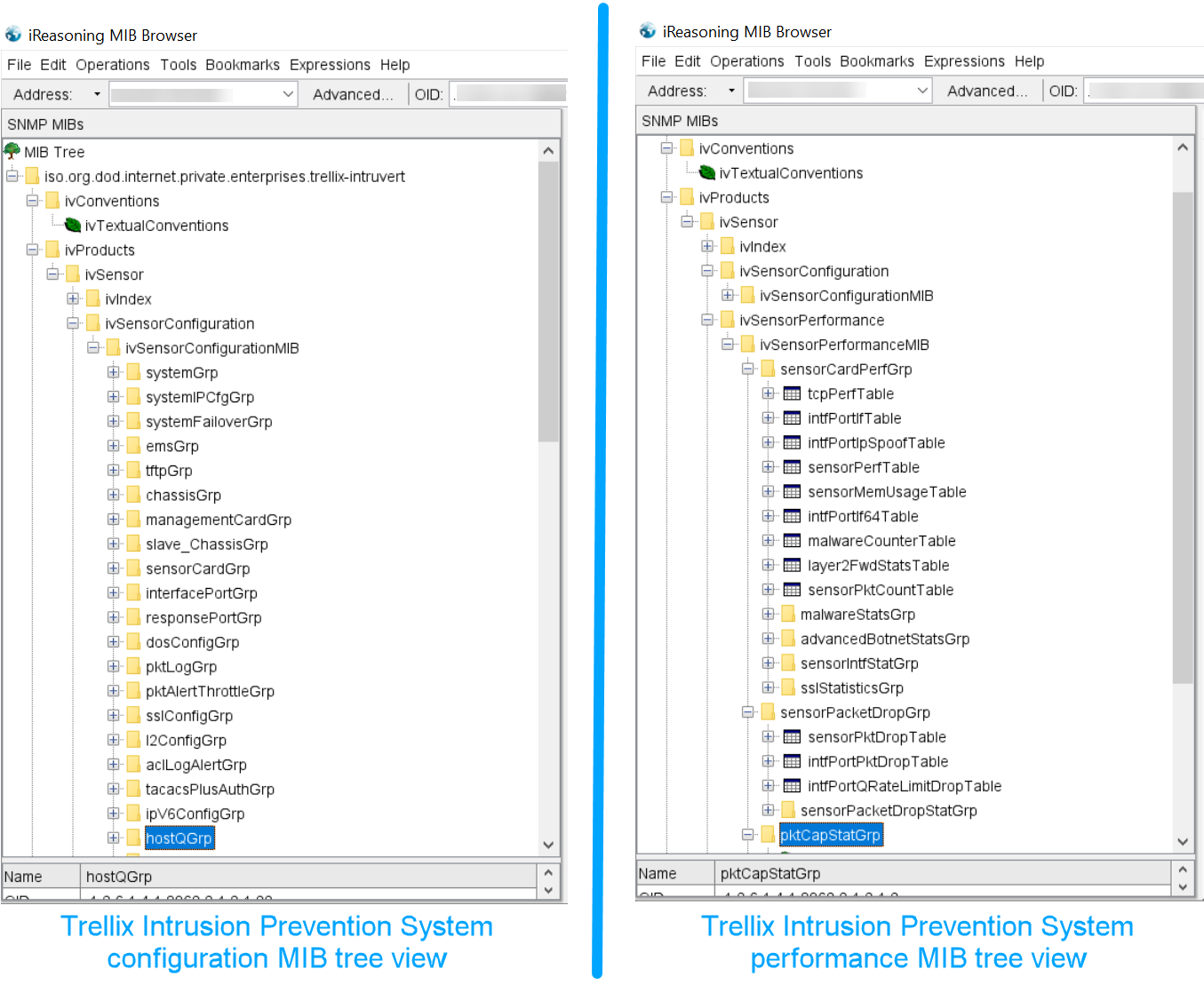
The following snapshot provides the SNMP walk output of the system group under the Trellix Intrusion Prevention System configuration MIB.
SNMP walk output 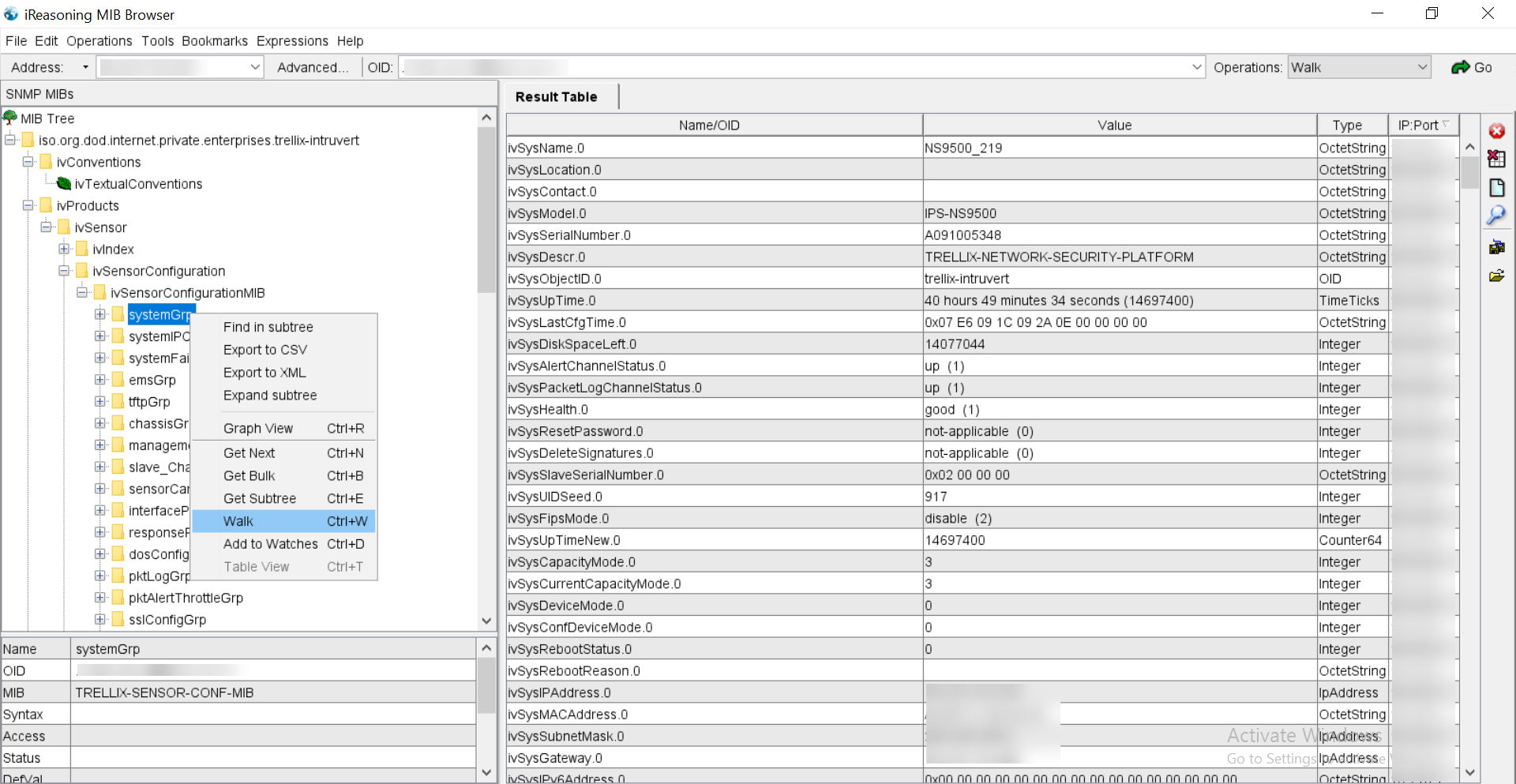
For restricted write access to a section of the MIB, refer to the section Management of permitted NMS IP address in Trellix Intrusion Prevention System Product Guide.
The following snapshot provides information about the MIB subgroup, which has write access from third-party SNMP applications.
SNMP walk output 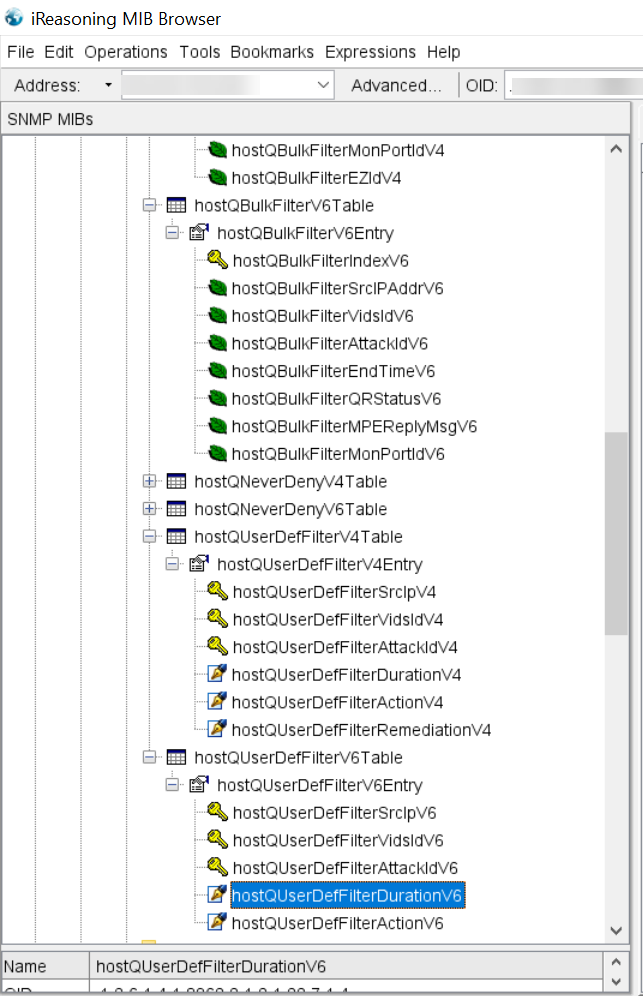
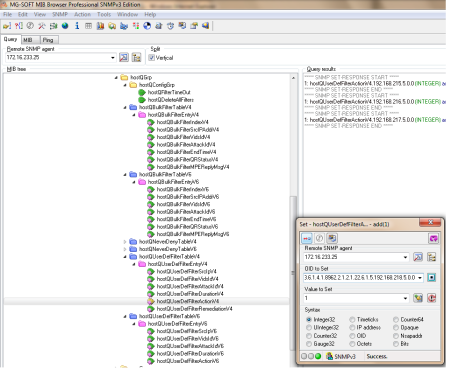
The following snapshot provides the SNMP set output for quarantining the host with IP 192.168.218.5 under the host quarantine group of Trellix Intrusion Prevention System MIB.
SNMP set output