The Manager gives you the option to use Vulnerability Manager data in relevance analysis. Select Manager → <Admin Domain Name> → Integration → Vulnerability Assessment → MVM → Alert Relevance.
The following menu options are displayed:
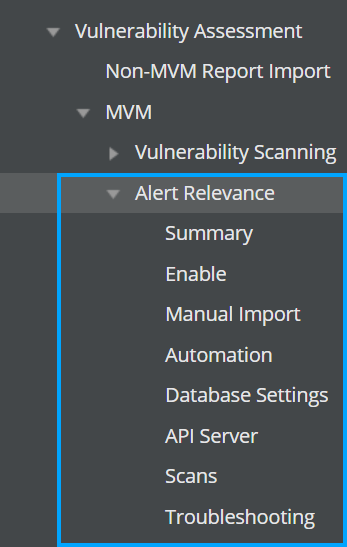
| Item | Menu option | Description |
|---|---|---|
| 1 | Alert Relevance | Contains the sub-menu options to configure relevance analysis settings |
| 2 | Summary | Summary details of relevance analysis configuration in the Manager |
| 3 | Enable | Enable relevance analysis. |
| 4 | Manual Import | Manually import vulnerability scanner reports to Manager database. |
| 5 | Automation | Schedule automatic import of vulnerability reports to Manager database. |
| 6 | Database | Configure the Vulnerability Manager database settings for relevance analysis. |
| 7 | Scans | Add scan configurations in Manager. |
| 8 | Troubleshooting | Troubleshooting options like reloading Vulnerability Manager cache, resetting relevancy cache, and re-submitting database updates |
Note
The menu options explained above are mentioned as Relevance menu options throughout this document.