Each item in the tab tree is a menu and represents a set of sub-menus and options. Example: Updating menu.
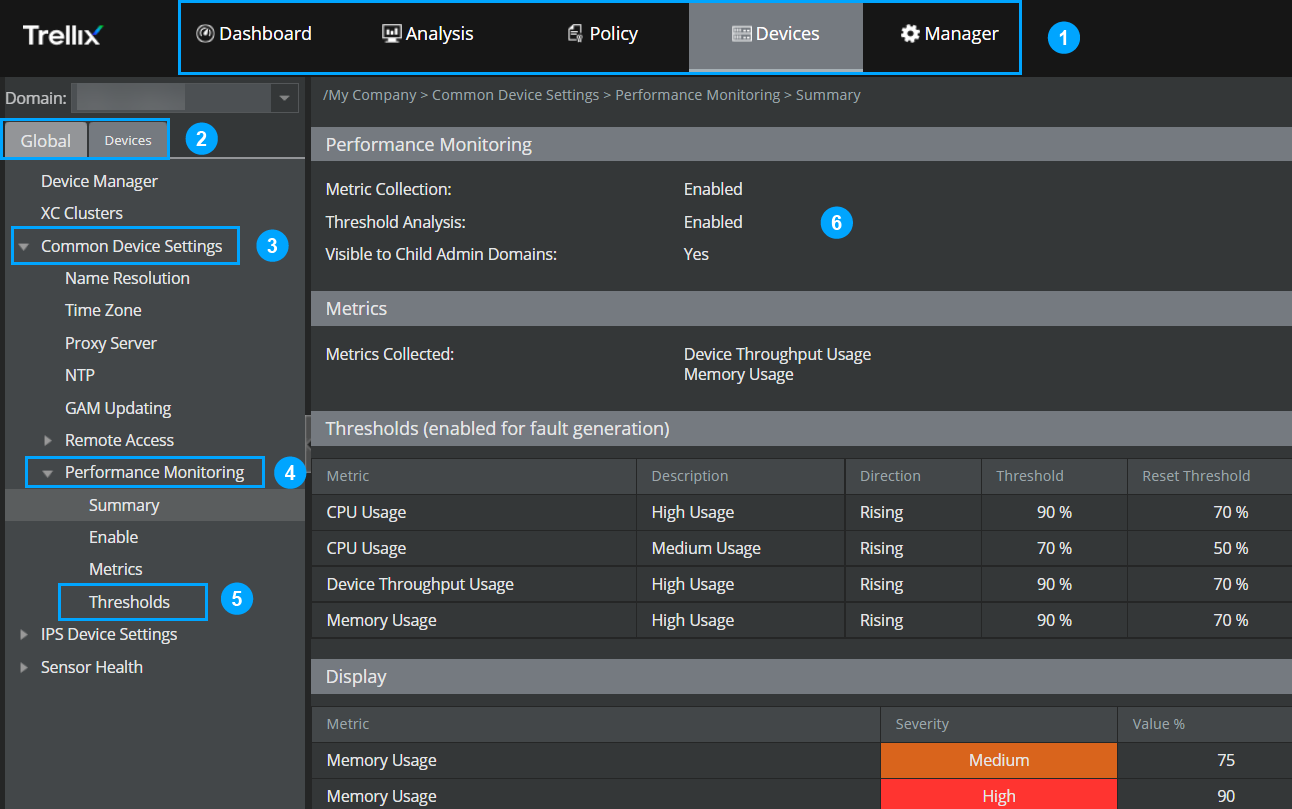
The design provides you with these advantages.
| Callout | Description |
|---|---|
| 1 | Tab – Tabs are located on the menu bar and display specific set of tabs, menus and options. |
| 2 | Sub-tab – A tab contains sub-tabs which display a number of menus when clicked. |
| 3 | Menu – A menu displays one or more sub-menus when clicked. |
| 4 | Sub-menu – A sub-menu displays options or more sub-menus when clicked. |
| 5 | Option – An option displays a page in which you can either view or view and modify settings. |
| 6 | Display pane – When you click on an option to display a page, the area within which the page is displayed is known as the display pane. |