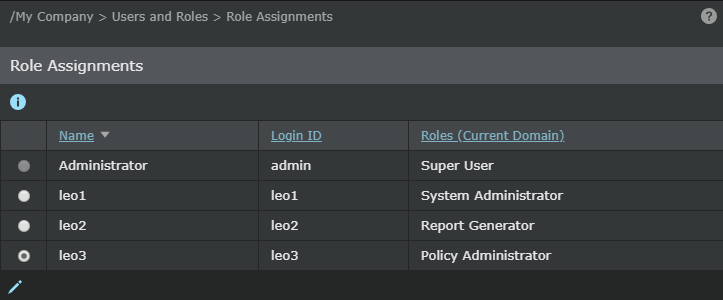
A role determines the actions a user can perform in a given domain. Roles enable task-specific actions to multiple users of your Trellix IPS security environment. As your security implementation grows, utilizing multiple users to perform the various role-based tasks can facilitate security management.
A created user is not required to have a role. You can assign or remove a role to/from a user at any time.
To edit the role assigned to a user, do the following:
Task
- Go to, Manager → Users and Roles → Role Assignments.
- Select a user in the role assignment table.
-
Click
 .
.
- View the user's role assigned.
- Select the role you want the user to have.
-
Click
Save.
The new role assigned is updated in the Role Assignments table.
Role Assignment window