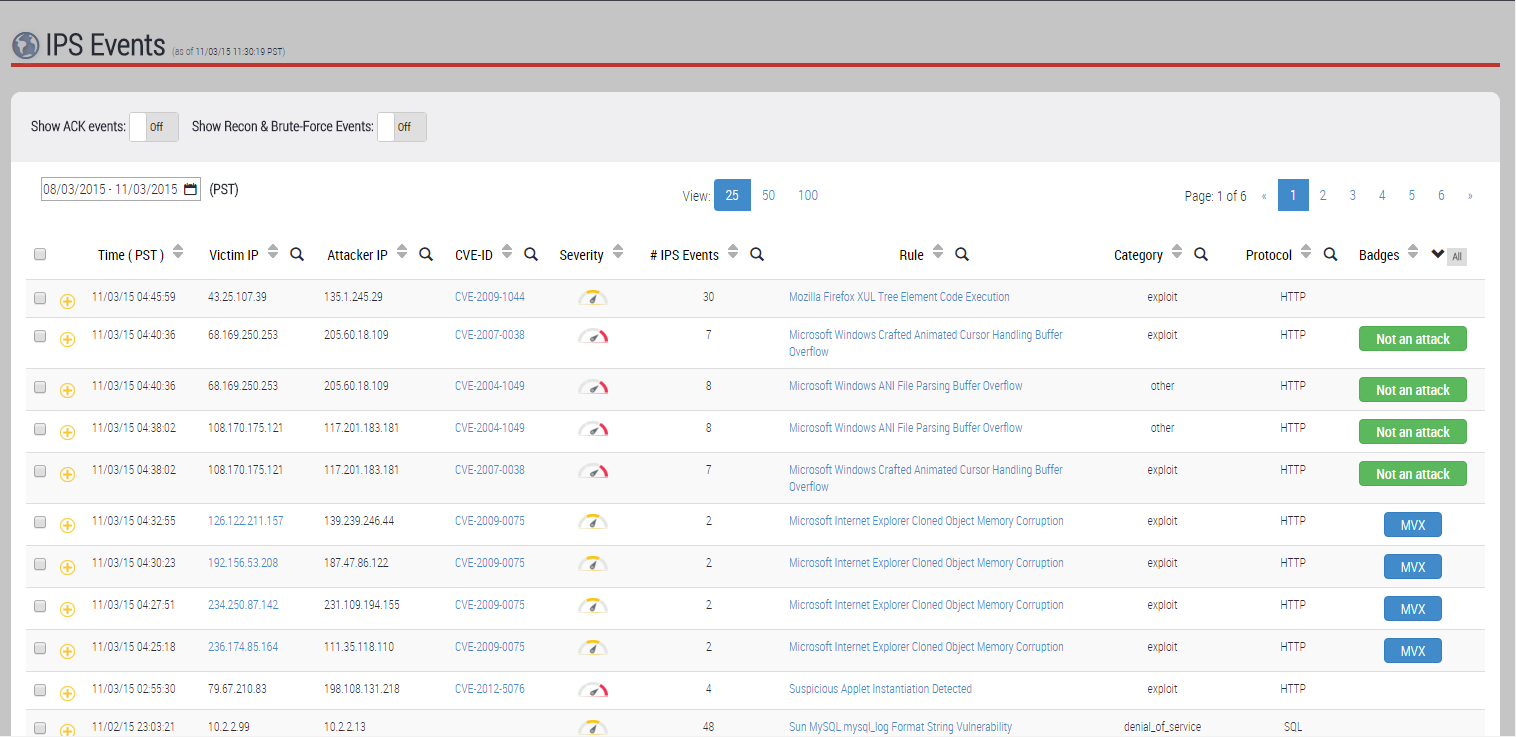
When monitored traffic matches an IPS rule, the IPS platform records an IPS event in its database and lists the event in the IPS Events page. At the same time, the system continues to analyze the data in the session that matched the rule. Further analysis might determine that the IPS event is an IPS alert, or it might determine that the IPS event is not an attack.
IPS alerts
First, the platform analyzes the data to determine whether the IPS event is an IPS alert. Using a correlation algorithm, the platform compares the IPS event—the suspicious traffic flow as well as the IPS rule that detected the suspicious traffic flow—against similar MVX-verified malware attacks already seen on the appliance. If the IPS event correlates with an MVX-verified malware attack, the IPS event is said to be an IPS alert.
IPS events that are IPS alerts are easily identified in the Web UI by the presence of badges.
Within lists of standard Network Security events
In the Hosts tab and in the Alerts tab, an event grouping that contains an IPS alert shows the following icon in the Badges column:

IPS alerts are the only IPS events that are noted along with events detected using standard Network Security appliance security content rules.
Within the list of IPS events
In the IPS Events page, an IPS event grouping that contains an IPS alert shows the following icon in the Badges column:

Depending on how you have configured IPS event notifications, the system might also send IPS event notification messages.
Non-malicious IPS events
If an IPS event does not correlate with an MVX-verified malware attack, the platform continues to inspect the data in the session that matched the IPS rule. The MVX engine inspects the data within the same IPS event vulnerability execution environment as the original session that contained the matched traffic. If the result of MVX verification shows the IPS event to be non‑malicious, the IPS event is not an attack. IPS events that are not attacks are easily identified in the IPS Events page by the presence of the following icon in the Badges column:

Depending on how you have configured IPS event notifications, IPS event notification messages might be sent.
The following example shows an IPS Events page that lists four entries for MVX-correlated events and four entries for verified non-malicious events.