Scenario
Sudden outage in the network due to unresolved ARP traffic
Applicable to Sensor models: M-series, NS-series, and Virtual IPS Sensors.
Sensor software version: 9.1, 9.2, 10.1
Problem type to be solved
Resolve the ARP traffic which is dropped by the Sensor due to heuristic web application server protection configuration setting.
Data/Information Collection
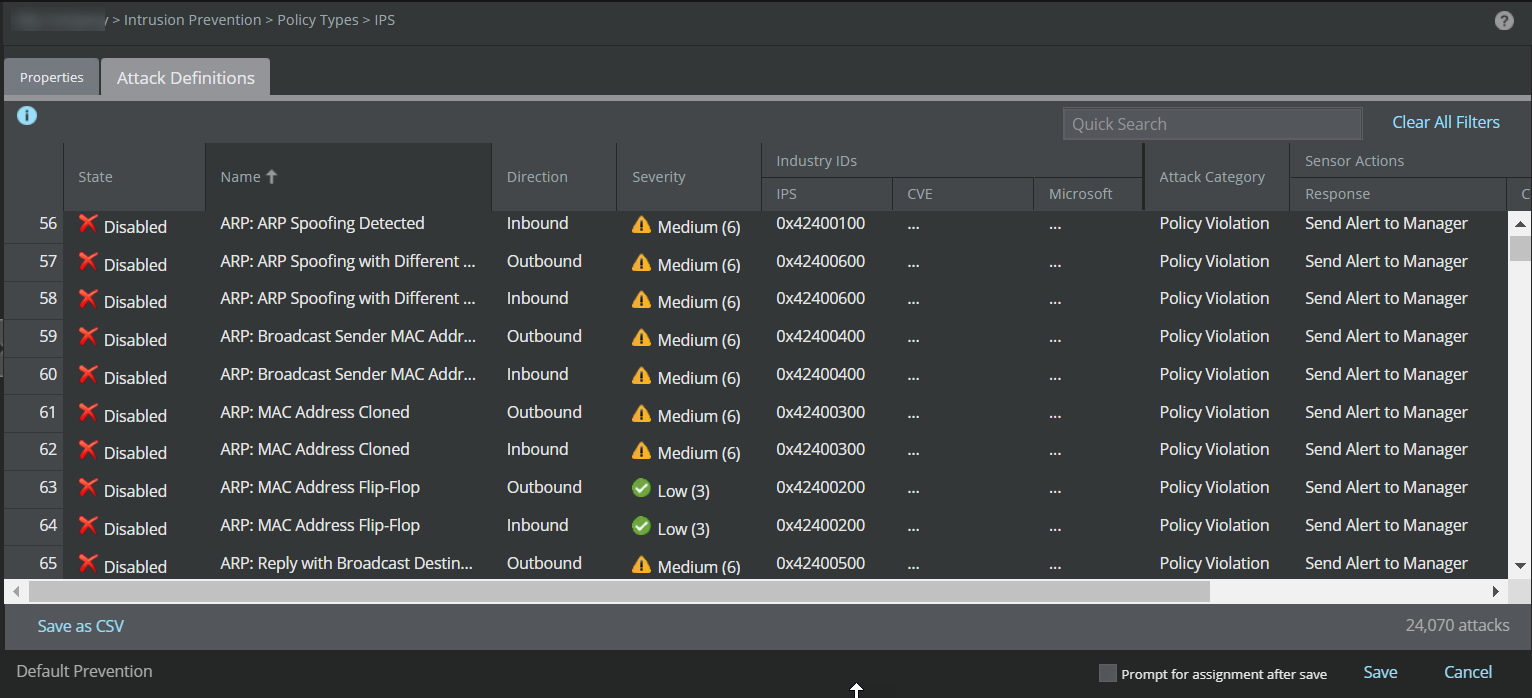
- Check if the attack
ARP MAC Address Flip-Flop is disabled from the policy.
Go to Policy → Intrusion Prevention → Policy Types → IPS. Click on Default Prevention listed in IPS name column.
Check the policy on the entire device interfaces and make sure ARP flip flop alert is either disabled or not included in the policy on the entire device interfaces.
- Check if the
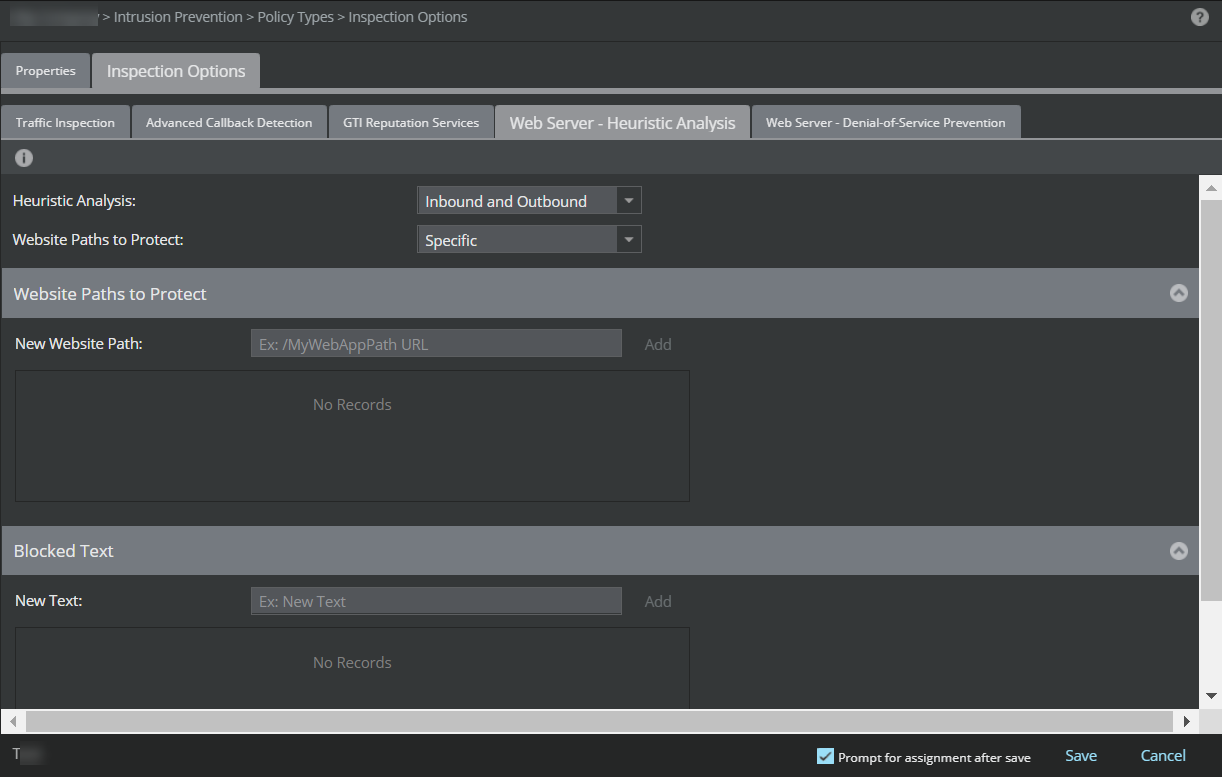
Heuristic Web Application Server Protection is enabled.
Go to Policy → Intrusion Prevention → Policy Types → Inspection Options. Click on <Policy Name> listed in Inspection Options page.
Note
Check each interface of the device individually.
- Check if ARP spoofing is enabled on the Sensor. Use the command
show arp spoof status.

Explanation
When heuristic web application server protection is enabled, the Manager caching is disabled and only selected attacks are pushed to the Sensor. If the MAC Flip-Flop attack is not part of the attacks chosen by the user, the Sensor drops the ARP packets. This happens in scenarios such as the following:
- Assignment of dynamic MAC address in the network (vmac)
- For the firewall in failover mode which uses the Virtual MAC address, the IP address remains the same but the MAC address will change
Troubleshooting Steps
- Disable ARP spoofing on the Sensor. Use the command arp spoof to disable ARP spoofing.
- Disable
Heuristic Web Application Server Protection on the device’s individual interfaces.
If the problem still persists, contact Trellix Support for further assistance.