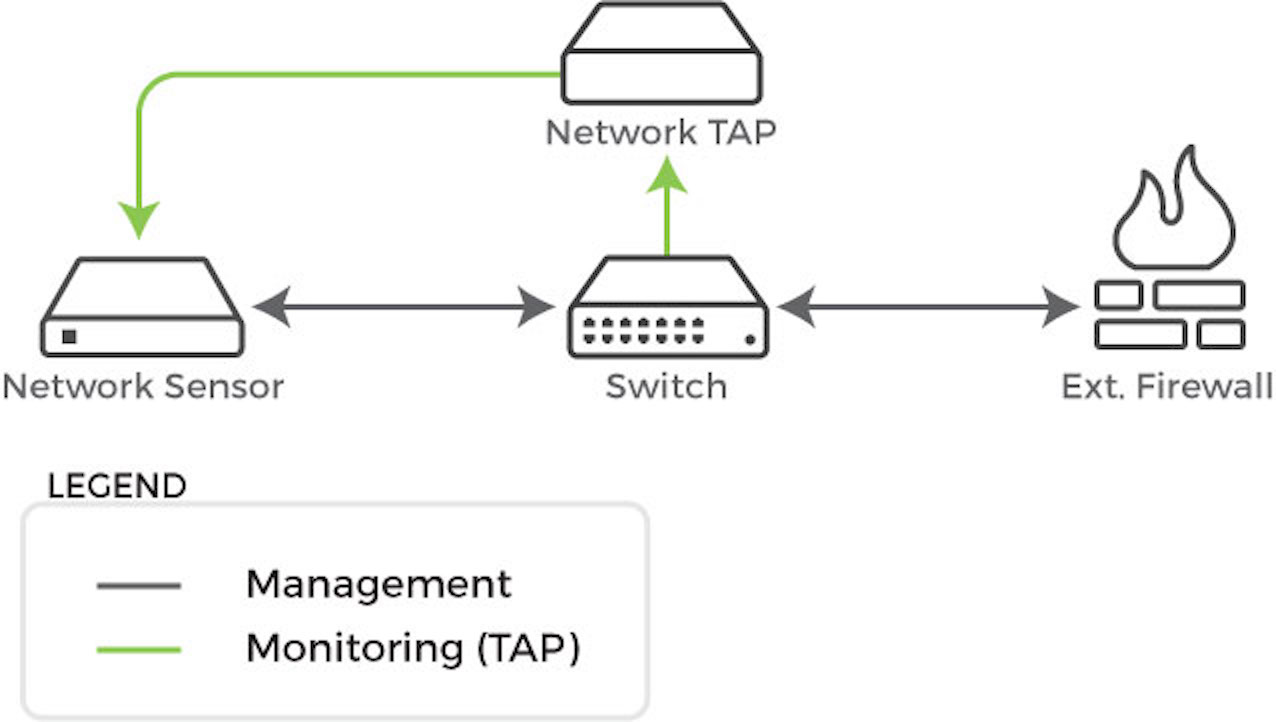
Trellix recommends that the monitoring interface of the network sensor be attached to a network TAP. A network TAP is a hardware device placed at a specific network point that allows you to connect a third device to monitor the network traffic. If you use a network TAP, connect the monitoring interface of your network sensor to the network TAP and connect the management interface to a network segment that meets the previously outlined network firewall requirements.
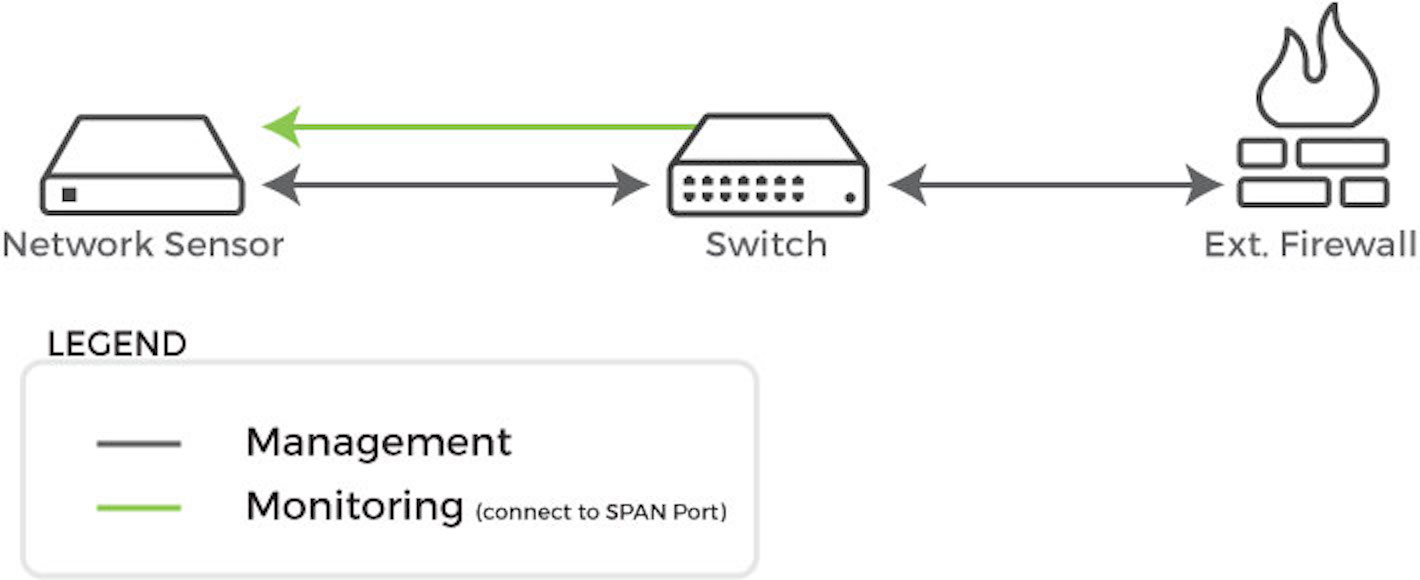
Alternatively, you can attach the monitoring interface to a SPAN port on a network switch. Be aware that with a SPAN port packet loss will most likely occur due to pressure on the switch's backplane as a result of traffic mirroring. Attach the management interface to a network segment that meets the previously outlined network firewall requirements.
For more information, see Sensor Placement.