Use the Certificate Management page to obtain the host key for the primary node. This is the key that you will import into the global host-keys database of the secondary node. The key contains the IP address of the default HA interface.
Note
You can use the Web UI to obtain the host key for the primary node only, because there is no Web UI access for the secondary node. To obtain the host key for the secondary node, see Obtaining a host key using the CLI .
To obtain the host key:
Log in to the Web UI of the primary node.
Select Settings > CM Settings.
Click Certificates/Keys on the sidebar.
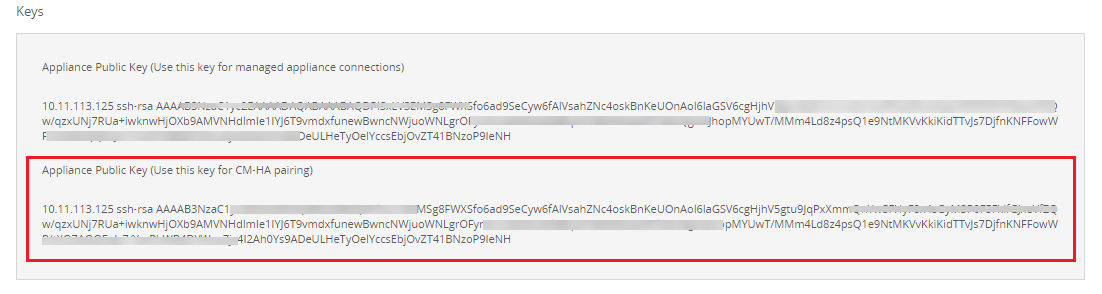
Locate the Appliance Public Key (Use this key for Central Management System HA pairing) string in the Keys section.
Copy the string, starting with the IP address.
Do one of the following:
Paste the key into the CLI of the other node, as described in Importing global host keys using the CLI.
Paste the key into a text file and save it for later.
Note
You can optionally obtain the host key for a backup HA interface, but you must use the CLI to do so. See Obtaining a host key using the CLI for details.