You can add a passive relevance option. To do so, perform the following steps.
Task
-
Under
Enable, select
Passive Relevance option from the drop-down list next to
Use Scan Results to Enhance Alert Relevance Accuracy?.
Relevance tab 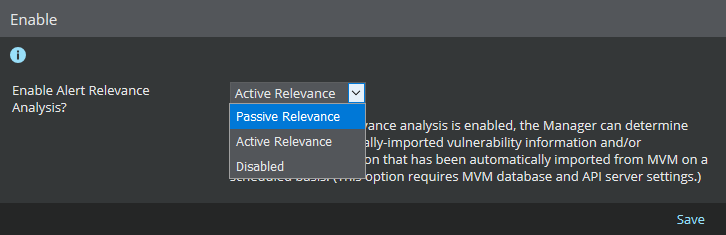
-
The Manager uses the imported vulnerability scan report to determine the vulnerability relevance of real-time alerts.
The CVE ID of the vulnerability in the imported report is compared to the CVE ID in the attack cache in the Manager. If a match is found, the corresponding attack is marked as Relevant.
-
Click
Save.
The screen is refreshed and you get an update that the changes have been updated.