To configure RedSeal to send events to the Trellix sender:
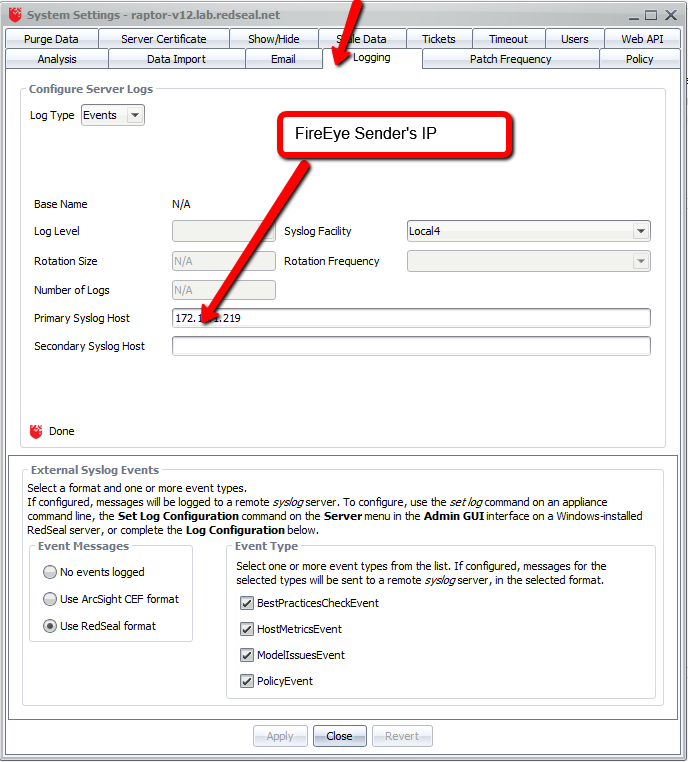
Select Edit -> System settings from top left hand side menu. This will pop up System Settings dialog.
Go to the Logging tab and add your sender’s IP address in the Primary Syslog Host field.
Select “Use RedSeal format” under External Syslog Events.
Select all checkboxes under Event Types.
Click Close.