To stop applying IPS rules to a monitoring or a management interface, remove the active IPS policy from the interface. When no IPS policy is applied, traffic that passes through the interface is analyzed using standard Network Security content rules only. The appliance detects and, if deployed and configured inline, can block client-centric HTTP-based malware only.
To delete a custom IPS policy definition from an IPS platform, see Deleting a custom IPS policy (Web UI).
Prerequisites
Log in to the Web UI of the IPS platform as Operator or Admin.
Procedure
To remove an IPS policy from an interface:
Choose IPS > Configure.
Find the IPS policy you want to stop applying to an interface.
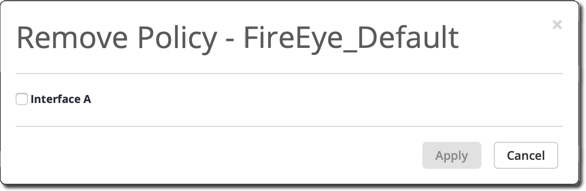
Go to the Actions column and click Remove.
Select the interface from which you want to remove the policy, click Apply.
Traffic that passes through the interface is analyzed using standard Network Security content rules only.