Use the Add/Remove Sensors from <Group> dialog box to remove appliances from groups.
Tip
Select the group in the Sensor Group list to see a full list of the appliances currently in the group.
To remove appliances from a group:
Click Appliances > Sensors.
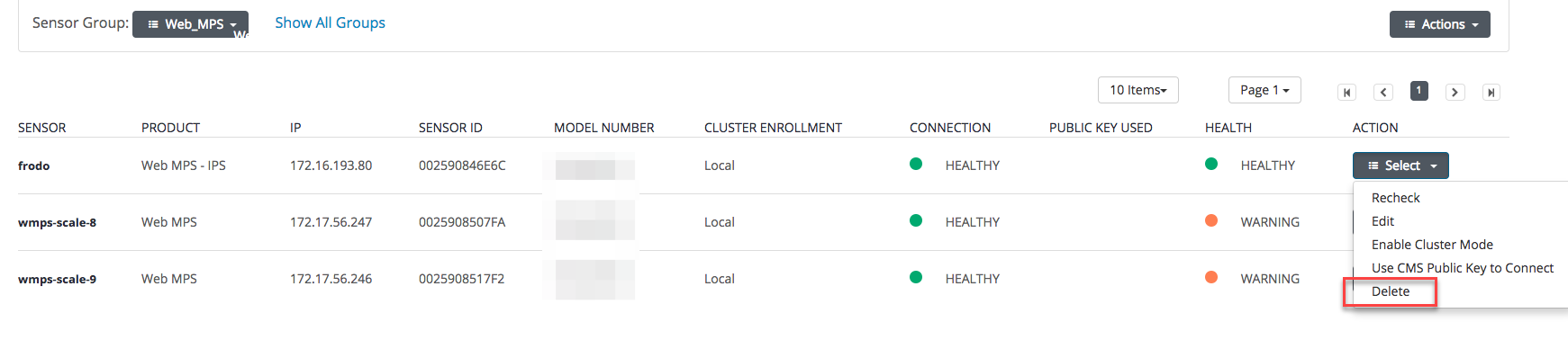
Select the group in the Sensor Group dropdown..
Click Select in the Action column for the sensor to be removed.
Click Delete. A confirmation prompt appears.
Click OK.
Repeat the Select> Delete > OK sequence for each sensor to be removed from the group.