The following are the Sensor CLI commands that show information related to Trellix Intelligent Sandbox integration.
- The
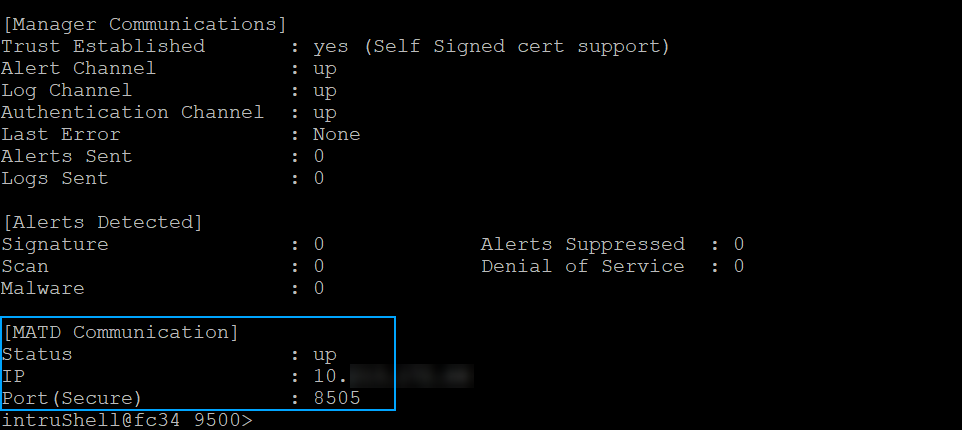
status command additionally shows information related to the integration.
- Status — Shows whether the communication channel between the Sensor and Trellix Intelligent Sandbox is up or down
- IP — The IP address of the Trellix Intelligent Sandbox appliance with which the Sensor is integrated
- Port — The port number used for the communication
- From the debug mode, the switch matd channel command enables to select TCP or SSL channel for communication with Trellix Intelligent Sandbox.
- The show malwareenginestats command additionally shows the statistics for the Trellix Intelligent Sandbox engine.
- A Sensor, for its connections through its management port with a
Trellix Intelligent Sandbox appliance, uses AES128-GCM-SHA256 cipher by default. To know if the connection is currently encrypted, use
show amchannelencryption status on the Sensor CLI.
Note
SSL encryption when enabled can have performance degradation, which may impact the analysis of large files and high-volume of files. To transfer large files, switch to TCP channel on the Sensor and Trellix Intelligent Sandbox. Use command switch matd channel tcp on Sensor CLI and set nsp-tcp-channel enable on Trellix Intelligent Sandbox.
For more information on these commands, refer to Trellix Intrusion Prevention System Product Guide.