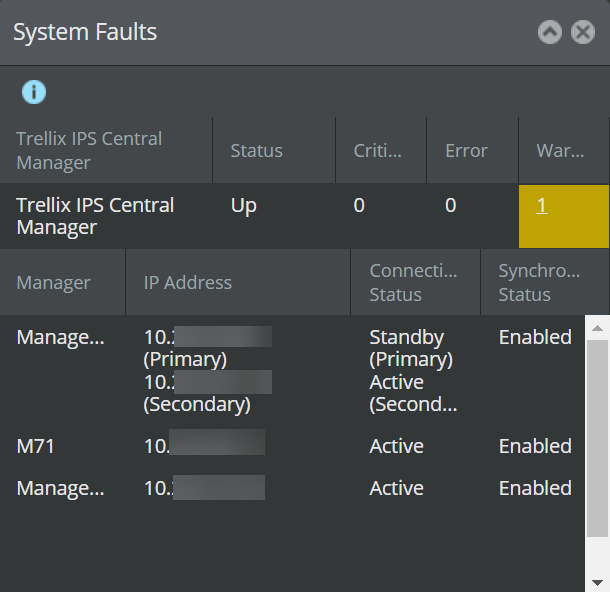
The System Faults section of the Dashboard page displays the following information:
- Trellix IPS Central Manager— The Central Manager name
- Failover Mode— The failover mode of the Central Manager, whether primary or secondary as configured in MDR
- Failover Status— The failover status of the Central Manager, whether active or standalone
- Status— Operational status of the component. For Central Manager, up indicates proper functioning; down indicates the component is not functioning.
- Critical— Major faults, such as component failure.
- Error— Medium faults, such as a stopped process, incorrect port speed configuration, or a session time-out (automatic logoff).
- Warning— Minor faults, such as multiple bad logos or an attempt to delete a resource in System Configuration without properly clearing fields
- Manager— The name of the Manager entered in the Devices page
- IP Address— The IP address of the Managers managed by the Central Manager
- Connectivity Status— The connectivity status of the Managers managed by the Central Manager
- Synchronization Status— The synchronization status of the Managers managed by the Central Manager